Best for speaker quality
Apple Studio Display 2026
4.6 attribute score
Highest scored product for this attribute based on supporting review evidence.

Highest scored product for this attribute based on supporting review evidence.
Balances the attribute score, supporting reviews, and overall product strength.
Has the broadest review evidence for this attribute.
Strongest overall product among items with scored evidence for this attribute.

The integrated six-speaker system is unusually strong for a monitor, with pleasing clarity and bass, though separate speakers can still sound better.
Pros: Monitor daisy-chaining, overall picture quality
Cons: value for money, refresh rate

Clear dialogue, useful loudness and even a little bass are better than many monitor speakers, although fine low-volume control and hi-fi depth are limited.
Pros: value for money, Resolution
Cons: port selection, competitive gaming suitability

Some call the six-speaker system remarkably full and bassy, while others hear thin sound or prefer separate speakers.
Pros: refresh rate, HDR performance
Cons: value for money, Device compatibility

Sound is unusually loud and clear for a monitor, with better bass than typical built-ins; it can turn muddy at extreme volume.
Pros: overall picture quality, overall satisfaction
Cons: port selection, brightness

Voices are clear and the output is more substantial than many monitor speakers, though dedicated speakers are still preferable for serious audio.
Pros: overall satisfaction, screen size
Cons: stand adjustability, Photo editing

A couple of customer accounts praise adequate built-in sound, though this conflicts with expert findings that the monitor lacks speakers.
Pros: overall satisfaction, DisplayPort connectivity
Cons: value for money, reliability over time

Sound is a point of disagreement: some hear unusually rich monitor audio, while another reviewer found it harsh, loud and short on detail.
Pros: value for money, Resolution
Cons: port selection, HDR performance

Built-in speakers draw mixed reactions: volume and clarity satisfy some users, but others miss LG Pixel Sound or dislike muffled and bass-light output.
Pros: brightness, color gamut
Cons: AI scene optimization, value for money

The speakers are passable for basic listening but sound thin and lack bass; external audio is the better choice for music or gaming.
Pros: brightness, contrast
Cons: Text fringing, speaker quality

Audio is serviceable at ordinary volumes but lacks bass and can turn thin with demanding music or movie soundtracks.
Pros: Resolution, overall satisfaction
Cons: value for money, Image scaling

Speaker sound earns mixed reactions: sufficient for casual content, with some clear mids, but modest bass and limited volume.
Pros: brightness, HDR performance
Cons: speaker quality, built-in speakers

Sound is a little better than some monitor speakers and works for everyday alerts, but voices can sound thin and dedicated speakers are better for media.
Pros: Resolution, Dual-mode versatility
Cons: value for money, GPU demands

The speakers are serviceable for everyday audio, with uneven impressions of their fidelity and loudness.
Pros: port selection, color accuracy
Cons: built-in speakers, speaker quality

Sound quality divides opinion: the speakers are adequate or surprisingly pleasing for calls and casual videos, but limited for clear, full-bodied listening.
Pros: USB hub functionality, USB-C power delivery
Cons: speaker quality

The reported integrated audio handles simple speech but lacks volume and quality for games, films or music.
Pros: HDR performance, overall satisfaction
Cons: local dimming performance, Blooming control

Built-in audio is tinny and lacks the body expected from a monitor of this size.
Pros: color accuracy, value for money
Cons: color gamut, black levels

Built-in sound is consistently a weak link, with thin or mediocre output; external speakers or headphones are recommended.
Pros: value for money, Resolution
Cons: HDR performance, refresh rate
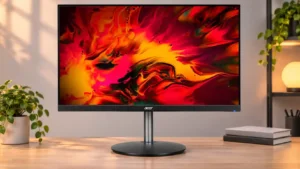
Muffled sound, essentially no bass, and low output make external speakers or headphones preferable.
Pros: adaptive sync performance, PC gaming compatibility
Cons: HDR performance, contrast

The built-in sound lacks volume and body and is suitable mainly for basic system alerts.
Pros: color accuracy, overall picture quality
Cons: HDR performance, refresh rate

Voice reproduction sounds hollow or scratchy, and the overall audio is too thin to recommend for serious listening.
Pros: overall satisfaction, stand adjustability
Cons: value for money, reflection handling