
Overall: 4.5/5
Full-bandwidth DisplayPort 2.1 UHBR20 can run 3440×1440 at 360Hz without DSC, a standout advantage for suitably equipped PCs.
Pros: color gamut, contrast
Cons: value for money, Resolution

Overall: 4.5/5
Full-bandwidth DisplayPort 2.1 UHBR20 can run 3440×1440 at 360Hz without DSC, a standout advantage for suitably equipped PCs.
Pros: color gamut, contrast
Cons: value for money, Resolution

Overall: 4.1/5
Full-bandwidth DisplayPort 2.1 UHBR20 is a standout, capable of 5K2K at 165Hz without relying on compression from compatible hardware.
Pros: Resolution, overall satisfaction
Cons: value for money, Image scaling

Overall: 4.4/5
Full-bandwidth DisplayPort 2.1a supports uncompressed 4K at 240Hz and is the preferred PC connection. Reviewers praised MSI for avoiding bandwidth compromises.
Pros: brightness, reflection handling
Cons: cable management

Overall: 4.3/5
Full-bandwidth DisplayPort 2.1 can run 4K 240Hz 10-bit video without DSC on a compatible graphics card, adding useful headroom for high-end PCs.
Pros: black levels, sharpness
Cons: value for money, brightness

Overall: 4.3/5
DisplayPort 2.1 UHBR20 gives compatible GPUs a way to drive native 5K2K at full refresh without display-stream compression. That is a practical advantage over older DisplayPort connections.
Pros: overall satisfaction, Text fringing
Cons: brightness, Edge dimming behavior

Overall: 4.3/5
Dual DisplayPort 1.4 inputs are especially useful for desktops, Linux systems, and full-resolution 6K operation. DisplayPort proved reliable across a wide range of graphics hardware.
Pros: productivity versatility, overall satisfaction
Cons: value for money, response time
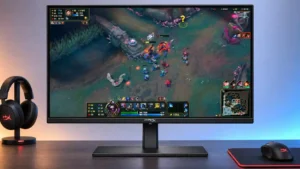
Overall: 4.1/5
DisplayPort can carry the full 240Hz refresh rate, so PC gamers are not confined to HDMI.
Pros: black levels, overall picture quality
Cons: brightness, Gaming feature selection

Overall: 4.1/5
DisplayPort 2.1 is a useful match for powerful PCs trying to get the most from the panel’s demanding refresh rates.
Pros: competitive gaming suitability, refresh rate
Cons: Dual-mode versatility, GPU demands

Overall: 4.0/5
Full-bandwidth DisplayPort 2.1 can carry high-refresh 5K without display stream compression on compatible hardware, a useful advantage over lower-bandwidth connections.
Pros: Resolution, Dual-mode versatility
Cons: value for money, GPU demands

Overall: 4.3/5
Two DisplayPort inputs are unusually generous for the price and are useful for multi-PC or desktop-heavy setups.
Pros: color gamut, overall picture quality
Cons: brightness, HDR performance

Overall: 4.2/5
Full-bandwidth DisplayPort 2.1 enables 4K 240Hz without DSC on compatible hardware. While technologically current, a few testers say the visible improvement over older DSC connections is minimal.
Pros: overall satisfaction, black levels
Cons: value for money, stand adjustability

Overall: 4.1/5
Full-bandwidth DisplayPort 2.1 is powerful enough for uncompressed 4K/240Hz on compatible hardware. One owner reported intermittent DP signal dropouts that did not occur over HDMI.
Pros: PC gaming compatibility, reflection handling
Cons: color accuracy, VRR flicker

Overall: 3.9/5
DisplayPort 2.1 UHBR20 is a meaningful upgrade for advanced GPUs and high-bandwidth 4K gaming.
Pros: brightness, color gamut
Cons: AI scene optimization, value for money

Overall: 3.8/5
DisplayPort is the way to access full QHD 240Hz performance. Its older specification is adequate but lacks premium connection bandwidth.
Pros: value for money, panel type
Cons: brightness, port selection

Overall: 3.9/5
DisplayPort 1.4 with DSC provides the full 1440p at 360Hz experience that HDMI cannot deliver on this model.
Pros: motion clarity, Backlight strobing
Cons: contrast, HDR performance

Overall: 3.5/5
DisplayPort 2.1 supports the demanding native mode; older DP 1.4 devices and some Mac configurations encounter substantial refresh-rate limits.
Pros: Resolution, sharpness
Cons: value for money, HDR performance
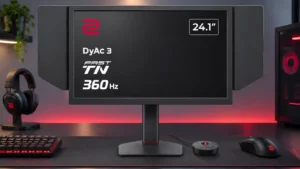
Overall: 3.8/5
DisplayPort handles the high-refresh gaming setup, though reaching 1440p at 360Hz requires display stream compression.
Pros: competitive gaming suitability, motion clarity
Cons: contrast, overall picture quality

Overall: 4.4/5
DisplayPort connectivity supports the full panel and daisy chaining, but bandwidth becomes tight when driving multiple high-resolution screens at 120Hz. Careful cable and compression support may be needed.
Pros: productivity versatility, aspect ratio
Cons: value for money, competitive gaming suitability

Overall: 4.4/5
DisplayPort 1.4 with compression handles native gaming well, but enthusiasts miss the newer DisplayPort 2.1 bandwidth and uncompressed option.
Pros: brightness, value for money
Cons: port selection, built-in speakers
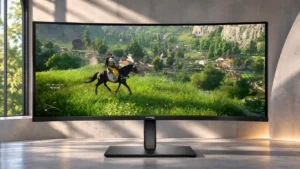
Overall: 4.4/5
DisplayPort 1.4 works, but competing same-generation OLED models offer DisplayPort 2.1 and higher-bandwidth operation without relying on compression.
Pros: refresh rate, color accuracy
Cons: console gaming compatibility, DisplayPort connectivity

Overall: 4.2/5
There is no native DisplayPort input, making conventional PC and console connections harder than they should be.
Pros: refresh rate, HDR performance
Cons: value for money, Device compatibility