
Overall: 4.1/5
A native DisplayPort input helps the screen fit traditional PC desks, with one test finding it stable at full resolution.
Pros: color accuracy, overall picture quality
Cons: HDR performance, refresh rate

Overall: 4.1/5
A native DisplayPort input helps the screen fit traditional PC desks, with one test finding it stable at full resolution.
Pros: color accuracy, overall picture quality
Cons: HDR performance, refresh rate

Overall: 4.4/5
A tested DisplayPort connection started promptly and ran at the expected high refresh rate without flicker.
Pros: overall picture quality, color accuracy
Cons: value for money, built-in speakers

Overall: 4.2/5
DisplayPort is the reliable path to native 1440p at 360Hz, making it the preferred connection for high-frame-rate PC gaming.
Pros: competitive gaming suitability, color gamut
Cons: brightness, HDMI 2.1 support
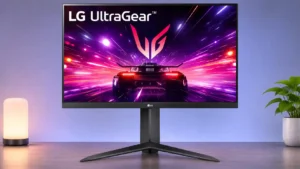
Overall: 3.3/5
DisplayPort can deliver the full 1080p high-refresh signal and is the preferred connection for a gaming PC.
Pros: adaptive sync performance, response time
Cons: HDR performance, console gaming compatibility

Overall: 3.8/5
DisplayPort and USB-C DisplayPort Alt Mode make the fastest refresh settings accessible from compatible PCs and laptops.
Pros: value for money, Resolution
Cons: HDR performance, port selection

Overall: 4.0/5
DisplayPort is the preferred route to the full high-refresh gaming experience, while HDMI on older configurations runs at lower refresh rates.
Pros: value for money, overall satisfaction
Cons: HDR performance, HDMI 2.1 support

Overall: 3.9/5
DisplayPort 1.4 is regarded as adequate for this monitor's advertised resolution and refresh-rate combinations; a newer connector is not essential here.
Pros: Resolution, refresh rate
Cons: HDR performance, contrast
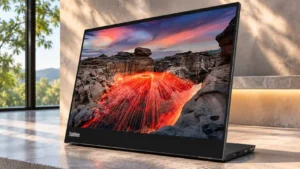
Overall: 3.9/5
DisplayPort Alt Mode through USB-C offers a clean video connection to compatible computers. Lack of conventional video inputs is the main caveat.
Pros: overall picture quality, Stylus usability
Cons: port selection, refresh rate

Overall: 4.0/5
Full-bandwidth DisplayPort 2.1 UHBR20 is its signature upgrade, allowing 4K/240Hz without DSC. The practical advantage is debated, and several owners report port failures.
Pros: overall satisfaction, DisplayPort connectivity
Cons: value for money, reliability over time

Overall: 4.2/5
DisplayPort 2.1 is a welcome connection, but the UHBR10 implementation still relies on DSC for 1440p at 480Hz. It is not the full-bandwidth version some buyers expect.
Pros: refresh rate, overall satisfaction
Cons: value for money, port selection

Overall: 4.0/5
DisplayPort 2.1 is a welcome gaming connection, but UHBR13.5 bandwidth still requires compression for 1440p at 480Hz, and occasional handshake problems have been reported.
Pros: refresh rate, competitive gaming suitability
Cons: value for money, brightness

Overall: 3.1/5
DisplayPort can deliver satisfying 4K high-refresh gaming, but several customers encountered cable-sensitive detection or a complete lack of PC video signal.
Pros: PC gaming compatibility, overall picture quality
Cons: overall satisfaction, Smart TV platform

Overall: 3.6/5
DisplayPort delivers the full high-resolution refresh-rate experience with compression, though the lack of a newer high-bandwidth connection or optional DSC disablement disappoints some enthusiasts.
Pros: overall satisfaction, brightness
Cons: Dolby Vision support, VRR flicker