
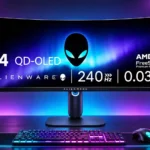
Dell Alienware AW3425DW Feature Scores
Explore all 95 feature scores for Dell Alienware AW3425DW, organized into pros and cons.
Scores by Feature
Summary
95 reviewed features-
Very positive 4.5-5.050 (53%)
-
Positive 3.5-4.415 (16%)
-
Neutral 2.5-3.414 (15%)
-
Negative 1.5-2.411 (12%)
-
Very negative below 1.55 (5%)
Pros
Sort
-
The jump to 240Hz is a welcome improvement for high-frame-rate gaming, though older 165Hz owners may not feel a big change at lower fps.
-
Wide QD-OLED color coverage makes games vibrant and supports demanding photo and video color spaces.
-
Inky blacks, precise individual-pixel control, and bright highlights give the image exceptional depth.
-
240Hz and OLED-fast transitions preserve detail during rapid pans and movement, with especially strong results at high frame rates.
-
Almost instantaneous pixel changes keep movement crisp with minimal smearing at both high and low refresh rates.
-
The flatter, compact square stand frees space for a keyboard, mouse, and other peripherals, though it may wobble slightly.
-
The carefully tuned sRGB mode is an outstanding strength, with excellent factory color even though some users notice a warm default white point.
-
Most admire the streamlined indigo shell and minimalist stand, while a few dislike the blue hue or chunky branding.
-
The panoramic 21:9 layout makes supported games more enveloping, especially paired with vibrant OLED color and fast motion.
-
Near-instant OLED transitions and 240Hz motion make competitive play compelling, although extreme esports players may prefer faster, smaller 16:9 screens.
-
Enthusiastic reports praise the gaming experience and value, with most reservations centered on connections or OLED limitations.
-
The fast OLED panel and sturdy design look competitively priced, although newer models and better-equipped rivals can challenge the deal.
-
Impressive highlights, vivid color, and OLED contrast make HDR a major attraction, but sustained brightness remains a persistent caveat.
-
Per-pixel lighting keeps bright highlights clean against dark backgrounds without the halos commonly seen on backlit LCDs.
-
A fast gaming PC can make excellent use of the full ultrawide resolution and 240Hz speed.
-
Very low processing delay makes controls feel immediate even in demanding games, with some limitations at lower refresh rates.
-
Tool-free assembly and straightforward connections make it quick to get running.
-
The gentle 1800R curve feels enveloping in games without the extreme distortion of tighter curves.
-
Glossy coating enhances apparent image clarity and depth, but mirror-like reflections are its obvious tradeoff.
-
The clean OSD and responsive joystick make common adjustments quick rather than frustrating.
-
Accuracy is already impressive out of the box; further calibration yields modest gains for the most demanding editors.
-
SDR brightness stays pleasantly stable when switching between light and dark windows, though some HDR modes still dim bright scenes.
-
The stand's cable-routing opening helps tidy the desk without a cumbersome rear cover.
-
The chassis feels solid and well finished, with a sturdy overall impression even where the redesigned stand is less rigid.
-
Despite its broad panel, several testers found the monitor manageable to lift and assemble alone.
-
Dark scenes reveal excellent depth and separation rather than muddy shadows or haloed highlights.
-
Atmospheric RPGs and story-driven adventures benefit enormously from the wide curved canvas and OLED contrast.
-
Off-axis color stays very consistent, though the gentle curve still favors sitting near the center.
-
Coverage for OLED burn-in and dead pixels provides reassurance, with regional terms worth confirming.
-
Two full-bandwidth HDMI 2.1 connections are a welcome upgrade from earlier models and support high refresh rates.
-
G-SYNC and FreeSync support keep fast gameplay fluid and reduce tearing, although OLED flicker can remain an issue when frame rates fluctuate.
-
Deep contrast, wide color, and sharp motion create a striking image despite some resolution and brightness caveats.
-
Uniform color and gray fields show little dirty-screen effect or edge falloff.
-
The sRGB gamma is close to target and generally looks natural; subtle measurement deviations are correctable.
-
The 34-inch size feels spacious and immersive while remaining more manageable than giant 45-inch alternatives.
-
The joystick registers inputs promptly and is easy to reach below the panel.
-
Instantaneous OLED response avoids the slow transitions and overshoot often seen on LCD screens.
-
The accurate sRGB and creator presets are useful out of the box with little need for extra tweaking.
-
A small internal fan remains effectively inaudible in ordinary operation.
-
Height, tilt, and swivel adjustments make comfortable positioning straightforward.
-
The downward-facing USB ports are easy to reach rather than hidden behind the panel.
-
Windows 11 ACM helps rein in the native wide gamut and improves measured SDR accuracy.
-
In a dim room the OLED produces wonderfully deep blacks, but ambient light can turn them visibly gray-purple.
-
Per-pixel contrast preserves fine details in bright and dark areas, although the restrained True Black mode can clip or soften some highlights.
-
The new compact base is generally secure, but some noticed more wobble than the earlier V-shaped stand.
-
Command Center offers convenient access to settings, but occasional freezes prevent it from feeling fully polished.
-
Panel refresh and pixel shifting provide reassurance and can be unobtrusive, but options for customizing the routine are limited.
-
Wide color coverage and strong factory calibration are appealing for photo work, though higher-density panels may look sharper.
-
FPS, RTS, sports, and creator profiles offer useful starting points, though many gaming modes look quite similar.
-
Some HDR profiles track intended luminance closely; Peak 1000 can trade accuracy in bright scenes for stronger highlights in darkness.
-
The supplied microfiber cloth is effective at removing smudges from the glossy surface.
-
Basic navigation and setup feel straightforward, especially for users focused on gaming rather than elaborate features.
-
The supplied display cables, USB cable, cleaning cloth, and stand let most desktop users set up immediately.
-
Each OLED pixel dims independently, producing clean transitions between light and dark objects.
-
A MacBook Pro owner reported a smooth experience, including convenient software-based settings control.
-
The 240Hz upgrade makes motion smoother when the graphics card can feed it, though it does not erase lower-frame-rate blur.
-
Consistently fast pixel transitions make complicated overdrive tuning unnecessary across refresh rates.
-
The 21:9 canvas makes supported games more cinematic and adds horizontal workspace; some competitive titles require a narrower mode.
-
Power draw is somewhat lower than the earlier Alienware generation despite the higher refresh rate.
-
Common adaptive-sync formats work on both major GPU platforms; VRR flicker remains a separate limitation.
-
Crosshairs, timers, dark-scene tools, and multiple presets cover the essentials, without all the extras found on pricier rivals.
-
The 3440×1440 image offers useful width without 4K GPU demands, but some would prefer finer detail at this price.
-
The dark stabilizer helps brighten shadowed areas so enemies are easier to spot.
-
Optional aiming and visibility overlays offer useful help in shooters, but one tester needed time to adjust to the unusual view.
-
Standard mounting lets users swap out the stand, although recessed fixing holes may require spacers.
Cons
Sort
-
No KVM switch means users juggling multiple computers must rely on external switching hardware.
-
There is no 3.5mm headphone or audio output, an awkward omission for wired headsets and console setups.
-
The 15W USB-C output is useful for small accessories but inadequate for charging a working laptop.
-
Frame-rate changes can cause distracting brightness pulsation, especially in dark scenes, sometimes enough to make users disable VRR.
-
There are no integrated speakers; owners need separate audio equipment, though some see that as a reasonable cost-saving choice.
-
There is no HDMI ARC/eARC audio passthrough, which complicates routing console sound through the monitor.
-
Visible colored edges around fonts are a recurring complaint, though other reviewers barely notice them at normal distance.
-
The glossy coating preserves perceived sharpness but can reflect windows and lights; experiences differ greatly by room setup.
-
Missing Dolby Vision is a letdown for buyers seeking the most complete premium HDR format support.
-
Changing HDR profiles during gameplay can reset the display and force games to renegotiate their settings.
-
There are several HDR profiles, but some controls—including brightness in HDR—remain unavailable or awkward.
-
About 110ppi is serviceable at this size, but it looks less crisp than newer 4K OLED alternatives.
-
Two HDMI inputs and DisplayPort cover basic gaming, while sparse USB, missing audio out, and no USB-C video make connectivity feel pared back.
-
The alien-head logo and power light add subtle flair rather than the prominent RGB glow some gamers expect.
-
The USB-A/USB-C hub is convenient for a couple of peripherals but too limited for a fully connected desk.
-
The lack of black-frame insertion limits options for reducing persistence blur further at lower refresh rates.
-
The rear finish picks up fingerprints easily and may need regular wiping.
-
Console video can be displayed, but this monitor does not turn PlayStation output into a native ultrawide image.
-
One tester found the uneven, branded borders dated compared with cleaner competitors.
-
Command Center is convenient when it works but occasional crashes and freezes are frustrating.
-
HDMI 2.1 and console-mode options work well electrically, but consoles usually display 16:9 output with side bars on this ultrawide panel.
-
Pixel-care measures exist, but manual customization is restricted, and prolonged static content still calls for care.
-
True Black gives steadier bright scenes; Peak 1000 delivers stronger small highlights but dims large bright areas, so neither is universally ideal.
-
Games and movies remain crisp enough for many, but 4K alternatives reveal noticeably more fine detail.
-
The OLED panel remains responsive at lower frame rates, but buying a 240Hz upgrade adds little if games stay around 60fps.
-
Not every game handles 21:9 correctly: some produce side bars, crop the image, or need a manual aspect-ratio adjustment.
-
Creator and gaming modes have useful adjustments, but no single preset exposes every desired color control at once.
-
Sustained brightness is adequate for normal indoor use, but bright rooms and large luminous HDR scenes reveal its limits.
-
DisplayPort 1.4 works for 240Hz with compression, but the absence of newer DP 2.1 bandwidth disappoints some enthusiasts.
-
The resolution is easier to drive than 4K, but hitting 240fps at ultrawide resolution still requires substantial graphics power.
Use Cases
Best for
Sort
-
Cinematic widescreen content fills the display beautifully, with excellent shadow depth and HDR effects.
-
Dark scenes with bright lights, explosions, and rich shadows can look spectacular; bright outdoor scenes have less punch.
-
Moving from older 60–144Hz LCD screens brings an immediate leap in contrast, speed, and HDR immersion.
-
Controlled lighting showcases the monitor's perfect blacks and dramatic HDR highlights with minimal reflection interference.
-
The wide screen makes multitasking and gaming easy to combine, but heavy static office work is not its strongest role.
-
Rich color and accurate presets help with creative work, but static toolbars and small text complicate long editing sessions.
-
Fast response and bold color make games such as Fortnite lively, and the wide view can help with situational awareness.
-
The internal cooling fan is effectively inaudible, keeping normal sessions quiet.
-
The panoramic curved view is particularly immersive for driving and simulation titles.
-
Owners of an AW3423DW or AW3423DWF gain 240Hz and HDMI 2.1, but the familiar resolution and picture character make upgrading conditional.
-
Accurate wide-gamut color and an expansive timeline are genuine strengths; text rendering and static elements remain caveats.
-
Fast motion and useful visibility tools help in shooters, though some players find stretched ultrawide edges distracting.
-
The extra horizontal room lets one user game, stream, and multitask on one screen without feeling cramped.
-
Accurate factory presets and expansive gamut make serious color tasks viable, provided users check calibration and font rendering.
Conditional or not ideal for
Sort
-
Single-cable laptop dockingThere is no USB-C video input or laptop-class power delivery, so one-cable docking is not an option.
-
USB-C laptop dockingThe USB-C connector does not carry display video, making it a poor solution for laptop-first desks.
-
Bright-room viewingThe panel suits controlled lighting better than sunny desks: reflections and purple-tinted blacks become obvious near large windows.
-
Portrait orientationThe ultrawide panel cannot practically rotate into portrait orientation, making that workflow unsuitable.
-
Multi-computer workflowsThe absence of KVM and USB-C video input makes switching between different computers unnecessarily cumbersome.
-
Long-term ownershipExtended static desktop use still carries OLED burn-in risk; the warranty and maintenance tools help, but do not eliminate it.
-
Text-heavy gamingFine in-game text and interface elements look softer than on a higher-density 4K OLED.
-
Programming and codingThe extra width is useful, but small fonts can show colored fringing, and static IDE layouts make prolonged use less attractive.
-
Desktop productivityThe wide panel is handy for side-by-side windows, but text fringing and OLED burn-in concerns make all-day static work a compromise.