Best for Headphone jack convenience
Gigabyte MO27Q28G
4.6 attribute score
Highest scored product for this attribute based on supporting review evidence.

Highest scored product for this attribute based on supporting review evidence.
Balances the attribute score, supporting reviews, and overall product strength.
Has the broadest review evidence for this attribute.
Strongest overall product among items with scored evidence for this attribute.

The headphone output is a welcome fallback when the modest built-in speakers are not sufficient.
Pros: brightness, contrast
Cons: Text fringing, speaker quality

The 3.5mm audio output offers a handy way to route sound through the display and simplify desk cabling.
Pros: HDR performance, overall satisfaction
Cons: HDR highlight detail, color accuracy

Easy-to-reach audio jacks beneath the screen and an extra output by the rear connections simplify headset hookups.
Pros: competitive gaming suitability, stand adjustability
Cons: color gamut, contrast

The analog audio output is useful because the monitor has no internal speakers, though its placement is not always effortless to reach.
Pros: Resolution, sharpness
Cons: value for money, HDR performance

The analog headphone connection is appreciated as a practical audio option, especially since speakers are not built in.
Pros: Pixel density, Resolution
Cons: GPU demands, HDR performance

A readily reachable analog audio jack makes wired headphones or external speakers simpler to connect.
Pros: port selection, color accuracy
Cons: built-in speakers, speaker quality
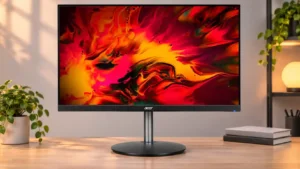
An audio output allows headphone sound to pass through the monitor, a small but useful connection option.
Pros: adaptive sync performance, PC gaming compatibility
Cons: HDR performance, contrast

A conventional headphone jack makes it easier to bypass the weak internal speakers.
Pros: color accuracy, overall picture quality
Cons: HDR performance, refresh rate

The 3.5mm connection provides an uncomplicated way to get sound despite the absence of built-in speakers.
Pros: overall satisfaction, response time
Cons: reflection handling, VRR flicker

The 3.5mm output is handy for game audio when the screen itself has no speakers.
Pros: motion clarity, Backlight strobing
Cons: contrast, HDR performance

The 3.5 mm jack provides a useful connection for headphones or external speakers when no built-in audio is available; sound quality itself is not evaluated.
Pros: PC gaming compatibility, reflection handling
Cons: color accuracy, VRR flicker

The easy-to-reach bottom audio jack leaves a dangling cable when used with external speakers, frustrating tidy desktop setups.
Pros: overall satisfaction, value for money
Cons: reflection handling, screen uniformity

The missing 3.5mm output complicates console or external-audio arrangements that rely on the monitor as an audio source.
Pros: overall satisfaction, refresh rate
Cons: HDR performance, HDMI 2.1 support

Missing or limited conventional audio-out connectivity frustrates users with wired speakers or headphones; HDMI eARC helps soundbar setups instead.
Pros: overall satisfaction, brightness
Cons: Dolby Vision support, VRR flicker

The lack of a 3.5mm audio output is a recurring complaint, particularly for headsets, wired speakers and users swapping between sources.
Pros: Resolution, refresh rate
Cons: HDR performance, contrast
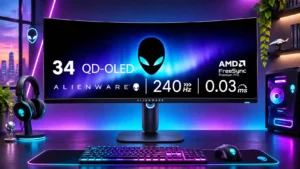
There is no 3.5mm headphone or audio output, an awkward omission for wired headsets and console setups.
Pros: refresh rate, HDR performance
Cons: reflection handling, Text fringing

The missing analog audio-output jack is frustrating if you want to use existing speakers or route sound through the monitor.
Pros: overall picture quality, overall satisfaction
Cons: port selection, brightness