Best for PC-based monitor controls
ASUS ROG Strix 5K XG27JCG
5.0 attribute score
Highest scored product for this attribute based on supporting review evidence.

Highest scored product for this attribute based on supporting review evidence.
Balances the attribute score, supporting reviews, and overall product strength.
Has the broadest review evidence for this attribute.
Strongest overall product among items with scored evidence for this attribute.

DisplayWidget Center is repeatedly praised for making presets, brightness and other settings easier to change without reaching behind the screen.
Pros: Pixel density, Resolution
Cons: GPU demands, HDR performance

DisplayWidget Center provides useful software access to picture settings, shortcuts and firmware, though not every hardware toggle is available there.
Pros: black levels, sharpness
Cons: value for money, brightness

Dell Display Manager simplifies brightness, input, and window settings from the desktop; some color adjustments remain too limited.
Pros: overall satisfaction, screen size
Cons: stand adjustability, Photo editing

Acer's Windows display widget is markedly easier than using the physical buttons for frequent picture adjustments.
Pros: HDR performance, overall satisfaction
Cons: local dimming performance, Blooming control
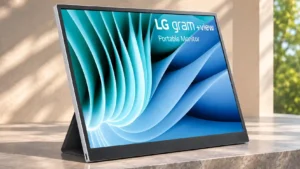
LG software supports screen controls and productivity features, but some users find it cluttered or missing fine color adjustment options.
Pros: portability and weight, overall satisfaction
Cons: port selection, Device compatibility

Software can expose a few adjustments beyond the hardware buttons, though its limitations and compatibility are inconvenient.
Pros: brightness, portability and weight
Cons: value for money, port selection

Samsung's desktop utility offers some settings, but important controls are still unavailable through the software.
Pros: Resolution, sharpness
Cons: value for money, HDR performance

The lack of familiar PC-controlled display settings and DDC-style integration frustrates users who want their computer to manage standby, inputs and brightness.
Pros: PC gaming compatibility, overall picture quality
Cons: overall satisfaction, Smart TV platform