Skip to content
Scorata
  • Entertainment
    • Movies
    • TV Shows
    • Video Games
  • Gaming
    • Gaming Keyboards
    • Gaming Mice
    • Headsets
    • Video Games
    • Video Game Controllers
  • Headphones
    • Earbud Headphones
    • Headsets
    • Open-Ear Headphones
    • Over-Ear Headphones
  • Home
    • Air Purifiers
    • Coffee Machines
    • Home Security
      • Cameras
      • Doorbells
      • Home Security Systems
    • Smart Home
      • Smart Locks
      • Smart Thermostats
    • Vacuums
      • Carpet Cleaning Machines
      • Handheld Vacuums
      • Robotic Vacuums
      • Shop Wet Dry Vacuums
      • Stick Vacuums & Electric Brooms
      • Upright Vacuums
  • Speakers
    • Bookshelf Speakers
    • Portable Bluetooth Speakers
    • Sound Bars
  • Wearable Tech
    • Activity & Fitness Trackers
    • Smart Glasses
    • Smart Watch
  1. Home
  2. Electronics
  3. Monitors
  4. Upgrading from earlier Alienware 34-inch QD-OLED

Best Monitors for Upgrading from earlier Alienware 34-inch QD-OLED

What matters
contrast design and aesthetics port selection Resolution value for money color accuracy reflection handling refresh rate sharpness stand adjustability brightness build quality color gamut competitive gaming suitability HDR performance on-screen display usability overall picture quality overall satisfaction black levels motion clarity
Best for
All use cases Movies and streaming Video editing Desktop productivity Bright-room viewing Mixed work-and-play setups Casual gaming Portrait orientation Color-critical work Dark-room viewing Single-cable laptop docking Dual-monitor setups HDR gaming Budget-conscious buyers Multi-computer workflows USB-C laptop docking Programming and coding Dual-monitor workstations Content creation Tactical shooter gaming Low-distraction use Upgrading from earlier Alienware 34-inch QD-OLED
Upgrading from earlier Alienware 34-inch QD-OLED
Explore: contrastdesign and aestheticsMovies and streaming
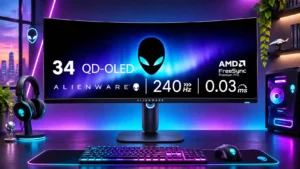
#1 Dell Alienware AW3425DW
Dell Alienware AW3425DW
3.8

Owners of an AW3423DW or AW3423DWF gain 240Hz and HDMI 2.1, but the familiar resolution and picture character make upgrading conditional.

Pros: refresh rate, HDR performance

Cons: reflection handling, Text fringing

  • About
  • Contact Us
  • Privacy Policy
Follow Us

© 2026 Scorata. All rights reserved.