
The stand attaches without tools and cable connection is straightforward, although certain PC DisplayPort setups need extra care.
Pros: overall picture quality, overall satisfaction
Cons: port selection, brightness

The stand attaches without tools and cable connection is straightforward, although certain PC DisplayPort setups need extra care.
Pros: overall picture quality, overall satisfaction
Cons: port selection, brightness

The stand attaches quickly without specialist tools, and accessible ports speed up getting started. Short supplied cables can complicate the final arrangement.
Pros: port selection, USB hub functionality
Cons: competitive gaming suitability, motion clarity

A compatible USB-C connection gets the monitor running quickly without complex installation.
Pros: brightness, portability and weight
Cons: value for money, port selection

Tool-free stand assembly and straightforward controls make getting started unusually simple.
Pros: overall satisfaction, refresh rate
Cons: HDR performance, HDMI 2.1 support
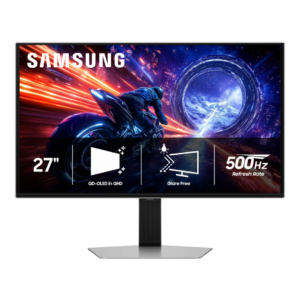
Assembly is consistently simple and tool-free, with stand pieces clipping or twisting securely into place.
Pros: overall satisfaction, competitive gaming suitability
Cons: value for money, screen size

Initial assembly and connecting a Mac are straightforward, apart from some less convenient mounting and setting details.
Pros: Pixel density, Resolution
Cons: GPU demands, HDR performance

The base clicks together without tools, making assembly quick and straightforward.
Pros: value for money, overall satisfaction
Cons: HDR performance, Headphone output quality

Tool-free assembly is quick, with the stand clipping and twisting into position without complicated steps.
Pros: overall satisfaction, screen size
Cons: stand adjustability, Photo editing

Tool-free stand assembly, simple connections and clear labeling make getting started remarkably fast.
Pros: brightness, HDR performance
Cons: speaker quality, built-in speakers

The stand assembles through a straightforward slot-and-secure process.
Pros: black levels, motion clarity
Cons: value for money, Dual-mode versatility

Mechanical assembly is straightforward and requires no screwdriver. Display color calibration, however, can be considerably more complicated.
Pros: overall satisfaction, PC gaming compatibility
Cons: color accuracy, local dimming performance

The included stand assembles quickly and is easy to position without extra tools or hassle.
Pros: HDR performance, overall satisfaction
Cons: HDR highlight detail, color accuracy

Tool-free stand assembly is simple and quick, and basic positioning is straightforward.
Pros: HDR performance, black levels
Cons: viewing angles, response time

Tool-free assembly and straightforward stand attachment make getting started uncomplicated, even with an extra stand piece.
Pros: value for money, Resolution
Cons: port selection, HDR performance
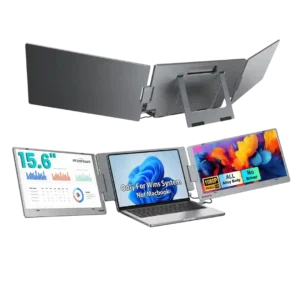
Setup is overwhelmingly described as quick and simple, often just plugging in one USB-C cable and extending the displays in Windows. The main exception is a defective-unit complaint that turned...
Pros: overall satisfaction, portability and weight
Cons: reliability over time

Tool-free assembly, straightforward cabling and quick first use make initial setup refreshingly simple for a large professional monitor.
Pros: value for money, Resolution
Cons: HDR performance, refresh rate

The stand assembles quickly without tools, and the included USB-C connection makes first-time laptop hookup straightforward.
Pros: value for money, Resolution
Cons: port selection, competitive gaming suitability
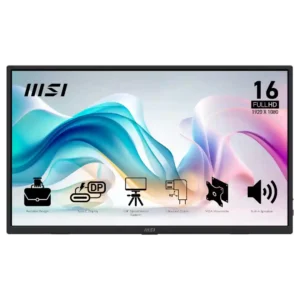
Setup is usually one of the easiest parts of ownership, with many plug-and-play experiences over USB-C or HDMI. Cable and power quirks create a few notable exceptions.
Pros: value for money, portability and weight
Cons: built-in speakers, color gamut

Assembly and daily laptop connections are generally simple, but the stand should be secured carefully before repeated height adjustments.
Pros: USB hub functionality, USB-C power delivery
Cons: speaker quality

One-button mode selection and sensible HDR defaults simplify initial use, although color-sensitive workflows take more work.
Pros: Dual-mode versatility, refresh rate
Cons: black levels, contrast
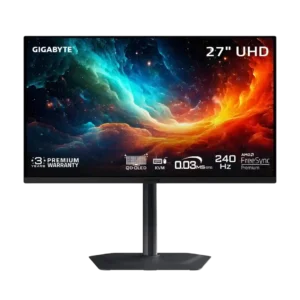
Assembly is straightforward, with the stand clipping into the display and fastening to the base with a single thumbscrew.
Pros: motion clarity, PC gaming compatibility
Cons: color accuracy, software support

Compatible laptops generally connect with one cable and little effort. Consoles and some low-power devices require more adapters or power connections.
Pros: overall satisfaction, stand adjustability
Cons: value for money, reflection handling
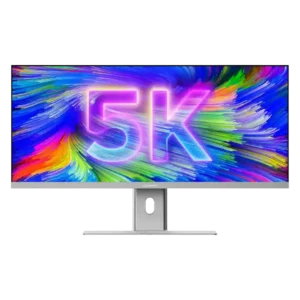
Physical assembly is generally simple despite the monitor’s size, and several reviewers found it surprisingly easy. Color-critical users should budget extra time for calibration after setup.
Pros: productivity versatility, aspect ratio
Cons: built-in speakers, competitive gaming suitability
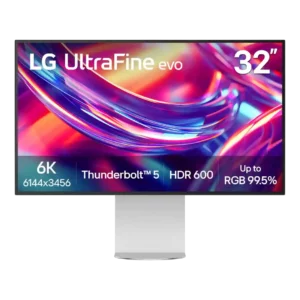
Setup is generally straightforward, though the stand requires two screws rather than fully tool-free assembly. Several reviewers still describe the process as easy once the parts are aligned.
Pros: port selection, overall satisfaction
Cons: value for money, cable management

Initial picture adjustments are uncomplicated, including a quick fix for unwanted automatic brightness changes.
Pros: ultrawide gaming experience, black levels
Cons: HDR performance, viewing angles

Picture calibration and unusual cabling can add initial setup steps, though the screen becomes easier to live with after tuning.
Pros: HDR performance, overall satisfaction
Cons: local dimming performance, Blooming control

The complete cable package helps, but sliding off the protective foam sleeve makes unboxing clumsy.
Pros: overall satisfaction, value for money
Cons: reflection handling, screen uniformity

Basic installation is manageable, but one VESA arm setup required hunting for mounting screws and extra adjustments.
Pros: refresh rate, value for money
Cons: HDR performance, contrast