
The stand clicks together quickly, and a single compatible cable can get a Mac workstation running with little effort.
Pros: port selection, color accuracy
Cons: built-in speakers, speaker quality

The stand clicks together quickly, and a single compatible cable can get a Mac workstation running with little effort.
Pros: port selection, color accuracy
Cons: built-in speakers, speaker quality
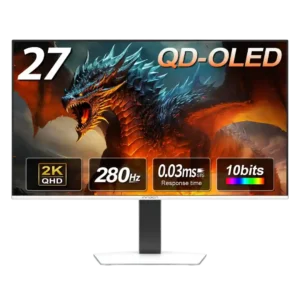
Assembly is quick and tool-free, with the stand snapping into place and ports positioned for easy access.
Pros: color gamut, overall picture quality
Cons: brightness, HDR performance

Stand attachment and initial connection are generally straightforward, helped by a simple locking mechanism.
Pros: refresh rate, Text fringing
Cons: Resolution, GPU demands

Tool-free assembly and the included cables and adapter make the initial setup straightforward.
Pros: black levels, sharpness
Cons: value for money, brightness

Assembly is straightforward, with a simple stand connection and no tools needed in one hands-on setup.
Pros: black levels, overall picture quality
Cons: brightness, Gaming feature selection

The stand snaps together and the display is manageable for one person to unpack. Basic setup is much easier than fixing early firmware issues.
Pros: Resolution, Dual-mode versatility
Cons: value for money, GPU demands

Tool-free assembly and manageable weight make the monitor reasonably straightforward to install.
Pros: Resolution, sharpness
Cons: value for money, HDR performance
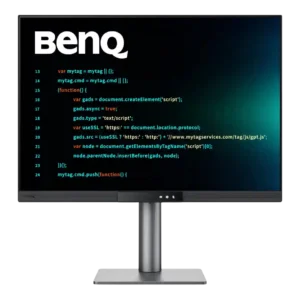
Physical assembly is exceptionally quick, and USB-C can reduce a laptop setup to one cable for video, data, and charging. Monitor-arm installation is also straightforward.
Pros: productivity versatility, aspect ratio
Cons: value for money, competitive gaming suitability

Assembly requires little effort, and ergonomic reference markings help get the display into a familiar position quickly.
Pros: competitive gaming suitability, motion clarity
Cons: contrast, overall picture quality

Tool-free stand assembly is quick, while the physical adjustments make positioning straightforward.
Pros: brightness, value for money
Cons: port selection, built-in speakers

The stand clicks into place with minimal effort and no separate tools, making initial assembly straightforward. The physical adjustments are easy to operate.
Pros: overall satisfaction, Text fringing
Cons: brightness, Edge dimming behavior

Tool-light assembly and straightforward stand attachment make initial setup simple.
Pros: competitive gaming suitability, refresh rate
Cons: Dual-mode versatility, GPU demands

The stand clicks into place and the base screw can be tightened without tools, making initial assembly simple.
Pros: PC gaming compatibility, reflection handling
Cons: color accuracy, VRR flicker

For many Mac owners the display is almost plug-and-play, though one hands-on test found the initial connection guidance confusing.
Pros: Monitor daisy-chaining, overall picture quality
Cons: value for money, refresh rate

Most testers find the stand straightforward to assemble and the connections manageable. One reviewer dislikes the extra projector parts required during initial setup.
Pros: overall satisfaction, black levels
Cons: value for money, stand adjustability

Connections and software setup are usually quick, but physically unboxing and positioning the 52-inch panel is inconsistent: some managed alone, while others struggled or strongly recommend two people. Arm mounting...
Pros: productivity versatility, overall satisfaction
Cons: value for money, response time

Assembly is straightforward but old-fashioned: four screws replace the quick-release system common on more expensive monitors.
Pros: value for money, panel type
Cons: brightness, port selection