
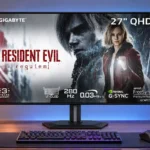
Gigabyte MO27Q28G Feature Scores
Explore all 90 feature scores for Gigabyte MO27Q28G, organized into pros and cons.
Scores by Feature
Summary
90 reviewed features-
Very positive 4.5-5.031 (34%)
-
Positive 3.5-4.434 (38%)
-
Neutral 2.5-3.415 (17%)
-
Negative 1.5-2.410 (11%)
Pros
Sort
-
Per-pixel OLED control gives dark scenes exceptional contrast and an immediate transition from black to bright highlights.
-
The OLED panel produces genuinely inky blacks and convincing depth without the gray glow associated with conventional LCD backlights.
-
Near-instant OLED response times give the screen precise moving detail and excellent high-speed gaming behavior.
-
Fast OLED transitions and 280Hz operation deliver excellent motion definition. Higher-refresh premium models still offer incremental gains.
-
Tandem OLED brightness and fast gaming performance arrive at a comparatively approachable price, making value one of the strongest selling points.
-
Most assessments recommend this as an unusually capable and affordable OLED gaming monitor; a few give more weight to coating, brightness or uniformity problems.
-
A 280Hz ceiling is fast enough for smooth, competitive play, although the improvement over 240Hz is smaller than the gap to high-end 480Hz-plus models.
-
SDR brightness is a major strength for this OLED generation, and small HDR highlights can be dazzling. Broad bright scenes and specific modes show more modest results.
-
Input lag is exceptionally low at high refresh rates, giving clicks and camera movement a responsive, connected feel.
-
Individually lit pixels prevent the halos and blooming found around bright objects on many locally dimmed LCD screens.
-
Wide DCI-P3 and expanded BT.2020 coverage give games, movies and creative work rich color. Proper gamut clamping is important to avoid exaggerated SDR saturation.
-
The KVM makes sharing a keyboard and mouse between two connected computers convenient, with input switching designed around multi-device desks.
-
Gigabyte supplies pixel cleaning, logo dimming, shifting and other OLED Care controls. These are helpful safeguards, not a guarantee against wear from static images.
-
Fast OLED pixel transitions keep moving edges remarkably free of smearing, ghost trails and overshoot artifacts.
-
Self-emissive pixels provide precise local control rather than coarse backlight zones, avoiding halos in mixed bright and dark scenes.
-
The fourth-generation Tandem WOLED brings meaningful gains in brightness and color, but retains some WOLED uniformity and color-volume shortcomings.
-
Deep OLED blacks and impressive highlights make HDR gaming particularly striking. Full-screen brightness, dark-scene detail and preset accuracy are less consistent.
-
The matte anti-glare finish reduces mirror reflections and preserves blacks under ambient light. It trades away some of a glossy panel’s crispness.
-
Most testers find the thin stand unexpectedly firm, though at least one describes it as flimsy.
-
Games and video look bold and dimensional thanks to strong contrast and rich color, though individual units and presets can have visible tonal faults.
-
The slender metal stand and stable construction earn praise, although one review found the assembly rather light and flimsy.
-
Slim bezels, a low-profile base and restrained metal accents make the design neat and unobtrusive. Some find it plain rather than stylish.
-
The small, thin metal base frees room for keyboards and other desk gear without sacrificing much stability.
-
The 27-inch size is comfortable for QHD gaming and desk use, balancing workspace with manageable system demands.
-
FreeSync and G-SYNC generally keep motion smooth, with some settings designed to tame frame-rate swings. Adaptive sync still shares OLED’s potential for visible flicker.
-
The metal base, slim stand and restrained styling give the chassis an unexpectedly high-end impression.
-
1440p is a practical match for high refresh rates and midrange gaming PCs, though 4K is noticeably sharper.
-
Slim, largely flush bezels make the picture dominant without an overly chunky bottom edge.
-
Crosshairs, timers, hardware overlays and configurable shortcuts give this gaming monitor a capable toolkit, even if some extras are niche.
-
Fast response and low lag help competitive players track motion and place shots precisely. Reaching the full 280fps requires sufficiently fast hardware.
-
The black-frame-insertion feature can make 120Hz motion look noticeably clearer, at the cost of brightness and simultaneous VRR operation.
-
Off-axis picture consistency is generally strong for OLED, although some testing finds slight color shifts at extreme viewing angles.
-
Console support includes 120Hz options and 4K downscaling, with HDMI bandwidth and chroma-format tradeoffs to consider.
-
Height, tilt, swivel and portrait adjustments provide versatile ergonomics from a compact metal stand.
-
Three-year coverage that includes OLED burn-in offers welcome reassurance for a panel with known static-image wear concerns.
-
PC and console VRR support is broad, though unstable frame rates can reveal gamma flicker and some input-switching quirks.
-
Color-space presets, gamma options and RGB adjustments offer useful tuning. Some emulation modes lock controls, and correcting darker tones can take experimentation.
-
The newer Tandem panel delivers much greater saturation and color purity than earlier WOLEDs. Very bright saturated HDR colors can still trail QD-OLED alternatives.
-
HDMI, DisplayPort, USB-C and USB-A give this gaming display a useful mix of connectivity, albeit without a generous peripheral hub.
-
Factory color accuracy ranges from good to merely fair depending on preset and sample. Grayscale tint, dark gamma and calibration effort are the main reservations.
-
Gigabyte’s desktop utility is useful for configuration and firmware, with some setup requirements and occasional preference for competing software.
-
Firmware updates improved launch-era color and HDR behavior, so checking the installed version is important for getting the reviewed performance.
-
The Ultra Clear black-frame mode improves perceived sharpness at 120Hz, but it cannot be combined with VRR or HDR and carries brightness and flicker compromises.
-
Multiple HDR presets offer a useful choice between accuracy and impact. The most aggressive 1500-nit options introduce saturation or tone-mapping compromises.
-
Cinematic games benefit from dark blacks, striking HDR effects and rich color, although aggressive peaks can mask some subtle details.
-
Small bright details can look spectacular, but some tone-mapping choices dim or crush highlights and reduce the detail they should preserve.
-
Speaker volume control has useful range for quiet evenings as well as ordinary daytime listening.
-
The joystick-led menu and software controls are generally easy to navigate, but placement of APL controls and some locked options frustrate.
-
The USB hub and KVM are convenient for basic peripherals, but two downstream ports can feel limiting.
-
The monitor works with modern gaming PCs and several other source types, but particular ports and modes impose bandwidth limitations.
-
The headphone output is a welcome fallback when the modest built-in speakers are not sufficient.
-
A conventional replaceable mains lead is easier to manage than a proprietary built-in connection.
-
Its gamut and glare control are useful for occasional photo editing, but dark midtones and inconsistent uniformity make precision work harder.
-
Dark-scene adjustment can uncover otherwise hidden shadow details, although aggressive settings lift blacks and alter the intended image.
-
Rear joystick controls and practical shortcuts make everyday operation fairly straightforward.
-
HDR adjustment controls is useful under the described circumstances, though performance depends on the chosen settings.
-
The supplied cables, mounting hardware and power accessories support a fairly straightforward initial setup.
-
The passive design avoids the distraction of an audible cooling fan.
-
OLED removes the need for conventional overdrive tuning and avoids the overshoot artifacts seen on some LCDs.
-
The display can handle occasional office tasks alongside gaming, but OLED wear and imperfect text edges discourage all-day static work.
-
Brightness controls, low-blue-light alternatives and flash dimming can make long or dark-room sessions easier on the eyes, though flicker-sensitive users may still notice OLED behavior.
-
An external power adapter can be replaced without opening the screen, though it adds a separate item to cable management.
-
Standard and gaming-oriented picture presets cover different uses, though the special modes are not necessarily more accurate than well-tuned standard settings.
-
The programmable Tactical Switch makes reduced-size displays easier to call up for competitive play, although these emulation modes require some setup and can introduce scaling compromises.
-
QHD at 27 inches provides useful desktop space and decent clarity, but cannot match the text and fine detail of 4K.
Cons
Sort
-
Dark-gray vertical banding, uneven shades and occasional red tints are the most consistently reported panel weaknesses.
-
Dark-gray banding and patchiness can interrupt otherwise smooth shading. Pixel maintenance may help but does not consistently eliminate it.
-
The matte coating can introduce grain and slight image softness; glossy alternatives appear clearer in a controlled dark room.
-
Dark gamma and black crush appear in some factory modes. Changing gamma or choosing a more accurate color-space preset can recover detail.
-
HDMI 2.1 inputs support high refresh rates but use a limited 24Gbps link rather than full bandwidth; DSC is needed for the richest 280Hz signals.
-
Native QHD looks reasonably sharp in games, while coating grain, scaling and text subpixels prevent the crispness of denser 4K screens.
-
A critical account objects to the HDMI 2.1 label because the ports lack full bandwidth and need compression for certain high-refresh formats.
-
One owner reports that Windows HDR does not automatically revert to SDR as expected, requiring a manual toggle between games and desktop.
-
Rapid or large frame-rate changes can cause noticeable VRR flicker, especially in dark scenes; anti-flicker settings help but are not a complete cure.
-
HDR tracking varies substantially by mode; the conservative preset is generally more faithful, while high-output options alter highlight or midtone levels.
-
At least one test found VRR could stop working when changing HDMI and DisplayPort inputs, reducing confidence in seamless mode switching.
-
Scaling lower-resolution signals is serviceable but not always sharp; the strongest enhancement settings can look artificially processed.
-
Brightness values and certain settings are not always remembered independently when toggling display modes, creating extra adjustments.
-
DisplayPort can drive the native high-refresh mode with compression, while turning compression off forces significant signal compromises.
-
A cable clip tidies the connections, but the external power brick and limited integrated routing can still leave clutter to manage.
-
USB-C laptop charging depends on Smart PD settings and workload. Reviews range from frustration at low default power to reports of much higher delivery when enabled.
-
The revised subpixel layout improves text over older WOLED designs, but visible fringing remains around lettering and flat-color edges.
-
APL Stabilize offers a choice between steadier brightness and punchier highlights. Higher settings can produce noticeable luminance shifts as on-screen content changes.
-
Larger bright scenes can trigger dimming, especially in more aggressive brightness modes. The more uniform SDR settings are less distracting for desk work.
-
Display Stream Compression enables full refresh rates over limited-bandwidth inputs. Users who want compression disabled face lower refresh or color-format ceilings.
-
Pixel refresh can reduce some visible banding, although it does not always fully correct it; cleaning cycles are also part of OLED protection.
-
The thin, relatively light assembly is easy to position and move, even if it feels less substantial than some heavier designs.
-
The speakers are passable for basic listening but sound thin and lack bass; external audio is the better choice for music or gaming.
-
Dark shadow detail can be crushed at high refresh rates or in specific presets, despite the panel’s excellent absolute black depth.
-
Built-in speakers are useful for basic audio and casual viewing, but bass and richness are limited compared with external speakers.
Use Cases
Best for
Sort
-
The monitor delivers many high-end OLED strengths without the highest OLED pricing; regional deals and competing QD-OLEDs still deserve comparison.
-
Higher-than-average SDR brightness and matte reflections make this OLED practical in well-lit rooms, although direct sunlight can still be difficult.
-
The integrated KVM helps switch a keyboard, mouse and display between a laptop and desktop without repeatedly reconnecting peripherals.
-
Good gamut coverage and fast motion rendition suit occasional editing and footage review, although panel accuracy limitations remain.
-
Photography, digital art and video work can benefit from its gamut and visibility; static interfaces and imperfect tone neutrality are important caveats.
-
High-speed HDR gaming is a highlight thanks to deep blacks, striking effects and low input lag, balanced by inconsistent tuning in some modes.
-
Tactical shooters benefit from low input delay, near-instant pixel transitions and extra target-visibility controls.
-
Wide-gamut colors suit digital art and graphic tasks, with calibration and dark-tone imperfections limiting demanding accuracy work.
-
Wide OLED viewing angles make it easier to follow a game from beside the player without severe color or contrast loss.
-
Smooth gameplay and strong picture quality also make casual sessions enjoyable without demanding special esports settings.
-
A move from LCD brings dramatically darker blacks, faster pixel transitions and cleaner motion, with the usual OLED longevity tradeoffs.
-
Perfect blacks and bright specular highlights are excellent for dark-room gaming, though some prefer glossy coating and softer HDR settings.
-
The wide Adobe RGB gamut supports some light print-photo work, but inconsistent grayscale and screen uniformity need attention.
-
Minimal styling and passive cooling reduce visual and audible distractions in a gaming setup.
-
Deep contrast, rich colors and usable speakers make films and streaming enjoyable, though external audio improves the experience.
-
The stand pivots into portrait orientation, adding ergonomic flexibility for longer documents and vertical layouts.
-
Wide color coverage gives this display genuine creative potential, but color-sensitive work calls for calibration and care around midtones and uniformity.
-
A 24-inch emulation mode and programmable shortcut can help competitive gamers keep more of the action in a compact viewing area.
Conditional or not ideal for
Sort
-
Single-cable laptop dockingUSB-C can carry a laptop image and some charging, but limited power delivery can prevent a truly one-cable work setup.
-
USB-C laptop dockingUSB-C works as a video-and-data link for laptops, but it is not a dependable full-power docking replacement for every machine.
-
Long-term ownershipOLED care and burn-in warranty support ownership, but static work for hours a day still increases wear concerns.
-
SDR gamingStandard SDR games look colorful and fast; native wide-gamut settings can oversaturate and an HDR toggle may complicate switching.
-
Desktop productivityGeneral desk work is reasonable in short bursts, but text fringing and static-image burn-in exposure make all-day productivity a less natural fit.