
Overall: 3.1/5
Wide-range VRR, FreeSync and G-SYNC Compatible support work well to keep compatible gameplay nearly tear-free.
Pros: gaming performance, color accuracy
Cons: value for money, overall satisfaction

Overall: 3.1/5
Wide-range VRR, FreeSync and G-SYNC Compatible support work well to keep compatible gameplay nearly tear-free.
Pros: gaming performance, color accuracy
Cons: value for money, overall satisfaction

Overall: 3.8/5
Support for both major VRR ecosystems helps minimize tearing and smooths variable frame rates.
Pros: value for money, peak brightness
Cons: color accuracy, stand quality

Overall: 3.8/5
VRR works effectively across compatible refresh rates and helps keep games smooth and free of tearing.
Pros: picture quality, contrast ratio
Cons: blooming control, glare resistance

Overall: 3.9/5
VRR works effectively across consoles and prevents visible tearing during supported gameplay.
Pros: peak brightness, picture quality
Cons: color accuracy, viewing angles

Overall: 4.2/5
VRR reduces tearing across a broad refresh range, with support for common console and PC formats.
Pros: picture quality, overall satisfaction
Cons: design and appearance, Dolby Vision support

Overall: 3.5/5
FreeSync, HDMI Forum VRR and G-SYNC Compatible modes reduce tearing across a very useful range of frame rates.
Pros: art display mode, design and appearance
Cons: overall satisfaction, HDMI port accessibility
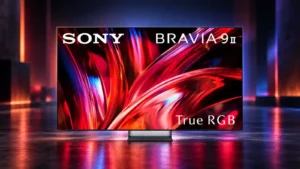
Overall: 4.3/5
VRR works well alongside 4K/120Hz and helps keep fast console gaming smooth.
Pros: overall satisfaction, overall image accuracy
Cons: value for money, bass performance

Overall: 4.1/5
VRR reduces distracting tearing and helps games stay fluid when frame rates shift.
Pros: overall satisfaction, value for money
Cons: Smart TV platform, advertising intrusiveness

Overall: 4.1/5
VRR reduces tearing on compatible consoles and PCs across a wide refresh range.
Pros: peak brightness, picture quality
Cons: value for money, color accuracy
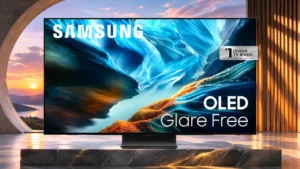
Overall: 4.1/5
VRR works extremely well across the panel's range, preventing most visible tearing.
Pros: black levels, contrast ratio
Cons: Dolby Vision support, stutter handling

Overall: 4.5/5
VRR is viewed as a strong gaming feature, smoothing frame-rate changes across supported consoles and PCs.
Pros: glare resistance, black levels
Cons: Dolby Vision support, color gamut

Overall: 3.8/5
FreeSync, HDMI VRR and G-SYNC compatibility help avoid tearing throughout the supported frame-rate range.
Pros: cable management, design and appearance
Cons: value for money, Dolby Vision support

Overall: 4.4/5
FreeSync, G-Sync, and HDMI VRR work smoothly up to very high frame rates, with only the usual OLED flicker possible in some static game scenes.
Pros: picture quality, peak brightness
Cons: value for money, sound quality

Overall: 4.0/5
VRR works across a broad span of refresh rates and helps gameplay stay smooth and tear-free.
Pros: contrast ratio, black levels
Cons: reflection handling, color accuracy

Overall: 3.8/5
Broad VRR support across PC and console ecosystems makes tearing less apparent even when frame rates fluctuate.
Pros: overall satisfaction, color gamut
Cons: value for money, local dimming performance

Overall: 4.0/5
Adaptive refresh works smoothly across much of the panel’s range and helps keep gameplay free of tearing.
Pros: black levels, picture quality
Cons: glare resistance, reflection handling

Overall: 4.1/5
HDMI VRR, FreeSync, and G-SYNC support keep gameplay smooth and largely tear-free. Occasional flicker was reported in demanding PC use.
Pros: picture quality, gaming performance
Cons: value for money, sound quality

Overall: 3.8/5
VRR works smoothly across compatible sources and helps avoid tearing even through sharp frame-rate drops.
Pros: picture quality, overall satisfaction
Cons: color crosstalk, value for money

Overall: 4.1/5
FreeSync, G-SYNC and HDMI VRR largely keep gameplay tear-free, with occasional dark-scene flicker or raised blacks.
Pros: gaming performance, HDR brightness
Cons: reflection handling, glare resistance
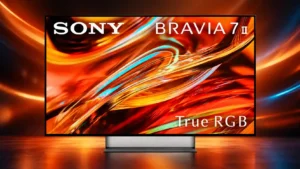
Overall: 4.2/5
VRR works reliably across console and PC use, with HDMI VRR and G-SYNC helping smooth frame-rate changes.
Pros: overall satisfaction, picture quality
Cons: HDMI 2.1 port count, reflection handling
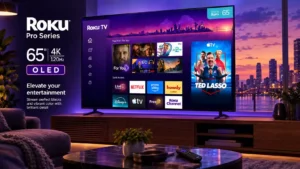
Overall: 4.1/5
VRR operates reliably in the gaming tests and helps make 120Hz play smooth.
Pros: contrast ratio, value for money
Cons: peak brightness, HDR brightness

Overall: 4.3/5
VRR smooths compatible console and PC play and reduces tearing, adding practical value to the high-refresh panel.
Pros: picture quality, black levels
Cons: bass performance, HDR brightness
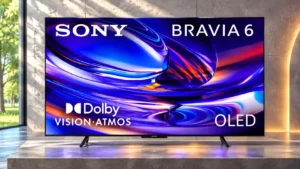
Overall: 3.8/5
VRR keeps compatible games nearly free of tearing even during frame-rate fluctuations. Older AMD cards without supported VRR technology are a notable exception.
Pros: HDMI 2.1 port count, Video input versatility
Cons: value for money, overall satisfaction
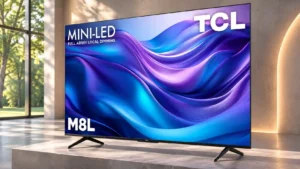
Overall: 4.1/5
VRR helps prevent tearing and improves compatibility with modern gaming hardware.
Pros: value for money, overall satisfaction
Cons: HDR brightness

Overall: 3.8/5
VRR helps match the screen to changing console and PC frame rates, reducing tears without sacrificing 120Hz input support.
Pros: HDMI 2.1 port count, overall satisfaction
Cons: HDR performance, bass performance

Overall: 3.8/5
VRR keeps supported console and PC games relatively tear-free over a broad range, though it stops working above 144Hz.
Pros: picture quality, color accuracy
Cons: HDR performance, sound quality

Overall: 4.2/5
VRR is useful over a broad gaming range, but 60Hz handshakes and certain frame-rate changes can produce flicker or incompatibility.
Pros: overall satisfaction, glare resistance
Cons: motion handling, viewing angles

Overall: 4.4/5
VRR generally keeps gameplay fluid, but isolated flicker was observed in at least one demanding title. Most compatible games should still benefit.
Pros: picture quality, value for money
Cons: stand quality, judder handling
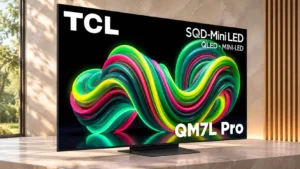
Overall: 4.1/5
VRR works well for consoles and AMD graphics and reduces tearing at low frame rates. NVIDIA systems locked to 60Hz remain a specific exception.
Pros: picture quality, black levels
Cons: viewing angles, motion clarity

Overall: 4.0/5
VRR compatibility is extensive for consoles, but one PC tester experienced flickering and rainbow artifacts with a boosted setting.
Pros: peak brightness, picture quality
Cons: value for money, viewing angles

Overall: 3.7/5
VRR runs across a broad refresh-rate range and keeps frame tearing to a minimum. It works with several major PC and console systems.
Pros: color volume, overall satisfaction
Cons: value for money, color accuracy

Overall: 2.6/5
VRR can prevent tearing near 60fps, though its narrow operating range limits its value when frame rates fall.
Pros: sound quality, picture quality
Cons: value for money, local dimming performance
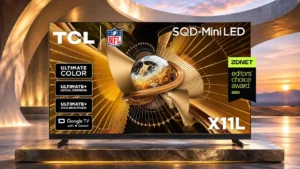
Overall: 4.0/5
Variable refresh works well for many consoles and AMD sources, but one test finds tearing with 60Hz signal output.
Pros: peak brightness, blooming control
Cons: value for money, motion clarity

Overall: 2.9/5
VRR has a noticeable near-55fps tearing issue.
Pros: value for money, picture quality
Cons: account requirements, gaming performance

Overall: 2.7/5
VRR and ALLM provide baseline gaming convenience, yet the narrow effective range and absent low-frame-rate compensation limit smoothness.
Pros: white balance accuracy, design and appearance
Cons: overall satisfaction, value for money
Overall: 3.1/5
VRR helps when frame rates vary slightly, but tearing can return in busier moments because its working range is narrow.
Pros: design and appearance, maximum volume
Cons: picture quality, value for money

Overall: 3.3/5
One review notes that VRR status is not well confirmed in the context of a 60Hz panel, weakening the gaming case. Even where VRR is listed, the low refresh ceiling...
Pros: picture quality, overall satisfaction
Cons: value for money, reliability

Overall: 3.4/5
VRR exists and can tame tearing within its supported range, but it stops helping when frame rates dip too low.
Pros: picture quality, color accuracy
Cons: remote control quality, black levels
Overall: 3.4/5
Although VRR is offered on one HDMI connection, its inconsistent timing can make the picture worse instead of smoother.
Pros: art display mode, picture quality
Cons: contrast ratio, high-refresh-rate gaming

Overall: 3.1/5
Without VRR, the panel cannot synchronize refresh timing to variable console or PC frame rates.
Pros: picture quality, overall satisfaction
Cons: sound quality, black levels