If you want better reliability
Choose LG QNED75B. It scores 4.0 vs 1.8 for reliability, with a 3.4 overall score.

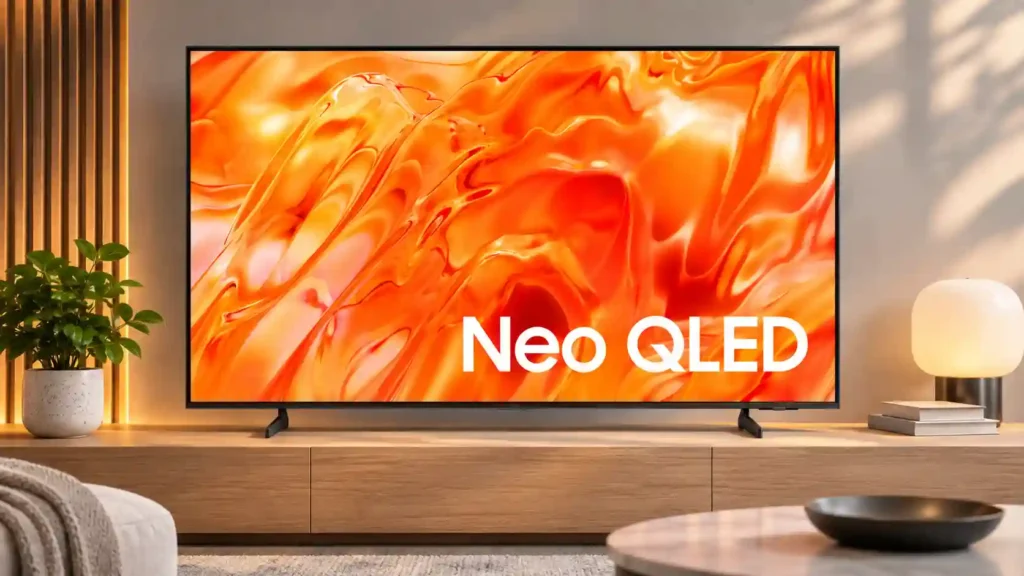
The Samsung QN70H is easy to enjoy for everyday streaming, with clear pictures, handy apps and a slim build. Its weak contrast, dim HDR and 60Hz gaming limitations make similarly priced alternatives more compelling.
Everyday streaming in a moderately lit room, especially from a central seat, and compact office viewing with the 43-inch size. It also suits households using AirPlay and SmartThings.
Dark-room home-theater enthusiasts, bright-room viewers facing strong glare, groups seated off-center, and console or PC players needing 4K/120Hz, VRR or clear high-speed motion.
The QN70H is an appealing TV to live with when your priorities are familiar streaming apps, an uncluttered physical design and a crisp picture from the center seat. Owners praise its clear 4K presentation, AirPlay, SmartThings options and built-in content, and its low input lag makes ordinary console play responsive. However, controlled picture testing is much less enthusiastic. Edge-lit Mini LED dimming barely deepens blacks and can throw halos around subtitles, while HDR highlights lack intensity. Fast movement can look blurry, and the 60Hz 4K limit, missing VRR and lack of HDMI 2.1 make it a poor match for demanding gaming. Sound is another tradeoff: some owners find it adequate, while technical listening finds very little bass. If deep blacks, sunlit-room brightness or high-refresh gaming matter, similarly priced competitors are more convincing.
Compared with other TVs, this product is above average in Wi-Fi performance, documentation quality, burn-in resistance, near average in picture quality, account requirements, below average in HDMI 2.1 support, 4K at 120 Hz support, variable refresh rate.
| Attribute | This product | Category average | Difference |
|---|---|---|---|
| HDMI 2.1 support | 1.0 | 4.6 | -3.6 |
| 4K at 120 Hz support | 1.0 | 4.3 | -3.3 |
| variable refresh rate | 1.0 | 4.3 | -3.3 |
| HDMI 2.1 port count | 1.0 | 4.1 | -3.1 |
| HDR performance | 1.0 | 4.1 | -3.1 |
| local dimming performance | 1.0 | 4.0 | -3.0 |
| dark-room performance | 1.0 | 3.9 | -2.9 |
| refresh rate | 1.3 | 4.1 | -2.8 |
Choose LG QNED75B. It scores 4.0 vs 1.8 for reliability, with a 3.4 overall score.
Choose LG MRGB95B. It scores 5.0 vs 1.0 for 4K at 120 Hz support, with a 4.0 overall score.
Choose Samsung S85H OLED. It scores 5.0 vs 1.0 for local dimming performance, with a 4.0 overall score.
Choose LG B6E OLED. It scores 5.0 vs 1.0 for motion clarity, with a 4.0 overall score.
Products reviewers directly compared with this model, grouped into quick takeaways.
It has low input lag and can feel responsive, but slow motion, no VRR and no HDMI 2.1 make it a limited gaming TV. Only 55-inch and larger models offer 1080p/120Hz; 4K stops at 60Hz.
Not generally. HDR highlights lack brightness, and edge-lit local dimming creates elevated blacks and sometimes obvious halos around subtitles.
Moderate ambient lighting is manageable, but direct sunlight and strong reflections are much more problematic. Viewing from the sides also reduces color and contrast.
Popular streaming apps are available through Tizen, and AirPlay can mirror compatible Apple devices. Apps require a Samsung account.
Some owners find them fine for everyday shows, but technical listening describes weak bass and limited volume. A soundbar can help the audio, not the picture.
The reviewed comparisons favor both the previous QN70F and the higher-tier QN80H for important picture and gaming performance, including higher refresh rates.
These are a few of the reviews included in our analysis.
Only if you want a slim Samsung for everyday TV. The catch: 60Hz, three HDMI ports and flat HDR.
Review the Samsung QN70H’s gaming limitations, size-specific DLG support, tested-size scope, VESA patterns and U.S. launch prices.
The Samsung QN70H is a lower mid-range TV released in 2026, sitting below the Samsung QN80H in the brand's standard Mini LED lineup. It's an...
We used the following calibration settings to test the 65-inch Samsung QN70H, but they're also valid for the 43-, 50-, 55-, 75-, and 85-inch...
Best Samsung QN70H picture settings for 43, 50, 55, 65, 75 and 85-inch TVs, including SDR, HDR10, HLG, gaming, motion and calibration.

Choose the S90H for bright-room OLED viewing, deep blacks and top-tier gaming without flagship pricing. Skip it if you want Dolby Vision, a glossy screen or the simplest smart-TV software.
Pros: glare resistance, black levels
Cons: Dolby Vision support, color gamut

Best for bright Mini-LED picture, excellent built-in audio, easy Roku navigation, and responsive 4K/120 gaming. Skip it if you want ad-free menus, premium motion consistency, or stronger confidence in long-term...
Pros: overall satisfaction, picture quality
Cons: reliability, portability and versatility

Choose the QM8L for a big, brilliantly bright TV with vivid HDR, deep mini-LED blacks, low input lag, and four HDMI 2.1 ports. Skip it if you need OLED-clean motion,...
Pros: picture quality, value for money
Cons: stand quality, judder handling

Choose the G6 for class-leading bright-room OLED picture, rich color, deep blacks and elite gaming. Skip it if you want strong built-in audio, polished launch firmware, no account sign-in, or...
Pros: picture quality, peak brightness
Cons: value for money, sound quality