
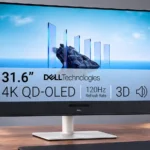
Dell S3225QC Feature Scores
Explore all 91 feature scores for Dell S3225QC, organized into pros and cons.
Scores by Feature
Summary
91 reviewed features-
Very positive 4.5-5.041 (45%)
-
Positive 3.5-4.423 (25%)
-
Neutral 2.5-3.413 (14%)
-
Negative 1.5-2.410 (11%)
-
Very negative below 1.54 (4%)
Pros
Sort
-
The 4K QD-OLED panel produces rich color, deep blacks and crisp detail, delivering an impressive image for games, movies and creative tasks.
-
Pixel-level OLED control delivers exceptional depth between bright highlights and true blacks, especially noticeable in dim scenes and games.
-
Its textured white case, restrained stand and fabric speaker strip look stylish without the aggressive styling of gaming models.
-
Wide coverage of DCI-P3, sRGB, and Adobe RGB yields saturated film colors and versatility for visual projects.
-
Dark scenes are a standout: individual OLED pixels produce inky blacks and striking depth. Strong room lighting can give the QD-OLED surface a purplish appearance.
-
The hidden pop-down front USB-C port is widely appreciated because it makes temporary connections easy.
-
The integrated five-speaker system is a major advantage over ordinary monitor audio. It can eliminate separate desktop speakers for everyday entertainment and music.
-
QD-OLED is central to the excellent contrast and saturated color, but brings ambient-light black lift and static-image retention concerns.
-
The 4K image is crisp and gives plenty of room for detailed projects, films and multiple windows.
-
The combination of OLED visuals and powerful integrated sound wins broad approval, though connectivity, price and office-use compromises prevent an unqualified recommendation.
-
Up to 90W via the video USB-C port is valuable for keeping a work laptop powered through a single lead.
-
The stand attaches without tools and cable connection is straightforward, although certain PC DisplayPort setups need extra care.
-
Clear menus and a responsive rear joystick simplify picture, sound and input adjustments, with useful shortcuts for frequent changes.
-
OLED response keeps games and scrolling sharp at 120Hz. Some fast motion still shows blur compared with much faster gaming monitors.
-
Sound is unusually loud and clear for a monitor, with better bass than typical built-ins; it can turn muddy at extreme volume.
-
The 4K panel produces detailed films and legible everyday text; very small fonts can still reveal OLED subpixel compromises.
-
Height, tilt and swivel adjustments are useful and generally smooth, but there is no stand-based portrait rotation.
-
Near-instant OLED pixel transitions keep action responsive and reduce traditional LCD-style smearing.
-
The design, textured surfaces and solid chassis feel more refined than the price alone might suggest.
-
The case and stand generally feel solid and carefully assembled, with an upscale finish that does not seem flimsy.
-
Most tests find strong out-of-box accuracy and excellent creator modes, although some report a warm white point that demands calibration for precision work.
-
OLED picture quality and standout speakers make the asking price attractive when discounted. At higher prices, faster gaming OLED alternatives erode the value advantage.
-
Deep blacks and saturated highlights make HDR enjoyable, with Dolby Vision support a bonus. Overall scene brightness and highlight output are not class-leading.
-
The head-tracked speaker array can create a spacious, immersive effect. Precision is less convincing than headphones and depends on content and positioning.
-
High pixel density and a wide gamut reveal photo details well; calibration can improve color reliability for demanding output.
-
The large 32-inch canvas is excellent for side-by-side documents and viewing content, but it may overwhelm smaller desks.
-
PS5-oriented use is praised for 4K, HDR, and variable refresh support, with the caveat that there is only one HDMI input.
-
Dell's display software makes window arrangements and adjustments convenient, although some OLED care controls remain in the OSD.
-
Rear covers and a compact base help hide cables neatly, although one account finds the routing hooks rather delicate.
-
The rear joystick is quick to reach and makes changing display or audio settings straightforward.
-
FreeSync generally works smoothly and G-Sync also functions in testing, helping games avoid tearing at supported frame rates.
-
Controls feel responsive and measured lag is low enough for regular and console gaming, though competitive options can respond faster.
-
Head tracking can keep sound centered as you move. Its effect varies with position and content, and tracking is not always dependable in dim light.
-
Dolby Vision is an appreciated rarity among monitors and provides another useful way to enjoy compatible HDR films and games.
-
Adaptive-sync operation is solid over supported connections, including FreeSync and usable G-Sync in some setups.
-
Games look sharp and feel responsive over HDMI or USB-C once configured, but the refresh ceiling is modest by gaming-OLED standards.
-
The flat base uses desk space efficiently for a 32-inch display, although the tall screen and speaker bar still require room.
-
OLED's pixel-level operation produces strikingly even brightness and contrast across the panel in testing.
-
Visually rich story games benefit from OLED contrast, sharp motion and atmospheric built-in audio, even at the 120Hz limit.
-
120Hz is smooth for daily use and casual play, yet distinctly slower than many similarly priced 240Hz OLED gaming displays.
-
Multiple HDR modes, including Peak 1000 and movie options, give flexibility, though the brightest-sounding preset does not always deliver the strongest result.
-
Automatic care cycles usually run after use without interrupting the owner, although one account finds those maintenance routines occasionally intrusive.
-
The weighted base and firm mechanism keep the large display steady without much wobble.
-
Around 140 pixels per inch supports detailed photos, diagrams and everyday text on the large screen.
-
Several layouts can show both sources at once, which is helpful for flexible desks, though one user finds the controls tricky.
-
Creator presets and RGB adjustments provide useful flexibility, but the missing fine gamma and color-temperature choices disappoint demanding professionals.
-
Isolated highlights often look vivid and precise, but larger bright HDR objects can seem less forceful than on competing models.
-
Self-emissive OLED pixels avoid the bleed and cloudy patches associated with conventional LCD backlights.
-
Colors look lively without obvious oversaturation in the cited testing, helping the display retain its vivid appearance.
-
The on-screen input selector makes moving between a laptop and another computer surprisingly easy once both are connected.
-
Assembly, software installation and basic controls are repeatedly described as approachable, even for a first-time monitor owner.
-
A rapid OLED pixel response keeps motion crisp, with little visible smear or overshoot in the strongest test account.
-
The internal supply keeps a separate power brick off the floor and tidies the desk.
-
A tested unit had no visible defects, supporting a favorable first impression of panel quality.
-
OLED contrast preserves subtle shadow structure without washing out bright highlights in demanding scenes.
-
Quick monitor controls make adjusting audio directly from the display easy.
-
MacBook connections and display-management support are useful for a Mac-centered workspace, especially with USB-C power.
-
Audio presets offer useful tailoring for films and other sources, although the richest surround effect depends on compatible material.
-
A dark stabilizer can lift shadowed game areas to make opponents easier to spot, a useful if basic gaming adjustment.
-
Recyclable molded-pulp packaging protects the display while reducing reliance on less recyclable cushioning.
-
The default preset is already usable for games and media, while creator-oriented color modes add more flexibility.
-
Its HDMI connection accommodates 4K 120Hz console play and VRR, but the single socket restricts multiple HDMI devices.
-
The substantial build has some heft but is not considered unreasonably heavy for a large monitor.
-
The glossy-looking front treatment lends extra pop to images, even though its reflective nature needs consideration.
Cons
Sort
-
The main recurring weakness is connectivity: one HDMI and one USB-C video input, no dedicated DisplayPort and few additional sockets.
-
There is no full-size DisplayPort socket. DisplayPort Alt Mode over USB-C works, but may require the right adapter or cable for certain graphics cards.
-
The missing analog audio-output jack is frustrating if you want to use existing speakers or route sound through the monitor.
-
There is no integrated KVM for a shared keyboard and mouse, so multi-PC setups need a workaround.
-
Fast OLED pixel response helps, but 120Hz is less competitive than 240Hz OLED alternatives; most serious esports players should look elsewhere.
-
A quiet electrical buzz can appear when large white or light-grey screens are displayed at higher brightness, particularly distracting for office work.
-
Automatic pixel-refresh tools and reported warranty protections help, but static content still carries OLED burn-in risk. Accounts disagree about warranty duration, so confirm the exact coverage when buying.
-
The textured white finish looks good initially but collects dirt and is difficult to clean.
-
Tiny HDR highlights can reach high peaks, but the panel quickly reduces output and cannot sustain that brightness across large bright areas.
-
Basic dark-area enhancement is available, but there are few of the crosshairs or advanced overlays found on dedicated gaming displays.
-
Head-position tracking can noticeably steer sound, but low light or greater listening distance causes missed tracking and annoying alerts.
-
Reaching the full 4K 120Hz through USB-C can require DSC or altered lane priorities, adding a technical setup compromise.
-
Persistent menus and static taskbars are an OLED ownership concern, especially with extended full-time desktop use.
-
A change in Dell's online naming makes this exact model harder to locate by its earlier product name.
-
The model remains a retail option, but a renamed product listing can make it harder to find in Dell's store.
-
Published accounts describe different warranty periods and burn-in language over time, so the current written terms matter more than earlier assurances.
-
Tool-free stand parts and basic cables cover initial setup, but the cable selection is sparse and useful DisplayPort adapters are not bundled.
-
HDR highlights can be impressive, but sustained SDR brightness is modest and daylight reduces impact. A few users find it sufficiently bright after adjusting settings.
-
High pixel density minimizes the visual impact for many users, but fine text can show colored edges versus some LCD rivals.
-
The coating preserves picture punch and can absorb some glare, but reflections and the QD-OLED purple-black effect are noticeable in sunlight.
-
Bass is fuller than on many monitors, making films and games more engaging. It still lacks dedicated-subwoofer depth, and some listeners find it weak or overemphasized.
-
Position sensing is useful for audio, but a built-in camera-like sensor may concern privacy-conscious owners.
-
Standard 100mm mounting supports monitor arms and wall brackets if the included stand does not suit your space.
-
Very crisp OLED response can expose 24fps film judder rather than smoothing it away.
-
Gamma can track its target closely, yet warm color temperature and limited adjustment options complicate perfect calibration.
-
The top and side borders are slim, while the large fabric-covered speaker chin is a visible tradeoff for better audio.
-
The small USB-C hub is handy for accessories and charging, but it is not a replacement for a full docking station.
Use Cases
Best for
Sort
-
This is one of its best uses: rich HDR images and unusually powerful built-in sound make films and series feel immersive.
-
A sizable 4K workspace becomes a striking OLED movie and game screen after hours. Limited inputs and burn-in risk are the main compromises.
-
Detailed 4K imagery, wide gamut and attractive HDR make this a strong editing and design screen, provided static-tool burn-in risk is acceptable.
-
The 4K OLED image, 120Hz motion, and low lag make games enjoyable without chasing esports-level refresh rates.
-
USB-C carries video and up to 90W power together, simplifying compatible laptop desks without a separate charger.
-
High-resolution images, strong color and useful HDR make editing engaging, with calibration and static-interface burn-in risk worth considering.
-
In darker spaces, the deep blacks, intense color and compact highlights shine; this is where the screen looks most convincing.
-
The built-in soundbar can play music clearly and with more fullness than typical monitor speakers, although bass detail has limits.
-
This is an accessible OLED path into working with HDR images and footage. The panel looks impressive, though exacting calibration remains important.
-
OLED contrast and compatible 4K HDR console features help immersive games look dramatic, particularly in controlled lighting.
-
Vibrant color, high resolution and usable creator modes make graphics work enjoyable; calibration remains worthwhile for exact output.
-
The wide gamut and generally precise color make serious visual work feasible, but calibration and the absence of advanced controls limit exacting color workflows.
-
A desktop and USB-C laptop can share the screen reasonably well, aided by input switching and picture-by-picture; lack of KVM remains limiting.
-
A MacBook connected successfully, making this a reasonable display for Mac-based desks that also want striking media playback.
-
Its crisp 4K image, generous canvas, and smooth gaming performance can serve students working on creative projects and unwinding afterward.
-
Rapid turns and run-and-gun action remain clear enough for casual play, although it is not a top esports display.
-
USB-C video connectivity can work well for compatible laptops, with caveats about adapters and how bandwidth is allocated.
Conditional or not ideal for
Sort
-
Multi-console setupsOne HDMI input is a real restriction if you regularly connect consoles and a streamer; an external switch or frequent unplugging may be necessary.
-
Portrait orientationThe supplied stand does not rotate into portrait mode, a firm limitation for vertical documents or coding layouts.
-
Bright-room viewingDirect sunshine is a poor match for the relatively dim SDR output and reflective screen; controlled lighting delivers a much more convincing image.
-
Long-term ownershipThe OLED panel is appealing, but lengthy exposure to fixed interfaces raises burn-in concerns and reported warranty terms vary.
-
Low-distraction useA quiet office can reveal panel buzzing on pale backgrounds or tracking notifications, making this less discreet than its design suggests.
-
Programming and codingCode-heavy days are a weaker fit because subtle OLED text fringing and burn-in risk can matter during prolonged static-screen use.
-
Shared-screen viewingHead-tracked spatial audio centers on one listener rather than distributing an identical effect across a group.
-
Streaming setupConnecting a streaming box alongside a desktop can mean swapping the single HDMI cable, so a switch may be necessary.
-
Video conferencingThe display does not supply the integrated conferencing equipment found on dedicated business models, limiting its appeal as an all-in-one meeting station.
-
Alternative operating systemsLinux use is possible through USB-C DisplayPort mode, but HDMI can be troublesome and may call for adapter or connection choices.
-
Desktop productivityThe large, sharp canvas handles multiple documents and routine work, but static UI burn-in risk, occasional buzzing and sparse inputs weaken its appeal for all-day office-only use.