
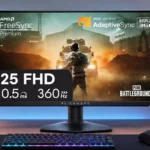
Dell Alienware AW2523HF Feature Scores
Explore all 74 feature scores for Dell Alienware AW2523HF, organized into pros and cons.
Scores by Feature
Summary
74 reviewed features-
Very positive 4.5-5.024 (32%)
-
Positive 3.5-4.425 (34%)
-
Neutral 2.5-3.411 (15%)
-
Negative 1.5-2.411 (15%)
-
Very negative below 1.53 (4%)
Pros
Sort
-
Height, tilt, swivel and dual-direction pivot make positioning easy; a tall user found the maximum height insufficient.
-
Rapid 360Hz refresh, low lag and responsive pixel transitions make this a strong esports specialist, provided the PC can sustain high frame rates.
-
Sturdy plastics, a substantial base and well-fitted construction earn consistent praise, with little flex or creaking during normal adjustment.
-
Lag is consistently described as extremely low, translating to near-instant feedback in twitch shooters and fast mouse movements.
-
The restrained gray Alienware styling, slim bezels and sculpted rear receive widespread praise without the brash RGB look of some rivals.
-
Pixel transitions are fast enough for responsive play and minimal perceived blur, with some dissent about whether this IPS is quicker than tuned 240Hz competitors.
-
Four USB-A ports add useful peripheral connections, and some users appreciate that charging power remains available without the upstream data cable.
-
DisplayPort-driven 360Hz and responsive controls work best on high-frame-rate PCs; ordinary systems may leave much of the capability unused.
-
360Hz delivers exceptionally fluid play and a low-latency feel, but several reviewers find the improvement over 240Hz subtle unless frame rates stay very high.
-
Two conveniently front-adjacent ports avoid reaching behind the monitor every time a keyboard, mouse or charger is connected.
-
Most testers saw remarkably little trailing at high refresh, though aggressive overdrive can introduce inverse ghosting.
-
The revised base generally leaves useful room for a mouse and keyboard, although one owner still found the stand chunkier than slim productivity designs.
-
Extremely fluid motion is a standout strength, though a few testers note residual blur and rivals with strobing can look cleaner.
-
Measurements and impressions generally point to strong brightness for a 1080p esports screen, although one reviewer wanted a punchier presentation.
-
The matte anti-glare coating controls room reflections well, helping maintain visibility in bright spaces.
-
Standard 100×100 mm mounting and a readily detachable stand make aftermarket arm installation practical.
-
Easy-to-reach audio jacks beneath the screen and an extra output by the rear connections simplify headset hookups.
-
The centered joystick and accessible shortcut menus are easy to navigate, even if the graphics themselves look dated or pixelated.
-
FreeSync operation is broadly praised, and multiple testers found G-SYNC-compatible mode worked over DisplayPort. It does not have a native NVIDIA G-SYNC module.
-
FreeSync works across supported connections, while NVIDIA variable refresh worked in multiple tests over DisplayPort despite lacking native G-SYNC hardware.
-
A retractable side hook wins praise for keeping a headset close at hand without taking up more desk space.
-
The sturdy materials, smooth adjustments and refined gray finish make the monitor feel more expensive than some competing gaming designs.
-
Feedback is favorable when the display is judged as a competitive gaming specialist, but a minority question whether 360Hz justifies its compromises and price.
-
A channel through the stand helps tidy cables, but some owners find the routing or visibility of the power cord less elegant than expected.
-
DisplayPort, dual HDMI, multiple USB-A ports and audio outputs provide useful flexibility; missing USB-C is the most common connectivity limitation.
-
Fast IPS provides consistently good off-axis viewing, helping color and clarity hold together while moving around the desk.
-
Pricing below some premium 360Hz rivals earns praise, particularly on sale; others view a cheaper 240Hz or sharper 1440p monitor as the better use of money.
-
Accuracy is generally considered solid for gaming and can improve with adjustment; a few reviewers found the default temperature or individual colors less convincing.
-
DisplayPort is the way to unlock 360Hz and usable NVIDIA variable refresh; HDMI has a lower maximum refresh rate.
-
The separate power button and straightforward joystick arrangement earn praise for quick access to common controls.
-
The bundled DisplayPort, Mini DisplayPort and USB cables feel useful and higher quality than expected.
-
The protected packaging and tidy unboxing experience repeatedly impress, with recyclable materials and secure fitting mentioned positively.
-
Thin side and top borders support the clean appearance and reduce visual clutter at the desktop.
-
Tool-free assembly and an easy locking stand make initial installation straightforward.
-
Some samples showed little or no bleed; other testers noticed glow or uneven patches, usually more visible in dark scenes than in active gaming.
-
Fast IPS combines responsive gaming with wide viewing angles and reasonable color, though it cannot match deeper-black panel technologies.
-
Most praise the secure, wobble-free stand, though one owner saw tilt when a headset hung on the side.
-
Fast and Super Fast settings offer clean motion; Extreme can produce extra overshoot, so reviewers differ on whether its last bit of speed is worthwhile.
-
Colorful, sharp-enough SDR action looks good for esports; weaknesses in dark scenes, high-end color and fine detail prevent a premium all-purpose image.
-
Molded-pulp recyclable packaging avoids crumbly foam and made a favorable impression during setup.
-
An internal power supply avoids a bulky external brick and makes setup neater.
-
The 24.5-inch size keeps gameplay compact and focused but feels small to those accustomed to larger gaming or productivity panels.
-
One test praised near-perfect gamma while another found the factory setting a little high; settings allow some correction.
-
The cited three-year US coverage and exchange options sound reassuring, but policies can vary by region and seller.
-
Presets, a frame-rate counter, crosshair and AlienVision modes add choice, though some features seem gimmicky and the lack of strobing is noticeable.
-
The unboxing impression is positive about the simple, easy-to-follow printed manual.
-
The menu provides convenient timers and a frame-rate display as small gaming extras.
-
Support for downscaling a 4K input gives it a modest compatibility advantage for consoles versus some rival esports monitors.
-
The unboxing experience suggests a lighter-than-expected panel that is straightforward to lift and mount.
Cons
Sort
-
Basic HDR support does not deliver meaningful high-dynamic-range impact. Reviewers repeatedly point to weak contrast, no effective dimming and limited color range.
-
The absence of a dedicated backlight-strobing or black-frame-insertion mode is a recurring complaint, particularly alongside competitors built for maximum motion clarity.
-
Weak blacks and HDR shadow crushing can obscure dark areas, especially in cinematic games.
-
1080p is a deliberate performance trade-off: easier to drive at esports frame rates, but noticeably less crisp than 1440p for games and work.
-
The absence of effective local dimming leaves HDR unable to show bright highlights beside deep blacks.
-
About 90 pixels per inch makes small text and fine edges visibly coarse, even though many esports players accept the trade-off.
-
1080p leaves text and fine interface elements less crisp than modern 1440p displays, even though fast gaming remains enjoyable.
-
There are no integrated speakers, a convenience drawback for anyone without a headset or separate desktop audio.
-
To benefit fully from 360Hz, games need unusually high and stable frame rates. Several reviewers struggled to approach the panel's ceiling even on capable systems.
-
The narrow gamut, limited resolution and gray blacks reduce immersion in richly detailed or moody single-player titles, although one owner enjoyed the compact view.
-
The oversized crosshair and centrally placed vision filters divide opinion, with several gamers finding them distracting rather than helpful.
-
Despite several video inputs, the missing KVM makes it less convenient to share a keyboard and mouse among connected computers.
-
Fast-IPS blacks lack the depth of OLED or VA displays. Dark scenes can look gray, flat, or washed out despite a few more favorable contrast impressions.
-
A few units showed brightness falloff or brighter corners; the visibility and annoyance vary by sample and content.
-
Standard sRGB performance is adequate for SDR games, while the narrower DCI-P3 and Adobe RGB coverage leaves richly colored and professional work behind wider-gamut alternatives.
-
The 24.5-inch Full HD canvas feels cramped for spreadsheets, document editing and multiple simultaneous windows.
-
Compared with more expensive G-SYNC-module models, the missing NVIDIA Reflex Latency Analyzer takes away a specialized diagnostics feature.
-
The matte surface reduces glare but can create an oil-slick texture on bright white desktop areas, usually not noticeable in games.
-
The lack of HDMI 2.1 matters little to some 1080p PC gamers but weakens its appeal as a modern-console or high-bandwidth display.
-
Casual work is possible, but the limited 1080p workspace and gamut are poor fits for detailed or color-critical image editing.
-
Contrast earns both above-average-for-IPS praise and clear criticism beside OLED or VA. Dark content still lacks the depth needed for cinematic presentation.
-
Several HDR modes are available, but added edge enhancement makes the Movie and Game options less attractive than Desktop.
-
There are many genre and color presets to customize, but some enhancement modes create distracting sharpening or edge effects.
-
Custom color settings give useful white-balance and saturation adjustments, but there is no dedicated sRGB clamp and optimal accuracy may need calibration.
-
The monitor can work with consoles, and one enthusiast enjoyed the experience, but other reviewers find the 1080p, HDMI 2.0 and 360Hz-PC focus poor value for modern consoles.
Use Cases
Best for
Sort
-
SDR is the monitor's natural strength: smooth competitive action and solid sRGB color without HDR's disappointing contrast compromises.
-
Fast response and exceptionally low lag feel well suited to Counter-Strike, Valorant and similar shooters, provided frame rates can keep up.
-
Strong SDR brightness and glare reduction make this an appealing monitor for well-lit gaming rooms short of direct sunlight.
-
The compact 24.5-inch screen keeps action within a tight field of view, a plus for focused esports play even though it limits desktop space.
-
Full pivot adjustment makes vertical layout useful for code, documents, music scores or a secondary display.
-
Several reviewers see good 360Hz value at a discount, while others would save money with a 240Hz model or prioritize higher resolution instead.
-
A pair of these displays is seen as a useful compact editing arrangement, although the 1080p workspace remains a consideration.
-
One user found the smaller panel helpful for concentrating on a single page rather than spreading attention across a larger screen.
-
Two consoles and a PC can share the available video inputs, although each console remains constrained by the display's lower resolution and refresh options.
-
Gaming feels excellent and light office work is possible; several reviewers would still favor a higher-resolution screen for a true all-round workstation.
-
High refresh makes fast movement in Apex Legends feel smoother, although the tested system needed very low settings and still could not exploit the full 360Hz.
-
The portrait-capable panel can serve as a supplementary display, but its strongest attraction remains gaming responsiveness.
-
Portrait rotation suits coding in one reviewer's setup, although the resolution still limits text detail compared with sharper alternatives.
Conditional or not ideal for
Sort
-
Color-critical workGood basic accuracy cannot fully offset the limited gamut and missing dedicated sRGB mode. Reviewers steer professional grading and editing toward specialist displays.
-
Dark-room viewingLimited IPS contrast and sometimes visible glow make shadow-heavy games and films less convincing in a dark room.
-
Movies and streamingFilms and dark streaming shows suffer from flat blacks and weak HDR, making this less persuasive as an entertainment-first display.
-
HDR gamingHDR adds little to the esports-focused image: limited contrast, weak highlights and darker shadow detail often make SDR preferable.
-
Single-cable laptop dockingThe lack of native USB-C docking makes it a poor match for a one-cable laptop desk setup.
-
USB-C laptop dockingWithout a native USB-C display connection, laptop owners face adapter and bandwidth checks rather than simple plug-and-play docking.
-
Casual gamingThe display works for ordinary games, but its expensive 360Hz focus is hard to justify when the game does not demand split-second reactions.
-
Laptop gaming setupsThe display can fit a high-frame-rate laptop setup, but achieving 360Hz depends on the laptop's GPU routing, port bandwidth and adapter or cable.
-
Multi-computer workflowsMultiple PCs can connect, but the absence of a built-in KVM limits convenient peripheral switching.
-
Content creationBasic gaming videos and casual editing are workable, especially with adjustments; professionals lose sharper workspace, broader color coverage and editing flexibility.
-
Video editingLight editing and gaming-video production can work, but the small 1080p canvas and narrow gamut limit serious timeline and color workflows.
-
Desktop productivityA compact, adjustable desktop display can handle daily tasks, but 1080p restricts text sharpness, multitasking and usable workspace.