Best for documentation quality
ASUS ProArt Display PA279CRV
5.0 attribute score
Highest scored product for this attribute based on supporting review evidence.

Highest scored product for this attribute based on supporting review evidence.
Balances the attribute score, supporting reviews, and overall product strength.
Has the broadest review evidence for this attribute.
Strongest overall product among items with scored evidence for this attribute.

Overall: 4.3/5
A downloadable manual and accessible setup material make assembly and features easier to understand. Calibration paperwork is also a useful reference.
Pros: USB-C power delivery, port selection
Cons: HDR performance, refresh rate
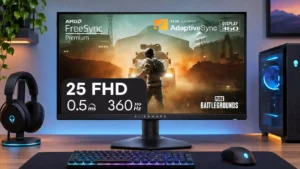
Overall: 3.9/5
The unboxing impression is positive about the simple, easy-to-follow printed manual.
Pros: competitive gaming suitability, stand adjustability
Cons: color gamut, contrast
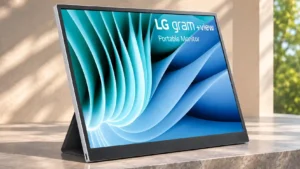
Overall: 3.8/5
The manual can help explain how to fold the stand into its less obvious positions.
Pros: portability and weight, overall satisfaction
Cons: port selection, Device compatibility
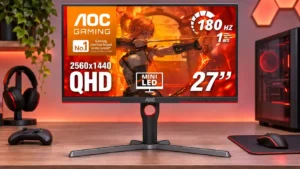
Overall: 3.9/5
Setup materials and included guides are helpful, but factory calibration reporting has also been criticized as confusing or inaccurate.
Pros: value for money, HDR performance
Cons: on-screen display usability, port selection

Overall: 3.7/5
A printed sRGB calibration report is supplied, but one tester found that its claim did not match perceptually accurate color.
Pros: overall satisfaction, PC gaming compatibility
Cons: color accuracy, local dimming performance

Overall: 3.7/5
The initial on-screen cable instructions confused one hands-on user, making first setup less straightforward than expected.
Pros: Monitor daisy-chaining, overall picture quality
Cons: value for money, refresh rate

Overall: 4.1/5
The printed quick-start guide can feel sparse; the downloadable full manual is more useful.
Pros: color accuracy, overall picture quality
Cons: HDR performance, refresh rate

Overall: 4.0/5
The included setup documentation is a weak point for at least one owner, who wanted clearer English instructions instead of mostly symbolic drawings. The monitor can still be installed without...
Pros: overall satisfaction, productivity versatility
Cons: value for money, reliability over time

Overall: 4.3/5
The included documentation and product listing leave important settings and specifications unexplained, so buyers may need to hunt for details. One listing image even suggests USB ports the monitor does...
Pros: color gamut, overall picture quality
Cons: brightness, HDR performance
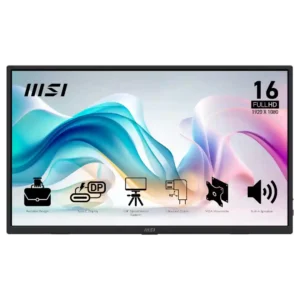
Overall: 4.1/5
Documentation is a weak point. Owners describe the printed instructions as sparse or poor pictographics, forcing some setup discovery on their own.
Pros: value for money, portability and weight
Cons: built-in speakers, color gamut