
Overall: 4.4/5
DisplayWidget Center is a useful alternative to physical buttons, making image profiles and brightness easier to change from a PC.
Pros: overall satisfaction, response time
Cons: reflection handling, VRR flicker

Overall: 4.4/5
DisplayWidget Center is a useful alternative to physical buttons, making image profiles and brightness easier to change from a PC.
Pros: overall satisfaction, response time
Cons: reflection handling, VRR flicker

Overall: 4.3/5
ASUS DisplayWidget gives convenient control of monitor options from the computer and avoids repeated trips through the on-screen menu.
Pros: black levels, motion clarity
Cons: value for money, Dual-mode versatility

Overall: 4.1/5
An expert had a good firmware experience, but a later owner still hoped for a fix to PS5 signal detection.
Pros: overall satisfaction, value for money
Cons: reflection handling, screen uniformity

Overall: 4.1/5
DisplayWidget Center makes detailed monitor settings accessible from macOS and Windows, often more convenient than navigating physical controls.
Pros: value for money, Resolution
Cons: HDR performance, refresh rate
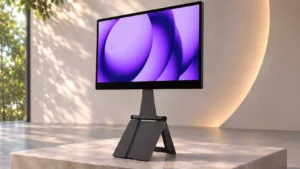
Overall: 4.3/5
The Flow and Jot utilities add window layouts, cursor alignment, auto-rotation, and note tools. Their useful polish is occasionally undercut by rotated-screen control glitches.
Pros: overall satisfaction, stand adjustability
Cons: value for money, reflection handling

Overall: 4.2/5
Dell's display software makes window arrangements and adjustments convenient, although some OLED care controls remain in the OSD.
Pros: overall picture quality, overall satisfaction
Cons: port selection, brightness

Overall: 4.4/5
DisplayWidget Center makes adjusting monitor settings from Windows straightforward. Software and firmware controls add convenience beyond the OSD.
Pros: sharpness, overall satisfaction
Cons: value for money, VRR flicker
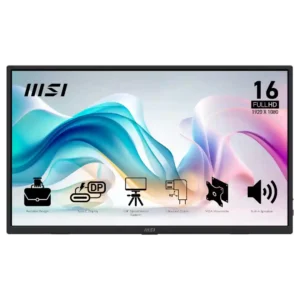
Overall: 4.1/5
MSI Display Kit adds convenient software controls and presets, giving the monitor more flexibility than many budget rivals.
Pros: value for money, portability and weight
Cons: built-in speakers, color gamut

Overall: 4.1/5
Alienware Command Centre provides per-game picture customization alongside the monitor’s built-in controls.
Pros: value for money, overall satisfaction
Cons: HDR performance, Headphone output quality

Overall: 3.6/5
Menus and current firmware seem functional, though a critical tester felt substantial updates were needed to improve the picture.
Pros: reflection handling, HDR performance
Cons: screen uniformity, Screen coating clarity
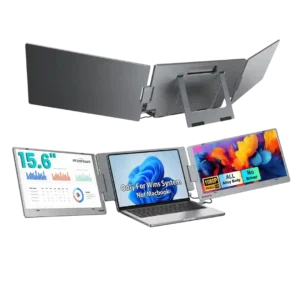
Overall: 4.2/5
Software and device compatibility is mixed. The main X90E expert reviews emphasize Windows and video-capable USB-C or Thunderbolt requirements, while some customers report seamless operation and others say the monitor...
Pros: overall satisfaction, portability and weight
Cons: reliability over time
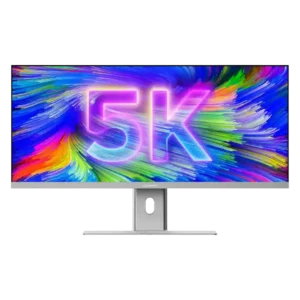
Overall: 4.3/5
Basic Mac operation is reliable, but integration is not as seamless as Apple’s own displays. Scaling can be less clean, and keyboard control for volume and brightness was missing in...
Pros: productivity versatility, aspect ratio
Cons: built-in speakers, competitive gaming suitability

Overall: 4.2/5
The optional Dell management suite divides opinion: window-arrangement tools can be useful, but slowness, lost settings and Mac compatibility frustrate some users.
Pros: port selection, USB hub functionality
Cons: competitive gaming suitability, motion clarity

Overall: 4.3/5
Firmware can be updated and Samsung offers some display-management tools, but desktop software control is less complete than several rivals. Buyers who frequently switch color or gaming settings may miss...
Pros: overall satisfaction, competitive gaming suitability
Cons: value for money, screen size
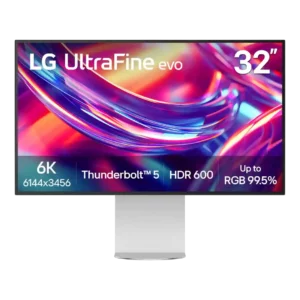
Overall: 3.9/5
LG's software adds Mac keyboard controls, firmware updates, and calibration features, but reviewers frequently call it less seamless or less capable than competing tools. Some found it finicky enough to...
Pros: port selection, overall satisfaction
Cons: value for money, cable management

Overall: 3.9/5
The software support is adequate for routine use but comes with compromises depending on the connected device and task.
Pros: brightness, portability and weight
Cons: value for money, port selection

Overall: 4.2/5
Non-integer refresh selection on Apple Silicon may require a third-party display utility, adding a small setup complication.
Pros: value for money, Resolution
Cons: port selection, competitive gaming suitability

Overall: 4.1/5
Software is a major weakness: Gigabyte Control Center can fail to detect or sync with the monitor, and advertised firmware features were unavailable in testing. One unit’s basic firmware behavior...
Pros: motion clarity, PC gaming compatibility
Cons: color accuracy, software support

Overall: 3.7/5
There is no official Windows OSD control software, leaving owners to use hardware controls or third-party alternatives.
Pros: overall satisfaction, PC gaming compatibility
Cons: color accuracy, local dimming performance

Overall: 4.3/5
Software support was criticized by one reviewer, mainly for Alienware Command Center nags and poor layout.
Pros: value for money, sharpness
Cons: brightness, USB hub functionality

Overall: 4.0/5
One owner reports rear RGB refusing to synchronize through Mystic Light, possibly due to firmware.
Pros: Dual-mode versatility, refresh rate
Cons: black levels, contrast

Overall: 3.9/5
Missing companion OSD software disappoints those who want to change settings from a PC instead of navigating the monitor's slower menus.
Pros: HDR performance, black levels
Cons: viewing angles, response time