#1

Overall: 4.0/5
Dell Display Manager is well liked for window layouts, display adjustments, and easier KVM-related control. Mac-oriented buyers also appreciate Dell’s more mature software and multi-device ecosystem.
Pros: overall satisfaction, productivity versatility
Cons: value for money, reliability over time
#2

Overall: 3.8/5
DisplayWidget gives convenient desktop control of the monitor, complementing the usable built-in menus.
Pros: value for money, Resolution
Cons: HDR performance, port selection
#3

Overall: 4.2/5
Dell Display Manager and Alienware software offer convenient access to image presets and updates, but occasional control quirks remain.
Pros: competitive gaming suitability, color gamut
Cons: brightness, HDMI 2.1 support
#4
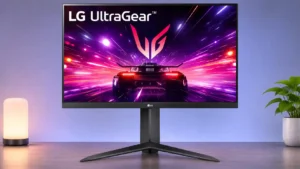
Overall: 3.3/5
Desktop control software allows picture adjustments without reaching for the monitor buttons, a useful everyday convenience.
Pros: adaptive sync performance, response time
Cons: HDR performance, console gaming compatibility
#5

Overall: 4.0/5
MSI’s desktop control application is useful for changing settings, but firmware-related problems and unstable functionality hurt confidence.
Pros: overall satisfaction, DisplayPort connectivity
Cons: value for money, reliability over time
#6

Overall: 4.0/5
LG’s Windows utility is usable rather than elegant, and firmware changes have delivered both picture improvements and unresolved glitches.
Pros: refresh rate, competitive gaming suitability
Cons: value for money, brightness
#7

Overall: 4.0/5
G-Menu makes settings accessible, but frame skipping and update troubleshooting make software polish a concern.
Pros: value for money, overall satisfaction
Cons: HDR performance, HDMI 2.1 support
#8

Overall: 3.9/5
Dell Display Manager offered useful controls and window layouts after Alienware Command Center failed to detect the monitor for one user.
Pros: Resolution, refresh rate
Cons: HDR performance, contrast
