
Overall: 4.3/5
Dual HDMI 2.1 inputs make it easy to connect a gaming PC and modern console while retaining high-refresh 1440p support.
Pros: color gamut, overall picture quality
Cons: brightness, HDR performance

Overall: 4.3/5
Dual HDMI 2.1 inputs make it easy to connect a gaming PC and modern console while retaining high-refresh 1440p support.
Pros: color gamut, overall picture quality
Cons: brightness, HDR performance
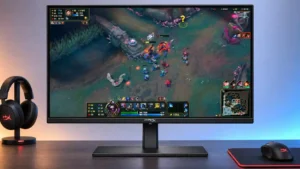
Overall: 4.1/5
High-bandwidth HDMI 2.1 is a practical strength for supported PCs and 1440p/120Hz console gaming, and gives it an edge over some cheaper rivals.
Pros: black levels, overall picture quality
Cons: brightness, Gaming feature selection

Overall: 4.1/5
Two HDMI 2.1 inputs accommodate modern consoles and other fast video sources, including 4K at 120Hz console modes.
Pros: PC gaming compatibility, reflection handling
Cons: color accuracy, VRR flicker

Overall: 4.2/5
Full HDMI 2.1 support is welcomed for fast console connections, including modern 4K and VRR features.
Pros: overall satisfaction, black levels
Cons: value for money, stand adjustability

Overall: 4.4/5
The HDMI connections make it easier to add a console or other computer alongside a Mac, even if the screen is not tuned for high-speed gaming.
Pros: port selection, color accuracy
Cons: built-in speakers, speaker quality
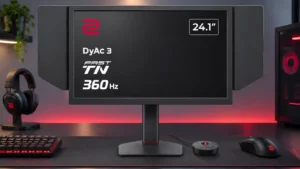
Overall: 3.8/5
Modern HDMI bandwidth broadens compatibility with recent graphics hardware, making the monitor less limited than older ZOWIE esports models.
Pros: competitive gaming suitability, motion clarity
Cons: contrast, overall picture quality

Overall: 4.1/5
High-bandwidth HDMI ports support current gaming devices and offer flexibility alongside DisplayPort.
Pros: competitive gaming suitability, refresh rate
Cons: Dual-mode versatility, GPU demands

Overall: 4.4/5
Two full-bandwidth HDMI 2.1 inputs provide proper 4K/120Hz support for current Xbox and PlayStation consoles.
Pros: brightness, reflection handling
Cons: cable management

Overall: 3.9/5
Two HDMI 2.1 inputs allow modern consoles and another source to connect without sacrificing their common 4K/120Hz capabilities.
Pros: brightness, color gamut
Cons: AI scene optimization, value for money

Overall: 4.5/5
The HDMI 2.1 connections support demanding inputs and console gaming, though 360Hz over HDMI uses DSC.
Pros: color gamut, contrast
Cons: value for money, Resolution

Overall: 4.0/5
HDMI 2.1 makes high-resolution console connections straightforward, including tested 4K/120Hz operation on PlayStation hardware.
Pros: Resolution, Dual-mode versatility
Cons: value for money, GPU demands

Overall: 4.1/5
HDMI 2.1 connectivity suits modern consoles and PCs and supports high-resolution, high-refresh video feeds.
Pros: Resolution, overall satisfaction
Cons: value for money, Image scaling

Overall: 4.4/5
HDMI 2.1 can carry the full 3840 × 2560 resolution at 120Hz with compatible hardware. It is a welcome upgrade for users who do not rely solely on USB-C.
Pros: productivity versatility, aspect ratio
Cons: value for money, competitive gaming suitability

Overall: 4.3/5
The two HDMI 2.1 inputs add modern multi-device flexibility and worked well in tested PC setups. They are less dependable for consoles because of the screen's uncommon resolutions and proportions.
Pros: productivity versatility, overall satisfaction
Cons: value for money, response time
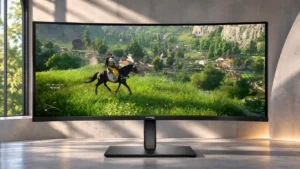
Overall: 4.4/5
HDMI 2.1 inputs form part of the appreciated modern port selection, although the console signal modes remain restrictive.
Pros: refresh rate, color accuracy
Cons: console gaming compatibility, DisplayPort connectivity

Overall: 3.5/5
Two modern HDMI inputs provide high-bandwidth video, though achieving every mode still depends on the source and proper cabling.
Pros: Resolution, sharpness
Cons: value for money, HDR performance

Overall: 3.9/5
Two HDMI 2.1 inputs add modern console compatibility, but the monitor is limited to 120Hz through HDMI instead of its full 360Hz.
Pros: motion clarity, Backlight strobing
Cons: contrast, HDR performance

Overall: 3.8/5
HDMI bandwidth tops out at 120Hz rather than the panel’s full 240Hz, making these inputs better suited to consoles than maximum-speed PC use.
Pros: value for money, panel type
Cons: brightness, port selection

Overall: 4.2/5
The absence of HDMI means adapters or an entirely different monitor are preferable for HDMI-based devices.
Pros: refresh rate, HDR performance
Cons: value for money, Device compatibility