
Overall: 3.9/5
An IPS LCD avoids the long-term static-image burn-in anxiety associated with OLED, making sustained desktop use less concerning.
Pros: motion clarity, Backlight strobing
Cons: contrast, HDR performance

Overall: 3.9/5
An IPS LCD avoids the long-term static-image burn-in anxiety associated with OLED, making sustained desktop use less concerning.
Pros: motion clarity, Backlight strobing
Cons: contrast, HDR performance

Overall: 4.3/5
Because it uses IPS Black rather than OLED, static professional interfaces do not carry the same burn-in risk. That makes it especially attractive for dashboards, spreadsheets, and other all-day fixed...
Pros: productivity versatility, overall satisfaction
Cons: value for money, response time

Overall: 3.5/5
The IPS panel avoids OLED-style long-term static-image burn-in worries, making it appealing for persistent desktop controls and documents.
Pros: Resolution, sharpness
Cons: value for money, HDR performance

Overall: 4.3/5
OLED-care controls are unusually comprehensive, including pixel shift, static-icon and taskbar detection, screen saving, and panel cleaning. Some protections cannot be fully disabled, but the breadth of safeguards is widely...
Pros: color gamut, overall picture quality
Cons: brightness, HDR performance

Overall: 4.3/5
Pixel refresh, pixel shifting and burn-in warranty coverage provide meaningful reassurance. Controls are not extensive, and disabling protective edge dimming trades convenience against possible long-term panel risk.
Pros: overall satisfaction, Text fringing
Cons: brightness, Edge dimming behavior

Overall: 4.4/5
The layered OLED Care controls automate taskbar dimming, pixel shifts, and presence sensing; they ease worries about wear without guaranteeing immunity.
Pros: refresh rate, Text fringing
Cons: Resolution, GPU demands

Overall: 4.3/5
OLED Care functions include pixel cleaning, screen shifting, logo handling and a presence sensor. They offer useful safeguards, though they cannot guarantee immunity from burn-in.
Pros: black levels, sharpness
Cons: value for money, brightness

Overall: 4.0/5
The Mini LED panel avoids the characteristic permanent image retention risk of OLED technology, an appealing consideration for desktop-heavy use.
Pros: Resolution, Dual-mode versatility
Cons: value for money, GPU demands

Overall: 4.2/5
A proximity sensor, pixel refresh, screen shifting, and static-logo protections add meaningful reassurance. One tester found the sensor could occasionally blank the screen during play if its timer was too...
Pros: overall satisfaction, black levels
Cons: value for money, stand adjustability

Overall: 4.5/5
Pixel care, screen shifting, proximity-based shutoff and related settings help limit prolonged static exposure. They reduce risk rather than eliminate OLED burn-in.
Pros: color gamut, contrast
Cons: value for money, Resolution

Overall: 4.1/5
Screen savers and OLED cleaning features offer useful precautions, but short tests cannot guarantee long-term protection from static-image wear.
Pros: competitive gaming suitability, refresh rate
Cons: Dual-mode versatility, GPU demands

Overall: 4.2/5
The mini-LED LCD approach avoids OLED's typical burn-in concern, which is appealing for long hours with static editing controls.
Pros: refresh rate, HDR performance
Cons: value for money, Device compatibility
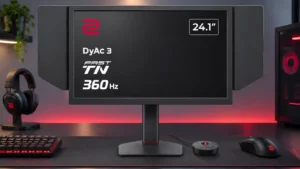
Overall: 3.8/5
The TN LCD avoids the static-image burn-in concerns associated with OLED, an advantage for interfaces with fixed elements during long sessions.
Pros: competitive gaming suitability, motion clarity
Cons: contrast, overall picture quality

Overall: 4.1/5
Pixel refresh, static-logo dimming, screensaver and active cooling give owners several safeguards. None removes the inherent risk of prolonged static images.
Pros: PC gaming compatibility, reflection handling
Cons: color accuracy, VRR flicker

Overall: 4.4/5
Automatic pixel shifting and a stronger panel help address OLED image retention, but the menu exposes few manual care settings. The warranty provides additional reassurance.
Pros: brightness, value for money
Cons: port selection, built-in speakers

Overall: 3.9/5
OLED Care and pixel maintenance help manage panel wear, but keeping static desktop elements displayed for long periods still calls for caution.
Pros: brightness, color gamut
Cons: AI scene optimization, value for money

Overall: 4.1/5
OLED-care options are basic compared with rival premium monitors, and prolonged static desktop content still calls for caution.
Pros: Resolution, overall satisfaction
Cons: value for money, Image scaling
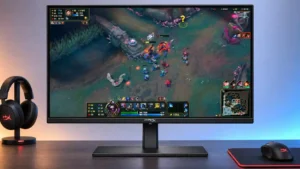
Overall: 4.1/5
Long periods of static HUDs and interface elements remain a concern. The coverage discusses burn-in risk rather than proving a failure on the tested unit.
Pros: black levels, overall picture quality
Cons: brightness, Gaming feature selection