
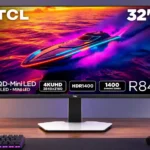
TCL 32R84 Feature Scores
Explore all 78 feature scores for TCL 32R84, organized into pros and cons.
Scores by Feature
Summary
78 reviewed features-
Very positive 4.5-5.026 (33%)
-
Positive 3.5-4.433 (42%)
-
Neutral 2.5-3.413 (17%)
-
Negative 1.5-2.45 (6%)
-
Very negative below 1.51 (1%)
Pros
Sort
-
This is an unusually bright monitor, delivering spectacular HDR peaks and strong SDR output. Some settings can be uncomfortably intense at close range.
-
Exceptionally bright highlights and effective Mini LED dimming are its signature strengths. OLED retains the edge for absolute pixel-level black.
-
Vibrant colors, sharp 4K detail and brilliant HDR earn high marks; viewing-angle washout and matte grain are its clearest visual compromises.
-
The overall experience is strongly positive for combined gaming and office use, tempered by matte-coating, VRR-flicker and pricing concerns.
-
Deep dark scenes, spectacular HDR highlights and vivid color make story-driven and visually rich games especially compelling.
-
Deep native VA contrast and well-controlled Mini LED zones produce striking depth, although OLED still owns the darkest pixel-level scenes.
-
The 1,400-zone backlight brings excellent black depth and bright highlights. A moderate setting can avoid unwanted desktop darkening.
-
The 4K, 165Hz panel and modern inputs work well across demanding and older PC games, although maximum frame rates depend on GPU power.
-
Quantum-dot color makes games and video notably vivid while offering broad coverage suitable for many creative tasks.
-
A 165Hz ceiling looks notably smoother than 60Hz for games and ordinary desktop tasks, but is slower than esports-focused rivals.
-
Four-kilopixel detail across 32 inches keeps text exceptionally crisp and game worlds finely detailed.
-
High pixel density keeps interface text, photos and game details crisp at normal viewing distance.
-
The 1,400-zone backlight largely suppresses halos when viewed straight on, though small bright objects against black can still glow.
-
The 32-inch diagonal is a pleasing match for 4K gaming and work, offering scale without taking over a typical desk.
-
Fast pixel transitions and 165Hz refresh keep gameplay fluid, though the very darkest trails are not as clean as the best OLEDs.
-
Height, swivel, tilt and pivot adjustments are broad and generally smooth, letting the screen fit many desk positions.
-
The VA panel produces convincingly deep blacks; default shadow crushing and occasional blooming keep it short of OLED precision.
-
The built-in KVM makes sharing a keyboard and mouse between a desktop and laptop convenient without swapping peripherals.
-
PS5, Switch 2 and Xbox use cases work well, with 4K 120Hz and VRR available where supported by the console and game.
-
The vivid rear glow adds character and can illuminate a wall, but it may need dimming or switching off for quieter setups.
-
This fast VA panel approaches IPS-like response behavior and handles moving games well, though it does not quite match the best OLEDs.
-
Smooth 165Hz motion and low input lag work well for shooters, but 240–320Hz competitors offer greater speed for dedicated esports play.
-
Tool-free stand assembly, simple connections and clear labeling make getting started remarkably fast.
-
Full-bandwidth HDMI 2.1 enables high-refresh 4K signals and VRR, including useful 120Hz console modes.
-
USB-C charging is a major productivity perk, with 90W measured in one test; one account instead cites 65W, so power-sensitive buyers should check their regional unit.
-
LCD Mini LED avoids the OLED-style burn-in concern associated with stationary taskbars, documents and long desktop sessions.
-
The large 4K screen, KVM and USB-C docking allow it to move comfortably from office work to PC gaming.
-
Multiple HDMI 2.1, DisplayPort, USB-C and USB ports make it well equipped for a mixed gaming and productivity desk.
-
USB-A and upstream connectivity make everyday peripherals easier to share between connected computers.
-
The white styling and illuminated back are attractive to some, while others find the plastic construction underwhelming for a premium monitor.
-
Strong backlight headroom helps clouds, flames and sunlit areas retain structure instead of merging into featureless white.
-
Its combination of 4K Mini LED HDR and desk-friendly features looks particularly good on sale, though full price draws more scrutiny.
-
A range of SDR and HDR profiles offers useful flexibility, but certain presets overcook contrast or highlights and benefit from manual tuning.
-
Useful video, USB and power cables come in the box, reducing the extras needed for a first-time setup.
-
The stand holds its chosen position well, with smooth movement and only a slightly stiff initial height adjustment.
-
Console and PC adaptive-refresh connections are supported, but using VRR in dark, variable-frame-rate games can reveal flicker.
-
VA smearing is substantially better controlled than on older panels, although dark transitions and some motion-test trails remain visible.
-
Unlike some OLED alternatives, very bright scenes can remain luminous without strong automatic dimming.
-
Measured control-to-display latency is exceptionally low at both 120Hz and 165Hz, keeping the screen responsive.
-
Very even luminance is an impressive strength, with subtle changes near the edges difficult to notice during normal content.
-
Broad color coverage and fine detail suit photo editing, but accurate professional results may require further calibration.
-
The standard 16:9 shape fills modern console games without the side bars common on ultrawide screens.
-
Fine RGB, shadow and HDR controls make it possible to correct a cold SDR default and warm HDR presets without much difficulty.
-
A low minimum brightness and very high-frequency backlight modulation support more comfortable viewing at night, despite separate VRR flicker concerns.
-
A responsive five-way joystick and organized menus make adjustments straightforward, with some limits on shortcuts and settings memory.
-
Standard 100 × 100mm mounting and manageable panel weight make using an ordinary monitor arm straightforward.
-
The matte surface reduces everyday glare, but direct sunlight can still distract and the anti-glare grain bothers some users.
-
Factory color is not universally neutral: the SDR default can look blue and HDR can be warm. Careful calibration produces much better results.
-
Clearly labeled ports and well-organized controls simplify setup, although optimal HDR and game modes may require individual adjustment.
-
The compact pedestal saves some desktop space despite the large 32-inch panel.
-
DisplayPort 1.4 handles 4K at the full 165Hz refresh rate, making it a practical option for high-refresh PCs.
-
The headphone socket sounds surprisingly clear and gets loud enough for demanding headphones, though bass is limited.
-
Fast VA combines better native blacks than typical IPS with unusually quick response, while retaining the narrow viewing angles of VA.
-
Side-by-side input viewing helps make the monitor practical when two computers are attached.
-
USB-C docking and KVM functionality help keep the desk neat, but an external power brick adds clutter.
-
One unboxing found unusually plain packaging, while another praised the extra protective foam around the screen.
-
HDR reproduction is impressive overall, but preset tone curves differ substantially and some options exaggerate highlights or wash out the image.
-
An option to disable display-stream compression gives enthusiasts flexibility for specialized custom-resolution workflows, at the cost of lower refresh limits.
-
The fast overdrive setting produces excellent response without obvious errors, but the highest setting creates unacceptable artifacts.
Cons
Sort
-
Dark scenes can show distracting brightness flutter when frame rates vary, sometimes prompting a choice between VRR and a stable image.
-
VA off-axis fade is a persistent drawback: image contrast and color noticeably weaken as you move away from center.
-
Unlike certain competitors, this display cannot switch to a lower-resolution 320Hz esports mode, limiting flexibility for speed-focused players.
-
Default settings can crush near-black gradations, requiring shadow adjustments to bring back subtle dark detail.
-
An external power brick adds an extra item and cable to hide behind the desk.
-
The lack of near-24Hz input modes limits convenience with certain legacy video sources.
-
The monitor has abundant high-refresh 4K headroom, but getting modern games near 165fps requires a powerful graphics card.
-
The construction is practical but distinctly plastic-heavy, making the hardware feel less luxurious than its specifications.
-
The core gaming performance is strong, but specialized extras such as advanced dark boosting and motion-reduction options are sparse.
-
Standard HDR presets perform relatively well, while the DCI-P3 preset and some alternate HDR modes stray from accurate gamma or tone response.
-
In the Japanese market discussed, availability was narrow enough that waiting for an Amazon promotion was recommended.
-
Switching modes generally works, but some user settings can unexpectedly carry from SDR into HDR.
-
Speaker sound earns mixed reactions: sufficient for casual content, with some clear mids, but modest bass and limited volume.
-
The matte anti-glare treatment controls reflections but divides opinion over its visible grain or pearly sheen, especially up close.
-
The design offers appealing details, but plastic-heavy materials can fall short of the luxurious finish expected at this price.
-
The stated three-year warranty is reassuring, but one source describes only one year of LCD panel coverage and uncertain dead-pixel handling.
-
FreeSync and G-SYNC-compatible operation can reduce tearing, but dark-scene flicker makes results less consistent than the feature list suggests.
-
Shadow controls are useful for recovering crushed detail in SDR and HDR, but the dedicated dark-boost effect is weaker than some rivals.
-
Integrated stereo sound is useful for calls, videos and temporary gaming audio, even if it cannot replace a dedicated setup.
Use Cases
Best for
Sort
-
Explosive highlights, rich blacks and vivid color give HDR games a striking cinematic impact that is hard to match at lower brightness.
-
Sharp 4K text, abundant workspace, adjustable ergonomics and laptop-friendly ports make this unusually capable for office duties.
-
Large, detailed HDR imagery and strong contrast give films and streaming content impact, with basic integrated speakers for convenience.
-
A built-in KVM, USB hub and several inputs are particularly handy for switching between work and gaming machines.
-
USB-C video and charging simplify laptop connections; most accounts find 90W delivery useful, though one report describes a 65W limit.
-
One cable can connect a laptop, carry its picture and supply power, particularly useful when alternating with a desktop PC.
-
Its enormous brightness makes it excellent for sunny offices and bright gaming rooms, although direct window reflections can still intrude.
-
Powerful Mini LED HDR, a fast VA panel and extensive settings make this a highly appealing display for monitor enthusiasts.
-
The full 90-degree pivot makes long pages, documents and code easier to display vertically.
-
The sharp, wide-gamut panel offers a useful video-editing canvas, but critical color work calls for calibration.
-
The LCD panel avoids OLED burn-in concerns during prolonged static use, though the shorter panel warranty in one market tempers confidence.
-
Crisp RGB text at 4K and the portrait-capable stand suit long coding sessions, particularly alongside a laptop.
-
Deep blacks and well-contained blooming create a dramatic dark-room picture. VRR-related flicker can still spoil some dark scenes.
-
Built-in speakers are handy for calls and notifications without a separate speaker, though their sound is not especially rich.
-
The wide gamut and sharp 4K panel are promising for precise creative work, but some color modes and gamma curves need calibration.
Conditional or not ideal for
Sort
-
Photosensitive playersPlayers bothered by flicker should be cautious: variable refresh can cause visible flashes in dark scenes even though ordinary backlight modulation is very fast.
-
Shared-screen viewingA couple of viewers can enjoy the display, but colors and blacks wash out as people move farther to the sides.
-
Low-distraction useRear ambient lighting can be eye-catching, but turning it off makes the monitor more suitable for restrained setups.
-
Budget-conscious buyersDiscounted prices make the feature set compelling, but the premium retail cost draws caution and varies significantly across markets.