
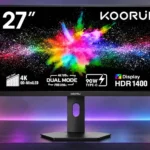
KOORUI S2741LM Feature Scores
Explore all 91 feature scores for KOORUI S2741LM, organized into pros and cons.
Scores by Feature
Summary
91 reviewed features-
Very positive 4.5-5.043 (47%)
-
Positive 3.5-4.423 (25%)
-
Neutral 2.5-3.423 (25%)
-
Negative 1.5-2.42 (2%)
Pros
Sort
-
Unusually high SDR and large-scene HDR brightness makes the screen stand out, especially in daylight. Very small bright highlights are less striking than the peak figures suggest.
-
Native 4K at 160Hz is sharp for detailed games, while 1080p at 320Hz prioritizes competitive speed. The faster mode sacrifices detail and can expose motion or switching quirks.
-
Users and testers largely admire the bright 4K image and flexible refresh options, while noting local-dimming and color setup quirks.
-
Sharp native 4K gives more detail to games and desktop text; choosing 1080p for 320Hz deliberately trades away that crispness.
-
Native 4K and forceful HDR brightness make detailed single-player games a strength; the 160Hz setting is generally favored over low-detail 320Hz for cinematic play.
-
Its 1,152-zone Mini LED backlight brings strong HDR brightness and contrast, but dark-detail crushing, red-leaning color and muted tiny highlights divide opinion.
-
Measured input lag is low even at 60Hz, and gaming controls feel responsive across refresh settings.
-
The 1080p/320Hz mode makes fast multiplayer enjoyable, but softer detail and residual smearing mean speed does not equal perfect clarity.
-
With local dimming enabled, contrast becomes far stronger than ordinary IPS and the scene looks punchier. Disabling dimming returns it to typical IPS contrast.
-
Native 160Hz feels fast for 4K gaming, while the 320Hz option offers extra speed at the expense of resolution.
-
Height, tilt, swivel and portrait rotation are smooth and extensive, making long desktop sessions easier to position.
-
This 4K/320Hz Mini LED feature set earns strong value praise at competitive prices; OLED and other Mini LED discounts can change the calculation.
-
A built-in KVM makes it practical to share peripherals across connected computers, with reliable Mac/Windows operation reported.
-
Richly saturated images and outstanding large-scene brightness make it striking, but aggressive dimming is not ideal for every scene.
-
90W USB-C charging and video simplify laptop connections, though very power-hungry laptops may still drain battery.
-
The monitor feels reassuringly solid for its price, with a stable metal-based stand and little creaking or wobble.
-
A light matte coating suppresses bright reflections while preserving clarity, helping in lamp-lit rooms.
-
Wide Adobe RGB and DCI-P3 support adds reach for photography and makes media colors vivid, although correct profiling still matters.
-
At 27 inches, 4K provides finely rendered text and detailed games, a noticeable improvement over more common 1440p screens.
-
The dense 4K panel makes fine detail and text notably sharper than standard 27-inch 1440p alternatives.
-
The mix of HDMI 2.1, DisplayPort, USB-C, USB-A and audio output covers gaming PCs, consoles and laptops well.
-
High-zone-count backlighting creates strong HDR contrast but can dim small highlights and low-contrast desktop text.
-
An LCD Mini LED panel avoids the burn-in anxiety associated with static work on OLED displays.
-
Bright saturated colors have impressive punch in games and HDR scenes, giving even muted scenery surprising vibrancy.
-
HDMI 2.1 and 4K/120Hz support make current consoles easy to use; occasional 60Hz dimming flicker remains a caveat.
-
Local dimming gives darker blacks than ordinary IPS, though KOORUI sometimes prioritizes brightness over the deepest possible blacks.
-
At 160Hz motion is generally crisp; the 320Hz mode can smear and its strobing option adds clarity at the cost of extra setup.
-
Good 160Hz pixel response keeps blur reasonably low, but transitions cannot fully keep pace with 320Hz and overshoot rises in aggressive modes.
-
Careful calibration can deliver excellent measured accuracy, even though the provided factory workflow and missing ICC profile make setup less convenient.
-
The dark, restrained chassis works in a home office or gaming room, while the optional rear LED ring supplies understated flair.
-
The compact stand base leaves useful desk space for a keyboard, mouse and small riser instead of dominating the desktop.
-
A broad Adobe RGB gamut and strong calibrated results suit photography, including HDR image work, but factory profiles are absent.
-
A stand channel and rear connection cover can hide cabling neatly, although the cover and narrow exit space can be fiddly.
-
A substantial base keeps the screen fairly steady with little wobble, and the construction feels better than its price suggests.
-
Two full-bandwidth HDMI 2.1 inputs help the panel handle modern console resolutions and high refresh rates.
-
The easily removed stock stand exposes standard 100×100mm VESA points for a monitor arm.
-
PC gameplay benefits from bright 4K and a high-speed alternative, but more responsive OLED models remain attractive for competitive-only buyers.
-
The rear RGB ring adds a clean accent without overpowering the setup, and it can be switched off for an understated look.
-
Support spans common variable-refresh formats and the full gaming modes; certification status and detailed behavior vary.
-
No coil whine was audible from either the screen or power brick in a quiet workspace.
-
The box presentation and included cable kit made an unusually good first impression.
-
PC use was reported as stable, with no black-screen or reset issues during testing.
-
The backlight was measured as flicker-free without PWM, including when local dimming was active.
-
The included stand assembles quickly and is easy to position without extra tools or hassle.
-
Controlled testing reported no visible VRR-induced flicker, even though separate 60Hz local-dimming flicker can occur.
-
The Game preset generally beats the Movie preset by showing more shadow detail and brighter scenes; the alternative can crush dark tones.
-
Motion is generally clean at 160Hz, though inverse overshoot at lower refresh rates and smearing at 320Hz remain drawbacks.
-
There is a useful choice of game and image modes, though the best contrast and HDR results often require some experimenting.
-
VRR works across the refresh range without the obvious flicker sometimes seen on competing panels.
-
FPS counters, game modes, a shadow boost and strobing provide useful gaming extras beyond basic refresh settings.
-
The 3.5mm audio output offers a handy way to route sound through the display and simplify desk cabling.
-
One owner found the monitor noticeably cooler than their other 4K displays at similar brightness settings.
-
Supplied video and connection cables make it easier to set up without buying separate leads.
-
A Mac and Windows test found reliable KVM switching and wake handling, making the monitor viable for Apple-based desks.
-
PiP and PbP let two video sources share the screen, adding welcome flexibility for multi-device desks.
-
The panel supports the 4K/120Hz signal expected from PS5, and reviewers report good console compatibility overall.
-
Slim bezels look modern, but one owner noticed brightness falling away at the screen edges.
-
Windows-side HDR toggling can simplify switching, and one owner successfully kept the screen in HDR using brightness utilities.
-
The shadow-boost control can reveal darker content, although raising it too far washes out blacks; a slight negative SDR adjustment can improve perceived contrast.
-
Switching modes is simple with a dedicated button, but toggling while a game is already running has caused a PC freeze.
-
Fast is the safest general-purpose choice; Fastest can add distracting bright and dark overshoot, especially as refresh rates change.
-
Testing found generally even lighting, but another owner noticed edge darkening and some scene-dependent color shifts.
-
DIC can make moving objects clearer with little crosstalk, but it requires VRR off and resets brightness and overdrive settings.
-
Default gamma is close to target and can bring out dark tones, while some alternative color modes lose near-black detail.
-
The IPS LCD uses a conventional RGB stripe for clear text and avoids OLED burn-in, though native blacks and off-axis glow remain IPS-like.
-
The monitor reliably recognizes connected computers after sleep, typically taking several seconds to display their picture.
Cons
Sort
-
Rear-facing ports are awkward to reach, and the cable cover creates a tight space for connecting leads.
-
Factory calibration is undermined by the lack of downloadable ICC/ICM profiles; owners can get good results by profiling the display themselves.
-
Strong peak brightness does not extend to the smallest HDR highlights, which can be substantially dimmed to prevent blooming.
-
Well-configured gamut modes and profiling can look excellent; native colors may be oversaturated and HDR tones sometimes shift red.
-
There are no integrated speakers; anyone relying on monitor audio will need headphones or external speakers.
-
A faint zone flicker can appear around moving details at 60Hz, with some owners finding it intrusive during console gaming.
-
Power draw can be high at maximum brightness while charging a laptop, although everyday brightness settings reduce consumption substantially.
-
A discussion reported stock disappearing unexpectedly, so finding the model has not always been straightforward.
-
4K/120Hz console content works, but 4K/24Hz input is not supported, which may matter for some film sources.
-
At 60Hz, local dimming can flicker around moving elements, making frame-rate-limited console games less dependable than high-refresh play.
-
The large external power brick is an inconvenience, although its long cable and relatively cool-running screen soften the drawback.
-
Typical IPS breadth is compromised by off-axis glow and brightness shifts, especially with local dimming in darker scenes.
-
Eye-care and e-book modes are available, but their appeal is limited by the lack of a meaningful dedicated low-blue-light preset in other testing.
-
Color presets clamp the wide gamut effectively, but the restricted RGB, gamma and temperature settings can frustrate fine tuning.
-
Firmware updates are possible, but publicly available update packages were not readily found on the manufacturer site.
-
The 320Hz mode reduces resolution, but reaching something close to 320fps still depends heavily on the game and graphics hardware.
-
HDR EOTF tracking is mostly consistent but somewhat too bright in darker content, limiting strict accuracy.
-
90W USB-C power is sufficient for many laptops, but some high-end systems can draw more and slowly discharge under load.
-
Dark detail varies by preset: the Game HDR mode and gentle shadow tweaks reveal more, while Movie and some gamut modes crush blacks.
-
Halos are relatively modest from directly ahead but become noticeable off-axis or around small bright shapes on dark backgrounds.
-
The joystick is intuitive once located, but buried options, repeated navigation and an easily hit mode button add friction.
-
Two downstream ports provide useful peripheral connectivity, though their speed and limited count earned differing assessments.
-
HDR brightness remains adjustable, but missing color and black-equalizer controls can make shadow and highlight tuning frustrating.
-
The 1080p/320Hz image is playable rather than perfectly pixel-mapped; gradient and fine-detail artifacts appear more noticeable in slower games.
-
One test found laptop wake reliably handled, while an owner complained that the backlight remained lit in standby.
Use Cases
Best for
Sort
-
A strong all-rounder for work by day and fast or cinematic gaming afterward, thanks to 4K/160Hz, 1080p/320Hz, USB-C and KVM switching.
-
High SDR brightness and strong reflection control make windows, daylight and bright offices easy to handle.
-
4K sharpness, standard RGB text layout, ergonomic support and laptop connectivity make the monitor highly capable for work. Local dimming is best disabled for dark static apps.
-
Strong Mini LED luminance and local dimming give compatible HDR games a punchy image, particularly in large bright scenes.
-
KVM and multi-input support make it convenient to share a display and peripherals between two computers.
-
High-quality HDR videos can look spectacular, especially natural daylight footage, though some content shows blooming or oversaturated color.
-
USB-C combines video and up to 90W laptop power, making a simple one-cable workstation practical.
-
SDR gaming looks good and offers adjustable black levels; leaving local dimming off may prevent distracting text darkening.
-
The monitor base fits a small riser and keeps a compact workstation usable without excessive stand intrusion.
-
Wide Adobe RGB coverage, 4K detail and laptop connectivity make the screen especially appealing for creative desktop tasks.
-
A firsthand owner recommends it for graphic design, supported by dense 4K pixels and the broad color gamut.
-
HDR photo mastering can reveal bright-cloud texture and shadow detail that flat SDR previews conceal.
-
The sharp 4K canvas and expansive color coverage were recommended by a firsthand owner for video work.
-
The backlight can dim low enough for a dark room, but off-angle IPS glow and blooming remain more apparent at night.
-
A firsthand owner directly recommends the sharp 4K display for CAD workflows and detailed technical graphics.
-
Broad console signal support prompted a positive Switch 2 recommendation, although the cited firsthand test was on Xbox.
-
Its strong brightness and dual-mode package can meet an ambitious budget, especially compared with premium OLED options.
-
Adobe RGB coverage and accurate gamut presets offer a useful starting point for photo work bound for print.
Conditional or not ideal for
Sort
-
Programming and codingFine text is a plus, but dark-theme editors can become too dim or low-contrast when SDR local dimming is enabled.
-
Shared-screen viewingThe picture has its strongest impact for one or two people facing it, while wider seating exaggerates IPS glow.
-
Color-critical workThe broad gamut and calibrated accuracy can suit demanding visual work, but out-of-box profiles and oversaturation need careful attention.