
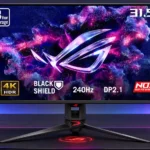
ASUS ROG Swift OLED PG32UCDM Gen3 Feature Scores
Explore all 73 feature scores for ASUS ROG Swift OLED PG32UCDM Gen3, organized into pros and cons.
Scores by Feature
Summary
73 reviewed features-
Very positive 4.5-5.042 (58%)
-
Positive 3.5-4.416 (22%)
-
Neutral 2.5-3.49 (12%)
-
Negative 1.5-2.45 (7%)
-
Very negative below 1.51 (1%)
Pros
Sort
-
Per-pixel OLED dimming gives bright highlights striking separation from deep dark scenes with essentially no blooming. Contrast is most impressive when ambient light is controlled.
-
The sharp 4K image, highly saturated colors, and striking OLED contrast draw overwhelming praise. Bright-room black levels and text rendering keep it from being universally flawless.
-
High-refresh 4K gameplay is outstanding with a capable graphics card, and newer inputs support modern hardware. Reaching the full 240fps at 4K remains demanding.
-
4K detail looks crisp across the generous 32-inch display, benefiting gaming, movies, and office windows. Some users need OS scaling to keep text comfortably sized.
-
OLED pixels change almost instantly, producing precise movement and clean transitions with little blur across multiple refresh rates.
-
At 240Hz, fast motion is extremely clean and sharp, with rapid transitions and very little blur. Enthusiasts seeking the absolute highest esports clarity may still prefer faster 360–540Hz displays.
-
Accurate factory settings and strong calibrated results make SDR and HDR colors look convincing without extensive adjustments. Certain presets can be locked down or overly saturated, so the right color mode matters.
-
Wide QD-OLED color coverage creates richly saturated game worlds and HDR highlights. It also supplies flexible color-space options for work where faithful colors matter.
-
Large, detailed worlds look magnificent thanks to rich QD-OLED colors, deep blacks, HDR highlights, and the immersive 32-inch canvas. This is where the monitor attracts its strongest recommendations.
-
The chassis and metal stand feel impressively rigid and substantial, with very little wobble. A minor complaint is that some plastic detailing feels less expensive than the rest of the build.
-
Near-instant inputs make games feel remarkably responsive at 240Hz; lower fixed refresh rates are still fast. ELMB can introduce an additional delay when used.
-
Most reviewers consider this one of the most polished 32-inch 4K OLED gaming monitors available. Price and minor ergonomic issues temper that enthusiasm, while a small number of owners describe serious discomfort or reading problems.
-
A 90W USB-C connection can carry video and charge a compatible laptop simultaneously, making docking and multi-system use especially convenient.
-
Rich color, nearly perfect blacks, and bright highlights make HDR gaming a standout experience. Actual brightness gains over previous QD-OLED generations are more modest than the marketing suggests, and dimming varies by HDR mode.
-
The QD-OLED panel delivers exceptionally deep blacks in dark environments, and BlackShield reduces the old purple cast under room lighting. Bright light can still make blacks appear gray compared with the best WOLED alternatives.
-
The tougher BlackShield surface is easier and less stressful to wipe down than older glossy OLED coatings. Testers particularly welcome fewer visible cleaning marks and scratches.
-
The 4K canvas, readable scaling options, input sharing, and color controls provide genuine work flexibility alongside gaming. Persistent OLED text issues remain a personal dealbreaker for some.
-
Full-bandwidth DisplayPort 2.1 enables 4K 240Hz without DSC on compatible hardware. While technologically current, a few testers say the visible improvement over older DSC connections is minimal.
-
The 240Hz ceiling is an excellent balance for 4K gaming and remains much smoother than 60–120Hz displays. Some high-level esports players want 360Hz or faster instead.
-
BlackShield's tougher surface makes cleaning feel less risky, and some testers report clear improvements in resistance to marks. Longer-term scratch resistance is not yet established.
-
BlackShield visibly cuts reflections and purple-tinted blacks compared with older QD-OLEDs, while retaining a crisp glossy image. Direct lighting and WOLED comparisons expose the remaining limitations.
-
A proximity sensor, pixel refresh, screen shifting, and static-logo protections add meaningful reassurance. One tester found the sensor could occasionally blank the screen during play if its timer was too aggressive.
-
4K at 120Hz, VRR, HDMI 2.1, and HDR support make it a strong match for current consoles. An external audio solution is required because there are no speakers.
-
Smaller simulated 27-inch and 24.5-inch modes give players a more focused gaming area without replacing the screen. They are particularly appealing for shooters on a large 32-inch panel.
-
DisplayPort 2.1, HDMI 2.1, USB-C, USB-A, and audio output create a versatile connection set. The omission of older optical audio output disappoints users of some external DACs.
-
SDR and larger-area HDR brightness have improved over earlier versions, helping colorful games and desktop apps. Several tests still find small-highlight gains modest and OLED television HDR considerably brighter.
-
Most testers like the fast joystick menus and customizable shortcuts, with desktop software as another option. One found important VRR and HDR controls hard to locate.
-
Eliminating the external power brick simplifies the desk setup and is repeatedly praised as a practical upgrade, even if the screen itself remains heavy.
-
Colors and contrast remain striking from different seating positions, with testers finding little visible shifting when viewing off-axis.
-
Metal construction, solid adjustments, and premium fit make the monitor feel worthy of its flagship positioning, despite a few plasticky details.
-
The integrated KVM can switch mouse and keyboard control between connected systems without a separate box. One dual-computer user reports smooth automatic handoff and no peripheral lag.
-
Per-pixel OLED illumination creates powerful dark-scene contrast and bright objects without distracting halos. It is a major advantage over many backlit LCD displays.
-
QD-OLED's individual pixel control makes it especially capable for vivid HDR gaming, with excellent contrast and quick pixel response.
-
Picture-in-picture and side-by-side input modes make it easier to monitor two connected devices, a welcome addition to an already flexible gaming display.
-
The 32-inch display adds immersion and workspace compared with 27-inch monitors. Its size can feel excessive to players who sit close and focus on competitive shooters.
-
The 4K image generally looks very crisp, and many reviewers find text sharp enough for work. A few owners report unusually soft text, fringing, and discomfort that settings did not resolve.
-
Flexible SDR, sRGB, HDR, and custom modes provide strong calibration and appealing game images. Some dedicated modes restrict adjustments, and a few HDR presets noticeably dim highlights.
-
DisplayWidget Center simplifies settings, profiles, and firmware maintenance without reaching for the joystick. Most testers find the menus flexible, though the utility adds another app to install.
-
The proximity sensor conveniently switches pixels off when the desk is unattended and restores the screen upon return. Its delay options and occasional unwanted blanking can be frustrating.
-
The joystick and desktop control utility make most adjustments straightforward. Hidden physical controls and some complex menu choices can make the first setup less intuitive.
-
Rapid OLED transitions produce exceptionally clean moving objects and little visible overshoot, even in demanding motion tests.
-
The passive thermal design remains quiet and cool during testing, with no obvious heat issues from the internal power supply.
-
An included 100mm adapter allows a monitor arm to replace the broad tripod stand, a practical solution for limited desk space.
-
Several testers see excellent consistency and clean panels, particularly in controlled modes. One lab finds noticeable edge dimming outside the uniform-brightness and sRGB presets.
-
The monitor supports smooth G-Sync and FreeSync operation at high refresh rates. Some firmware-specific anti-flicker options did not work as intended in one test.
-
The Neo Proximity Sensor usually blanks the screen when the user leaves and restores it on return. Sensor timing can still be inconvenient, including reports of unwanted blanking during still moments.
-
FreeSync and G-Sync support help keep gameplay fluid, though testing of the anti-flicker options uncovered a separate VRR-related weakness.
-
The stand provides an effective internal cable route, and its cable tidy opening helps control the clutter from multiple connected devices.
-
DisplayWidget Center offers useful desktop control and firmware updates, making the monitor simpler to manage from a computer. Firmware-related concerns remain around anti-flicker behavior.
-
Three-year coverage including OLED burn-in is valued as added reassurance with an expensive self-emissive display; it cannot eliminate all ownership risks.
-
PCs and laptops connect through versatile modern inputs, though a Mac mini owner reports occasional crashes. Apple scaling and refresh behavior may need extra attention.
-
The supplied VESA adapter gives owners the option to use a monitor arm, addressing the broad stand's desk-space drawback. Included cables and mounting accessories also support flexible setups.
-
Full HDMI 2.1 support is welcomed for fast console connections, including modern 4K and VRR features.
-
The cable bundle is unusually generous, including a practical full-bandwidth DisplayPort lead and useful mounting accessories.
-
Passive cooling kept the monitor effectively silent over several days of use, with no fan noise to distract from games.
-
Careful protective packing, reusable sleeve materials, and recyclable molded pulp make unboxing feel appropriately premium.
-
Most testers find the stand straightforward to assemble and the connections manageable. One reviewer dislikes the extra projector parts required during initial setup.
-
The USB-A connections are useful for peripherals and KVM workflows, but one tester notes that the hub cannot replace every direct PC or console connection.
Cons
Sort
-
The broad three-legged stand is repeatedly criticized for occupying desk space and obstructing large mousepads. Its sturdy construction helps stability but does not make it convenient on compact desks.
-
There are no integrated speakers, a repeated frustration given the premium price. Console and casual media users need a headset, soundbar, or external speakers.
-
One owner experienced persistent eye strain and headaches despite using blue-light filtering, so the controls could not solve their discomfort.
-
Color and brightness preferences are not stored separately for each source, meaning laptop and desktop users may have to reset their settings after changing inputs.
-
Flagship image quality and build are widely praised, but the high asking price faces strong competition from cheaper OLEDs. Owners of the original PG32UCDM gain relatively little unless the coating improvements matter to them.
-
The substantial screen and built-in power supply make this a heavy monitor to unpack and move, even if that heft accompanies sturdy construction.
-
An owner reports repeated Mac crashes with this monitor at 4K 240Hz, a concerning configuration-specific problem that could undermine dependable daily use.
-
ELMB can recreate 240Hz-like clarity at a fixed 120Hz, which helps lower-powered systems. It also cuts brightness, disables VRR and HDR, and can add enough lag to limit its appeal.
-
Variable-refresh flicker can be noticeable in darker scenes or fluctuating frame rates, and one tester found the anti-flicker controls ineffective. Other owners see little flicker or find the mitigation helpful.
-
Shadow Boost can help reveal some darker game details, but changes affect midtones more than the darkest shades and can make parts of the picture unnaturally bright.
-
Instant response and low lag make the monitor fast enough for serious play, with simulated smaller-screen modes available. Some competitive players prefer 27-inch models with 360Hz or higher refresh rates to this larger 240Hz display.
-
Height, tilt, and swivel feel solid, smooth, and stable, but portrait rotation is missing. The stand also cannot sit as low as some users would prefer.
-
The thin front bezel looks clean and modern, but the heavily branded RGB accents and conspicuous tripod stand divide opinion. Much of the lighting can be switched off.
-
The uniform-brightness setting can keep desktop luminance steady, while more dramatic HDR modes may noticeably dim across changing scenes. Experiences vary with the chosen mode and content.
-
Most testers find the 4K pixel density makes QD-OLED edge color artifacts hard to notice. Some sensitive owners see softer text or distracting fringing, especially when reading light text against dark backgrounds.
Use Cases
Best for
Sort
-
Buyers seeking premium OLED technology, rich imagery, modern connectivity, and advanced gaming extras get an unusually complete package, albeit with a substantial price.
-
4K OLED contrast and Dolby Vision produce detailed, colorful films and shows on a screen large enough for close-up viewing. Separate audio equipment remains essential.
-
The large 4K canvas, broad gamut, and calibration options provide credible room for timelines and tools. Text-fringing sensitivity and color-mode choices may still matter for long editing sessions.
-
The spacious 4K desktop, useful brightness controls, and connectivity make multitasking comfortable for many people. Owners sensitive to text fringing or eye strain report a markedly worse experience with long reading sessions.
-
MacBook connectivity works conveniently for some users, including single-cable power and display. macOS scaling and refresh limitations, plus one reported Mac mini crash, temper that praise.
-
MacBooks can use USB-C video and charging, and some setups perform smoothly. macOS scaling and refresh limitations, plus one reported recurring Mac mini crash, make Apple compatibility configuration-dependent.
-
The KVM and USB-C connection make switching between a laptop and desktop convenient, although different per-input color profiles are not remembered automatically.
Conditional or not ideal for
Sort
-
Budget-conscious buyersThis flagship's premium price is difficult to justify when older or competing 4K OLED monitors deliver similar gaming performance for substantially less.
-
Low-distraction useFor a sensitive owner, distracting softness and fringing made reading and coding uncomfortable despite adjustments, making extended focused work a poor fit.
-
Long-term ownershipOLED care tools and burn-in warranty coverage offer reassurance, but static desktop use still carries risks. A long-term user's comfort complaints show why hands-on fit remains important.
-
Bright-room viewingBlackShield makes brighter rooms more manageable than on earlier QD-OLEDs, with less purple tint and some glare reduction. Harsh overhead lights and daylight can still lift blacks or cause reflections.