
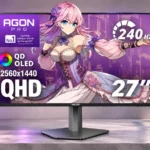
AOC AGON PRO AG276QZD2 Feature Scores
Explore all 98 feature scores for AOC AGON PRO AG276QZD2, organized into pros and cons.
Scores by Feature
Summary
98 reviewed features-
Very positive 4.5-5.035 (36%)
-
Positive 3.5-4.428 (29%)
-
Neutral 2.5-3.413 (13%)
-
Negative 1.5-2.420 (20%)
-
Very negative below 1.52 (2%)
Pros
Sort
-
Near-instant OLED transitions keep moving images clean, with negligible smearing or overshoot at high and moderate refresh rates.
-
Fast-moving objects remain sharp without conventional ghosting, making the 240Hz experience a standout strength.
-
Height, tilt, swivel and pivot adjustments suit varied gaming positions, with a premium-feeling mechanism on most units.
-
Pixel-level illumination yields nearly limitless contrast and exceptional dark-scene depth, especially when viewing conditions are dim.
-
Exceptional pixel response, sharp motion and high refresh make fast shooters feel immediate and controlled, provided the PC sustains high frame rates.
-
Rich SDR color, sharp gaming detail and striking black levels create a visually impressive image, even though HDR color is a weak point.
-
SDR accuracy is a frequent strength, especially in the sRGB setting or after calibration, although some units need white-balance correction.
-
240Hz already feels extremely smooth and competitive at QHD, even though 360Hz rivals offer more headroom and some later units report 280Hz.
-
Individually lit OLED pixels produce convincingly deep blacks in controlled lighting, a striking improvement over typical LCD glow.
-
A broad set of pixel-shift, dimming and refresh options reduces maintenance worries, although protection cannot eliminate the underlying OLED burn-in risk.
-
Connected over DisplayPort, the high-refresh QD-OLED experience is remarkably fluid with excellent response and strong SDR contrast. HDMI and HDR caveats make configuration important.
-
The sturdy materials and metal stand give the monitor a reassuring feel, with mostly favorable impressions despite isolated mechanical issues.
-
The QD-OLED panel provides a broad native color range that makes SDR content vibrant; actual HDR output does not always take advantage of that potential.
-
Fast OLED gameplay and competitive pricing are compelling, but muted HDR color and occasional software bugs keep this from being an easy recommendation for everyone.
-
Competitive pricing makes high-refresh QD-OLED attractive, but value falls sharply if newer rivals cost about the same or offer stronger HDR and HDMI features.
-
G-SYNC-compatible and FreeSync operation generally removes tearing effectively, but OLED VRR flicker is a separate behavior to consider.
-
Tool-free stand assembly and supplied cables simplify installation, with a quick attachment mechanism that generally feels secure.
-
QHD is an effective compromise between image detail and achievable high frame rates on a 27-inch display, though not as crisp as 4K for fine text.
-
Response feels especially immediate at high refresh, with low measured latency. Some testing found noticeably more delay at 60Hz and 120Hz.
-
Shadow controls can reveal hidden dark detail without sacrificing the panel's absolute black capability, useful for dark games.
-
Three-year coverage that includes eligible OLED burn-in offers welcome reassurance, subject to terms and maintenance requirements.
-
HDMI, DisplayPort and USB cables plus a VESA adapter make it easy to connect different PC setups without extra purchases.
-
The QD-OLED panel is praised for its rich color, fast transitions and per-pixel black levels compared with conventional LCD technology.
-
The semiglossy surface gives images a clean, crisp look with little matte grain, provided room lighting is controlled.
-
The angular, asymmetrical design and RGB accents appeal to some as distinctive and premium; symmetry fans may dislike its unusual base shape.
-
Bright objects have sharply defined edges without the halos that often appear around them on LED-backlit LCDs.
-
Calibration can refine an already capable SDR image into excellent color accuracy, especially for work in managed color spaces.
-
Color and contrast remain impressively stable when viewed from off center, consistent with the strengths of OLED.
-
SDR brightness generally feels steady, avoiding the aggressive full-screen dimming associated with some OLED displays. Peak HDR modes still shift brightness in bright scenes.
-
The panel generally looks even across its surface, though one unit showed a darker upper patch and a persistent brighter corner.
-
Crosshair aids, a sniper zoom, frame counter and shadow controls provide useful adjustments for players, though not every preset improves the picture.
-
Most units feel solid on the metal base, although one used sample sagged at full height and another showed minor wobble.
-
Customizable rear lighting adds personality, with several colors and effects available. Its glow can be subtle rather than an effective wall bias light.
-
OLED pixel transitions avoid the trailing and overshoot common to LCDs, even at reduced refresh rates.
-
Fanless passive cooling keeps the monitor quiet, without an audible internal fan to disturb a gaming or work setup.
-
Vivid OLED colors, wide gamut and good SDR calibration make editing photos visually satisfying, particularly for noncontinuous workloads.
-
A rear stand clip and neatly grouped connectors help route cables unobtrusively.
-
Joystick navigation and a large settings selection are useful after familiarization, but the menu can feel cluttered or awkwardly laid out.
-
The 27-inch 1440p combination provides comfortably detailed imagery without extreme GPU load, even if it is less fine than 4K.
-
Typical desktop brightness suits many rooms, with occasional impressive HDR peaks. It falls short of brighter OLED and mini-LED rivals and struggles near strong direct light.
-
The irregular, relatively flat base leaves usable room for angled keyboards and mice. Some find the asymmetry or depth bulky in smaller spaces.
-
The 27-inch class balances gaming immersion with a manageable desk footprint, though it is not especially expansive for heavy multitasking.
-
A small rear hook gives headphones a convenient home without occupying extra desk space.
-
The minor refresh-synchronized OLED brightness pulses went unnoticed in normal testing, although particularly flicker-sensitive users may react differently.
-
Low-blue-light options and generally unobtrusive flicker behavior help make viewing comfortable, though some warming modes can look overly yellow or green.
-
Split-screen and inset-window modes make multiple connected video sources more practical, though USB control remains limited.
-
The QD-OLED's colored text edges are easy to overlook in games, but some people find small lettering noticeably fuzzy during long work sessions.
-
1440p at 240Hz is more attainable than 1440p at 360Hz or 4K, but demanding games still require a capable GPU to exploit the high refresh rate.
-
The two rear USB-A ports help connect desktop peripherals, but a USB-B upstream cable and limited switching flexibility hold back more complex workflows.
-
A 100×100mm adapter supports monitor arms, though the added plate can increase wall clearance compared with recessed mounts.
-
SDR colors can look punchy and lively, although HDR saturation is noticeably less convincing in the critical testing.
-
Ten-bit HDR rendering allows closely spaced dark shades to retain subtle gradations and texture.
-
Thoughtful packaging keeps the screen protected and presents the stand and accessories in a convenient layout.
-
Dark, atmospheric environments and colorful open worlds benefit from the panel's rich contrast and immersive image.
-
Adaptive-Sync spans a useful refresh range and low-frame-rate compensation keeps tearing and stutter in check as performance fluctuates.
-
DisplayPort is the preferred route to the full high-refresh gaming experience, while HDMI on older configurations runs at lower refresh rates.
-
An sRGB clamp gives standard content a more restrained appearance, and some units achieve particularly good accuracy in that mode.
-
Games and standard images look detailed at 1440p, but non-native scaling softens the picture and lacks a fine-tuning slider.
-
Integrated speakers add convenience but opinions vary widely, from pleasantly clear voices to underwhelming sound quality.
-
The 3.5mm output makes it easy to attach headphones without routing a cable directly to the PC.
-
The speakers can be turned down to a quiet, usable level for late-night listening without disturbing others.
-
SDR gamma can track closely to the intended target, while certain preset modes darken near-black detail or deviate more noticeably.
-
The reasonably narrow borders keep the front modern, though one assessment felt the side bezels were too prominent for a truly premium look.
Cons
Sort
-
The originally tested HDMI 2.0 inputs cap QHD refresh below DisplayPort performance and limit some console VRR features; later units are reported with different HDMI specifications.
-
The main image-quality disappointment is muted or washed-out HDR color despite the panel's broad native gamut. Some settings can improve the look but not fully solve the calibration issue.
-
QHD 120Hz can be useful, but HDMI bandwidth, PS5 VRR limitations and Xbox HDR restrictions make it less flexible than a modern HDMI 2.1 display.
-
The internal speakers are usually considered thin and lacking bass; one listener liked their clarity, but dedicated audio is a safer bet.
-
There is no integrated KVM for sharing keyboard and mouse control between two PCs, so switching computers is less convenient.
-
Pixel-refresh prompts and automatic maintenance can interrupt prolonged sessions, though controls and standby behavior offer some ways to schedule the cycles.
-
The glossy anti-reflective finish retains attractive clarity but can still reflect lights and nearby objects, especially in darker scenes.
-
Contrast and select bright highlights are genuinely OLED-like, but HDR colors often look unexpectedly muted and the brightest full-screen scenes lack punch.
-
The speakers have very little low-end output, leaving music and game audio thin and lacking weight.
-
HDR modes restrict brightness and other picture controls, leaving little scope to correct the washed-out color or adjust tone mapping precisely.
-
PS5 can use QHD high-refresh output on the tested configuration, but the absence of HDMI 2.1 VRR on earlier units is a significant limitation.
-
The external power brick adds clutter and needs its own placement rather than plugging a standard mains cable directly into the panel.
-
The monitor includes many game modes, but several overly darken shadows or distort colors; using the standard mode and manual adjustments usually works better.
-
Gamma or brightness flicker can appear in dark scenes, menus and unstable frame-rate situations. Several testers found it subtle in actual play, while others found it distracting.
-
There are useful color controls in native mode, but sRGB and DCI-P3 presets lock away gamma, white balance and several adjustments, limiting fine-tuning.
-
Frame skipping was observed before a G-Menu software update, so the initial smoothness problem makes software versions worth checking.
-
One hands-on assessment found the image softer over HDMI, adding a connection-specific compromise to its otherwise sharp PC performance.
-
Conflicting 240Hz and 280Hz descriptions make it important to confirm the exact hardware revision and supported input speeds before purchase.
-
The nearly identical AG276QZD and AG276QZD2 names conceal different OLED technologies, while 240Hz versus 280Hz reports can complicate choosing a specific unit.
-
At around 6.7kg with the stand, the unit may be too heavy for buyers prioritizing a lightweight monitor.
-
Power draw drew some criticism relative to expectations, though high-refresh OLED performance is the intended tradeoff.
-
Strong demand has occasionally made this model harder to locate at its most attractive price.
-
G-Menu changes corrected frame skipping for some testing setups, but having to troubleshoot software just to achieve full smoothness is a nuisance.
-
Rear-facing USB and headphone connections work once installed but would be easier to reach on a side or lower edge.
-
Peak HDR modes prioritize short bright flashes at the expense of darker midtones, while alternate modes trade those peaks for steadier overall scene brightness.
-
G-Menu makes settings accessible, but frame skipping and update troubleshooting make software polish a concern.
-
Protective pixel shifting and refresh routines are manageable for some owners but distracting or inconvenient for others during slow work sessions.
-
Joystick control is usable, but its angular shape and placement can lead to missed clicks, accidental presses or awkward access.
-
Several HDR presets offer brighter peaks or steadier midtones, but some apply unwanted sharpening, crushed shadows or unusual color changes.
-
A used stand sagged at full height, and software changes were needed to correct frame skipping in some setups; long-term dependability is not a clear strength.
-
Dark details generally have depth and nuance, though some settings crush the darkest grays and need adjustment.
-
Its OLED response stays fast at 60Hz, but low-frame-rate play looks and feels markedly less fluid than running it closer to 240Hz.
-
Non-native resolutions remain usable, although the resulting softness would benefit from a proper manual sharpness control.
-
DisplayPort, dual HDMI, USB-A and headphone connectivity cover basic gaming needs, but missing USB-C, KVM and full-bandwidth HDMI 2.1 limit versatility.
-
Small highlights can become impressively bright, yet peak modes can darken midtones or roll off highlights earlier than desired.
Use Cases
Best for
Sort
-
A dim room makes the display's pixel-level blacks, deep contrast and glossy image especially striking without ambient-light purple tinting.
-
Atmospheric environments, neon colors and dark scenes gain considerable depth and immersion from QD-OLED contrast and quick pixel transitions.
-
Fast, responsive gameplay combines with rich blacks and strong SDR color, where the screen is more consistently successful than in HDR.
-
This can be a particularly compelling way into 1440p OLED gaming at a discount, although cheaper or better-equipped rivals can make its value less obvious.
-
Relaxed farming, tycoon and other lower-pressure games benefit from vibrant OLED color and contrast as much as competitive titles do.
-
The switch from the older WOLED version to QD-OLED adds a visibly wider color range, making the newer version a meaningful upgrade for those seeking more vibrant SDR color.
-
Fast steering and scenery movement stay clear, and the strong color and contrast make racing titles immersive.
-
Pixel-level blacks, instantaneous responses and cleaner fast movement can feel like a major step forward from LCD gaming displays.
-
The screen excels at gaming and remains enjoyable for browsing, photos and lighter office work, although long static workdays require more care.
-
Web browsing, multitasking and lighter office tasks are pleasant thanks to vivid color and fluid scrolling; fine text and burn-in concerns make all-day static work less appealing.
-
Wide gamut coverage and strong calibrated SDR accuracy make occasional color-sensitive projects feasible. Locked modes and OLED text behavior complicate a dedicated professional workflow.
-
High-refresh DisplayPort gaming is its natural strength, with acceptable everyday desktop abilities but fewer workstation extras than premium alternatives.
-
Perfect dark-room blacks and lush SDR color make films and online videos engaging, with some visible low-frame-rate OLED judder and mixed HDR results.
-
Shadow-control adjustments can expose darker targets and assist visibility, though aggressive presets alter the intended image.
-
Vivid SDR color and strong black levels can make casual video editing more enjoyable than on a typical LCD.
-
Vibrant SDR color and a flexible stand can work well for occasional creative projects, but professional color workflows still need calibration and attention to preset limitations.
-
The accurate SDR mode supports basic graphics work, though precise color workflows may still benefit from custom calibration.
Conditional or not ideal for
Sort
-
USB-C laptop dockingNo native USB-C video input or laptop power delivery makes modern laptop setups less convenient than with a docking-focused monitor.
-
HDR gamingDeep blacks and small bright highlights add impact, but reduced HDR color saturation and connection restrictions can make SDR play or a competing OLED more appealing.
-
Bright-room viewingOrdinary room lighting can be workable, but sunlit windows, glare and the QD-OLED panel's lifted blacks limit how convincing the image looks in brighter spaces.
-
Alternative operating systemsA problematic color profile can make the screen almost entirely black under macOS or Linux, creating a serious compatibility concern outside Windows.
-
Single-cable laptop dockingWithout USB-C display input and charging on the original configuration, it cannot replace a single-cable laptop dock.
-
Long-session writingFine text fringing and the static-content characteristics of OLED make extended reading, coding and document editing a less natural fit.
-
Multi-computer workflowsPicture-in-picture helps display two video sources, but a single USB upstream connection and no KVM complicate sharing peripherals.
-
Long-term ownershipOLED care functions and burn-in coverage help, but extensive static desktop use still carries longer-term image-retention risks.
-
Basic audio notificationsThe small built-in speakers can handle system alerts and occasional spoken content, but they are no substitute for proper audio gear.
-
Programming and codingDay-to-day coding should be workable, but fine text can show fringing and static editor panels increase burn-in considerations.