
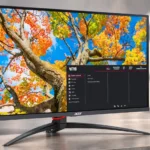
Acer Nitro XV275K P5biipruzx Feature Scores
Explore all 85 feature scores for Acer Nitro XV275K P5biipruzx, organized into pros and cons.
Scores by Feature
Summary
85 reviewed features-
Very positive 4.5-5.024 (28%)
-
Positive 3.5-4.422 (26%)
-
Neutral 2.5-3.418 (21%)
-
Negative 1.5-2.418 (21%)
-
Very negative below 1.53 (4%)
Pros
Sort
-
4K detail is a standout strength, especially for text and mixed work, although speed mode trades that detail for refresh rate.
-
4K content and fine text look exceptionally crisp, a particularly dramatic upgrade from 1080p.
-
The mix of 4K, mini-LED HDR, 160/320Hz and workstation features is compelling on sale, if buyers accept compromise in dimming and controls.
-
Two HDMI 2.1 ports facilitate modern console signals and help keep a console and PC connected at once.
-
160Hz at 4K and 320Hz at 1080p offer excellent speed on paper, but one owner reports trouble retaining 160Hz after input switching.
-
Low input delay produces a responsive feel even when frame rates or refresh settings change.
-
This monitor makes the most sense on a capable PC able to exploit 4K/160Hz and its optional 320Hz mode.
-
4K text clarity, video connections and laptop features make it useful beyond gaming.
-
Strong peak and general brightness make the display stand out, though maximum HDR output can feel harsh to some eyes.
-
The 4K/160Hz and 1080p/320Hz modes offer genuinely different priorities: detail for most games and speed for competitive play.
-
The mini-LED system can create striking HDR brightness, but inconsistent dimming and mode behavior stop it from being universally convincing.
-
Most sources still find it a worthwhile mixed-use monitor, while noting nagging control, dimming and ownership drawbacks.
-
The densely packed 27-inch 4K panel brings a visible boost in fine detail and text definition over 1080p screens.
-
Dual HDMI 2.1, DisplayPort and USB-C make the connection mix unusually versatile at this tier.
-
Height, swivel, tilt and pivot make positioning flexible, despite a large base.
-
The sturdy stand holds the panel securely and adjusts without feeling flimsy.
-
A 320Hz 1080p option favors high-speed competition, but players mainly using 4K may seldom switch to it.
-
Acer's Windows display widget is markedly easier than using the physical buttons for frequent picture adjustments.
-
Fast 4K and 320Hz operation feel smooth, though the panel still shows some blur and trails versus OLED competitors.
-
One owner appreciates the clear text and reports low strain, though excessive HDR brightness bothers another.
-
The monitor supports useful laptop charging over USB-C, though reported power figures differ between experiences.
-
Modern PS5/Xbox signals are broadly supported, but 4K/160Hz benefits are PC-oriented and some HDR/audio quirks persist.
-
Sharp 4K and vivid HDR impressed several users, but weak native contrast and imperfect local dimming prevent a clean win.
-
The dual-refresh option and modern connections are useful, though frustrating display controls detract from convenience.
-
Real-game motion can look clean, yet measured testing still finds blur and inverse ghosting during fast action.
-
The sharp-angled gaming body and rear RGB appeal to some owners while maintaining a relatively restrained front.
-
Transitions are sufficiently quick for responsive play, although testing still notes some blur and overshoot.
-
One owner found little obvious light bleed or uneven darkness even in dim scenes.
-
After calibration, the panel reproduces a broad range of SDR and HDR colors, although dark shades remain limited by contrast.
-
Fine text looks clean, with an owner specifically reporting no distracting colored edges.
-
Subtle rear lighting gives the otherwise angular gaming design an extra accent that some owners appreciate.
-
Bright scenes and vibrant colors can impress, although the panel struggles to maintain the same richness in darker shades.
-
Variable refresh generally works in formal testing, but at least one owner experiences brief signal blackouts with it enabled.
-
HDR local dimming helps dark scenes, while the underlying IPS contrast and unwanted halos lag stronger VA or OLED alternatives.
-
One PC gaming report found no obvious tearing or VRR issues, though other experiences identify occasional signal instability.
-
A rear hook and removable cover help hide wiring and tidy the desk.
-
The detachable, replaceable power lead can save a setup when the bundled plug does not fit local sockets.
-
An owner reports comfortable viewing at moderate brightness without distracting flicker during extended work.
-
The slim front bezels keep the display relatively clean despite its overt gaming styling.
-
An owner found dark-scene backlighting even and free of noticeable blotches.
-
HDR mini-LED lighting and detailed 4K scenery can enhance atmospheric games, subject to visible haloing.
-
The quarter-inch mounting point above the stand is handy for attaching a webcam or small camera.
-
The matte coating helps manage glare during daylight work while retaining the panel's crisp text rendering.
-
The KVM is a useful shared-peripheral option, but one owner found its switching behavior restrictive enough to use another dock.
-
IPS supports the crisp high-resolution presentation, but its native contrast remains a weakness in dark scenes.
-
At least one buyer found availability reasonably consistent, though pricing and stock varied in the discussion.
Cons
Sort
-
Physical controls receive repeated criticism for difficult navigation, frequent mispresses and slow adjustment.
-
The physical button row is awkward and feels inexpensive; one long-term owner reports damaged button housing.
-
Local dimming being tied to HDR reduces flexibility, and some users must manually reset modes for consistent output.
-
HDR limits manual color and contrast adjustments, and owners dislike the lack of direct local-dimming control.
-
Switching into HDR can require extra steps or manual intervention, with reports of poor automatic behavior.
-
Dark areas can look crushed because of the dimming algorithm and HDR tracking, hiding subtle scene information.
-
A long-term owner reports losing access to 4K/160Hz after changing inputs and needing repeated resets.
-
One user reports substantial heat buildup and worries about how it may affect longevity.
-
HDR dimming strengthens blacks and highlights, but black crush, halos and the inability to use it in SDR limit the benefit.
-
Accounts conflict about speaker availability and output; the reported working audio is weak and some connections produced no sound.
-
The broad tripod legs support the screen but consume more desktop real estate than several users would like.
-
Gamma and white balance are imperfect before calibration, limiting out-of-box tonal accuracy.
-
The lack of a strobing mode leaves some blur at lower refresh rates without an optional blur-reduction workaround.
-
An owner found the screen advertised as VA by a retailer even though the actual panel is IPS.
-
Persistent refresh-mode detection failures and a damaged button housing emerged in a later ownership update.
-
The reported internal speakers are not particularly loud even at their maximum setting.
-
Bright HDR effects pop, but tiny highlights and white text against dark backgrounds can be dimmed too aggressively.
-
An owner reports HDMI audio failing despite the speakers previously working through DisplayPort.
-
The absence of Xbox Dolby Vision is a minor console limitation, albeit one common among monitors.
-
Full resolution yields exceptional clarity, while the 1080p speed mode looks visibly softer.
-
The reported integrated audio handles simple speech but lacks volume and quality for games, films or music.
-
Some testing is trouble-free, but one owner reports increasingly unreliable refresh-rate detection after input changes.
-
The recessed 75×75mm mounting area and standoffs complicate compatibility with some standard arms.
-
Dark midtones and an early highlight rolloff can make HDR less faithful than expected.
-
The main chassis seems solid, but cheap-feeling control buttons and a later broken housing temper confidence.
-
Users can tune the image, but getting accurate colors takes effort; HDR also removes adjustments available in SDR.
-
sRGB targeting is promising, yet imperfect white balance, gamma and factory tuning may need a full calibration.
-
HDR dimming deepens blacks compared with ordinary IPS, but SDR blacks remain gray without independent zone control.
-
Mounting standoffs are welcome, but the bundled power plug has not suited every owner's wall outlets.
-
Switching between a work laptop and gaming PC is possible, although the connection arrangement may require a separate dock.
-
DisplayPort works for high-resolution PC use, but full-speed 4K requires compression, and some switching arrangements are awkward.
-
Software settings are convenient, but the awkward button layout increases friction for routine adjustment.
-
Picture modes can be tuned to taste, but the initial tweaking is more involved than plug-and-play.
-
Running demanding AAA games at native 4K near 160fps calls for a strong GPU or performance aids such as upscaling.
-
Response behavior is reasonably consistent, but overdrive adjustment is restricted when VRR is enabled.
-
Picture calibration and unusual cabling can add initial setup steps, though the screen becomes easier to live with after tuning.
-
The USB hub is handy for peripherals, but its routing through the USB-C input limits some multi-computer setups.
-
The matte panel controls ordinary room glare, yet sunny rooms remain a tougher challenge.
-
Haloing is the biggest visual disagreement: some owners barely notice it, while measured testing finds distracting light around subtitles and bright objects.
Use Cases
Best for
Sort
-
Ultra-sharp text and a spacious 4K image make writing, browsing and reading comfortable for long sessions.
-
Bright highlights, dynamic lighting and quick refresh rates help games look engaging, although haloing and HDR quirks can intrude.
-
Sharp text, laptop connectivity and high-refresh gaming are an unusually useful combination for one primary display.
-
Moving from 1080p or an older LCD brings obvious sharpness and HDR gains; owners of the P3 face a tradeoff in SDR picture quality.
-
Sale prices make the feature mix attractive, but this is midrange rather than an inexpensive basic monitor, with compelling OLED rivals nearby.
-
Detailed 4K play and smooth motion suit varied games without forcing the user into the lower-resolution competitive mode.
-
USB-C video and charging make a laptop connection convenient, even though advanced multi-device switching can be imperfect.
-
High brightness and a matte finish handle most rooms well, although direct sunlight can still produce noticeable reflections.
-
The 4K/160Hz panel is a strong PC gaming fit, though one owner's persistent input-switching problem undermines convenience.
-
The 320Hz low-resolution option is a useful alternative for players who prioritize reaction speed.
-
Fast driving feels smooth at higher frame rates, with little distracting smear in the firsthand account.
-
USB-C can deliver video and laptop charging through one connection for a tidy mixed-use desk.
-
Bright sequences and dark-scene depth make shows enjoyable, though especially bright HDR and halos can distract some viewers.
-
Sharing a screen between laptop and gaming desktop is supported, but USB routing and automatic switching are less seamless than hoped.
-
4K detail suits occasional editing, but careful calibration is needed if color accuracy matters.
-
The sharp 4K workspace appeals for occasional editing, but color calibration is advisable before accuracy-sensitive production.
-
Built-in audio is barely adequate for calls; the screen itself offers clear text for office tasks.
Conditional or not ideal for
Sort
-
Long-term ownershipAn owner who initially praised the picture later reported recurring refresh-rate detection and button-housing trouble, raising a durability concern.
-
Low-distraction useManual HDR changes, fussy buttons and occasional input resets make the monitor less hands-off than its sharp image suggests.
-
Music listeningReported internal audio is too thin and quiet for enjoyable music; external speakers or headphones are preferable.
-
SDR gamingThe inability to activate local dimming independently in SDR leaves blacks gray despite otherwise crisp, smooth gameplay.
-
Compact workspace ergonomicsThe wide-legged stand occupies valuable desk space; a monitor arm may be more practical in tighter arrangements.
-
Color-critical workCreators need proper calibration before trusting colors, so precision work is conditional rather than ready out of the box.
-
Dual-monitor setupsTwo-screen use works, but stand width and unusual 75mm mounting arrangements can complicate alignment.
-
Dual-monitor workstationsUseful next to a secondary display, yet the large base and 75×75mm mounting pattern make arm-based layouts less straightforward.
-
Dark-room viewingHDR can give dark scenes more depth, but IPS blacks, visible halos, and SDR limitations keep dark-room performance inconsistent.