Best for PC text clarity
Samsung QN80H
5.0 attribute score
Highest scored product for this attribute based on supporting review evidence.

Highest scored product for this attribute based on supporting review evidence.
Balances the attribute score, supporting reviews, and overall product strength.
Has the broadest review evidence for this attribute.
Strongest overall product among items with scored evidence for this attribute.
Overall: 3.8/5
Proper chroma 4:4:4 support keeps fine computer text legible across supported signal formats.
Pros: picture quality, contrast ratio
Cons: blooming control, glare resistance
Overall: 3.8/5
Proper 4:4:4 chroma keeps desktop text crisp at supported resolutions and refresh rates.
Pros: overall satisfaction, color gamut
Cons: value for money, local dimming performance
Overall: 3.8/5
Correct chroma rendering keeps desktop lettering crisp across supported PC signal modes.
Pros: cable management, design and appearance
Cons: value for money, Dolby Vision support
Overall: 3.1/5
RGB subpixels and correctly displayed chroma signals help computer text stay clear at supported resolutions.
Pros: gaming performance, color accuracy
Cons: value for money, overall satisfaction
Overall: 3.8/5
Correct 4:4:4 chroma helps maintain readable PC text, although the large BGR subpixel layout can compromise fine lettering.
Pros: overall satisfaction, picture quality
Cons: value for money, local dimming performance
Overall: 3.8/5
8K density can make desktop text very sharp. The BGR subpixel order and matte surface can still affect fine lettering for sensitive users.
Pros: glare resistance, overall satisfaction
Cons: input lag, value for money
Overall: 3.3/5
PC text is generally readable with full chroma support, but the BGR subpixel arrangement may cause issues in certain desktop applications.
Pros: color accuracy, upscaling quality
Cons: picture quality, sound quality
Overall: 3.7/5
Proper 4:4:4 rendering and RGB subpixels make fine computer text look sharp.
Pros: color volume, overall satisfaction
Cons: value for money, color accuracy
Overall: 4.0/5
The RGWB arrangement improves computer text rendering.
Pros: black levels, picture quality
Cons: glare resistance, reflection handling
Overall: 3.3/5
Text is readable for some desktop tasks, but the BGR pixel arrangement can reduce crispness in certain computer applications.
Pros: overall satisfaction, picture quality
Cons: reliability, remote control quality
Overall: 3.0/5
Proper chroma support helps computer text look clear, although the BGR subpixel arrangement can cause problems in some applications.
Pros: picture quality, smart TV platform
Cons: value for money, refresh rate
Overall: 3.1/5
4K/60Hz PC mode can reproduce full-color detail, while 1080p/120Hz has reduced chroma and visibly softer lettering.
Pros: picture quality, overall satisfaction
Cons: sound quality, black levels
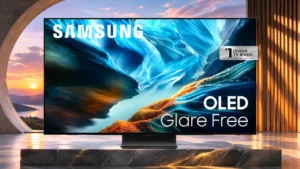
Overall: 4.1/5
A revised subpixel pattern helps text somewhat, but Windows ClearType is not optimized for it.
Pros: black levels, contrast ratio
Cons: Dolby Vision support, stutter handling
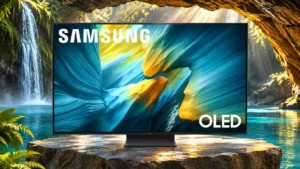
Overall: 4.0/5
The triangular QD-OLED subpixel arrangement can create colored edges around Windows text, making desktop reading less pristine than gaming.
Pros: reflection handling, overall satisfaction
Cons: Dolby Vision support, bass performance
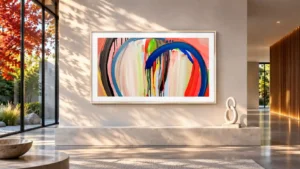
Overall: 3.5/5
Chroma is handled properly in supported modes, but the blue-green-red subpixel layout can make some small desktop text look less clean.
Pros: art display mode, design and appearance
Cons: overall satisfaction, HDMI port accessibility
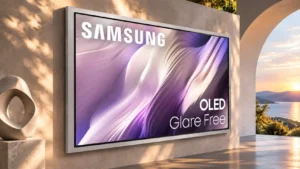
Overall: 4.2/5
Text may show faint color fringing or softness because of the QD-OLED subpixel structure and matte finish, especially up close.
Pros: picture quality, overall satisfaction
Cons: design and appearance, Dolby Vision support
Overall: 3.0/5
PC text can appear less clean because of the BGR subpixel arrangement, despite proper chroma support when the input is labelled for PC.
Pros: color gamut, smart TV platform
Cons: value for money, overall satisfaction
Overall: 2.7/5
Normal 4K/60Hz signals can show clear text, while BGR subpixels and 1080p/120Hz chroma issues cause problems in some applications.
Pros: white balance accuracy, design and appearance
Cons: overall satisfaction, value for money
Overall: 4.2/5
The BGR subpixel arrangement can make fine desktop text less crisp than users expect from a dedicated monitor.
Pros: picture quality, glare resistance
Cons: value for money, bass performance
Overall: 3.8/5
4:4:4 signal support helps with fonts, yet the BGR subpixels and wireless connection can still soften fine text.
Pros: Wireless One Connect compatibility, art display mode
Cons: value for money, input lag
Overall: 2.6/5
The BGR subpixel pattern may make small text less sharp when the TV is used as a computer monitor.
Pros: sound quality, picture quality
Cons: value for money, local dimming performance
Overall: 3.8/5
PC chroma signals are supported, but the BGR subpixel layout can make text look less crisp than on a conventional monitor.
Pros: picture quality, 4K at 144 Hz support
Cons: sound quality, value for money
Overall: 4.2/5
The BGR subpixel order and matte finish can make fine PC text less crisp, despite the massive resolution.
Pros: high-refresh-rate gaming, gaming performance
Cons: value for money, bass performance
Overall: 3.9/5
Small Windows fonts can show colored edge fringes that make this less ideal than a conventional RGB monitor for text-heavy work.
Pros: value for money, overall satisfaction
Cons: Dolby Vision support, sound quality

Overall: 4.5/5
Text rendering on tandem-panel sizes has drawn complaints about reduced sharpness, a concern most relevant to close-up PC or monitor use.
Pros: glare resistance, black levels
Cons: Dolby Vision support, color gamut