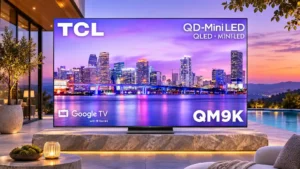
Overall: 3.9/5
PC text benefits from the regular RGB subpixel layout and high-bandwidth chroma support, producing unusually clean lettering for a television.
Pros: peak brightness, overall satisfaction
Cons: value for money, shadow detail

Overall: 3.9/5
PC text benefits from the regular RGB subpixel layout and high-bandwidth chroma support, producing unusually clean lettering for a television.
Pros: peak brightness, overall satisfaction
Cons: value for money, shadow detail
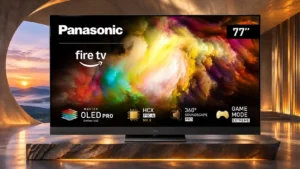
Overall: 4.0/5
Full chroma support preserves crisp lettering when used with a computer.
Pros: overall satisfaction, picture quality
Cons: size options, value for money
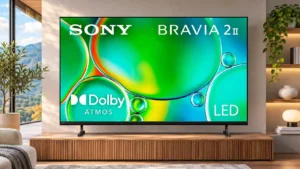
Overall: 3.6/5
The RGB layout and proper chroma handling keep on-screen computer text clean, making occasional desktop use feasible.
Pros: picture quality, overall satisfaction
Cons: sound quality, reliability
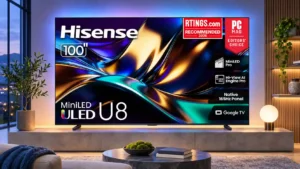
Overall: 4.1/5
Text can be sharp from normal sofa distances, but the 100-inch BGR pixel layout is a potential issue for close-up desktop work.
Pros: peak brightness, HDR brightness
Cons: sound quality, viewing angles
Overall: 3.8/5
Correct 4:4:4 chroma helps maintain readable PC text, although the large BGR subpixel layout can compromise fine lettering.
Pros: overall satisfaction, picture quality
Cons: value for money, local dimming performance
Overall: 3.8/5
8K density can make desktop text very sharp. The BGR subpixel order and matte surface can still affect fine lettering for sensitive users.
Pros: glare resistance, overall satisfaction
Cons: input lag, value for money
Overall: 3.3/5
PC text is generally readable with full chroma support, but the BGR subpixel arrangement may cause issues in certain desktop applications.
Pros: color accuracy, upscaling quality
Cons: picture quality, sound quality
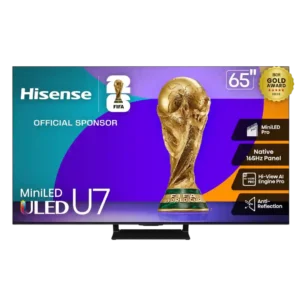
Overall: 4.0/5
Text remains very usable for PC work, though the sub-pixel layout causes a small loss of fine-edge crispness versus a true RGB layout.
Pros: overall satisfaction, picture quality
Cons: reliability, build quality
Overall: 3.0/5
Proper chroma support helps computer text look clear, although the BGR subpixel arrangement can cause problems in some applications.
Pros: picture quality, smart TV platform
Cons: value for money, refresh rate
Overall: 3.9/5
Full chroma support helps lettering, but the BGR subpixel pattern can create visible text fringing in some desktop applications.
Pros: gaming performance, overall satisfaction
Cons: sound quality, value for money
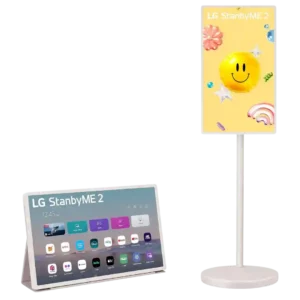
Overall: 3.8/5
QHD resolution can make text clear enough for a useful secondary display, and some reviewers found it excellent for work. Others found pixel density or wireless 1080p limits too weak...
Pros: overall satisfaction, portability and versatility
Cons: value for money, menu responsiveness
Overall: 4.0/5
Chroma detail is usable, but the BGR pixel layout can cause text quirks in some desktop applications.
Pros: picture quality, black levels
Cons: HDR brightness, value for money
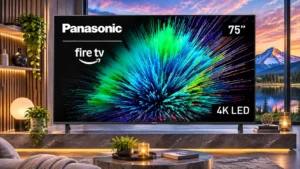
Overall: 3.3/5
PC text is legible with appropriate chroma support, but the BGR subpixel pattern may soften text in desktop applications.
Pros: picture quality, motion handling
Cons: HDR performance, HDR brightness
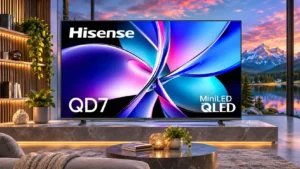
Overall: 3.9/5
Fine details appear reasonably crisp, but small text is less clearly processed than on an upgraded Hisense set.
Pros: picture quality, contrast ratio
Cons: HDR performance, motion handling
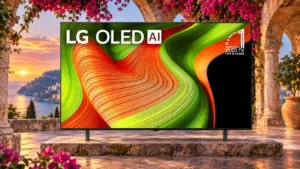
Overall: 4.2/5
Desktop text is generally legible but can show color fringing because the WOLED subpixel layout differs from standard RGB.
Pros: value for money, color accuracy
Cons: HDR brightness, reflection handling
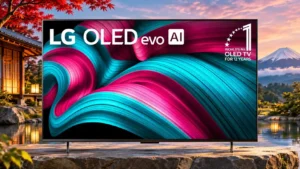
Overall: 4.0/5
Windows fonts can show minor fringing because the WOLED subpixel layout is unlike a conventional RGB monitor.
Pros: value for money, overall satisfaction
Cons: Remote control usability, sound quality
Overall: 3.9/5
PC text is usable, but QD-OLED subpixels can create green or purple fringing around high-contrast lettering.
Pros: color volume, black levels
Cons: Inconsistent panel and coating by size, sound quality
Overall: 4.0/5
The triangular QD-OLED subpixel arrangement can create colored edges around Windows text, making desktop reading less pristine than gaming.
Pros: reflection handling, overall satisfaction
Cons: Dolby Vision support, bass performance
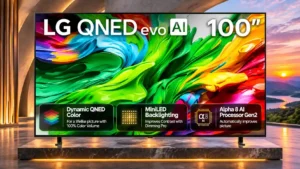
Overall: 3.7/5
The nonstandard BGR subpixel pattern can make fine desktop text appear less sharp, particularly at close distances.
Pros: picture quality, maximum volume
Cons: sound quality, bass performance
Overall: 3.0/5
PC text can appear less clean because of the BGR subpixel arrangement, despite proper chroma support when the input is labelled for PC.
Pros: color gamut, smart TV platform
Cons: value for money, overall satisfaction
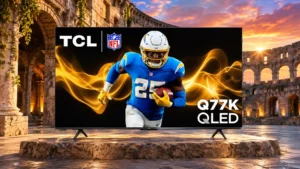
Overall: 3.4/5
The BGR subpixel arrangement can make fine desktop text look less crisp than on a conventional RGB monitor.
Pros: picture quality, value for money
Cons: viewing angles, HDR performance
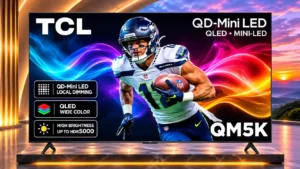
Overall: 3.6/5
Full chroma support helps, but the BGR subpixel arrangement can reduce text clarity when used as a desktop monitor.
Pros: black levels, picture quality
Cons: HDR performance, blooming control
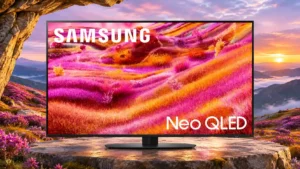
Overall: 4.2/5
The BGR subpixel arrangement can make fine desktop text less crisp than users expect from a dedicated monitor.
Pros: picture quality, glare resistance
Cons: value for money, bass performance
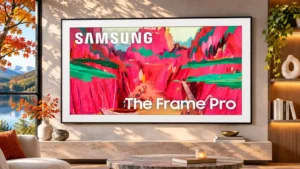
Overall: 3.8/5
4:4:4 signal support helps with fonts, yet the BGR subpixels and wireless connection can still soften fine text.
Pros: Wireless One Connect compatibility, art display mode
Cons: value for money, input lag
Overall: 3.9/5
The BGR subpixel arrangement can soften small desktop text even though video and games look fine.
Pros: peak brightness, value for money
Cons: reflection handling, glare resistance
Overall: 3.0/5
The picture can appear soft and make small text difficult to read, even though the TV accepts PC-friendly chroma signals.
Pros: viewing angles, smart TV platform
Cons: overall satisfaction, refresh rate
Overall: 3.8/5
PC chroma signals are supported, but the BGR subpixel layout can make text look less crisp than on a conventional monitor.
Pros: picture quality, 4K at 144 Hz support
Cons: sound quality, value for money
Overall: 4.2/5
The BGR subpixel order and matte finish can make fine PC text less crisp, despite the massive resolution.
Pros: high-refresh-rate gaming, gaming performance
Cons: value for money, bass performance
Overall: 3.9/5
Small Windows fonts can show colored edge fringes that make this less ideal than a conventional RGB monitor for text-heavy work.
Pros: value for money, overall satisfaction
Cons: Dolby Vision support, sound quality
Overall: 3.9/5
Fine white text can reveal QD-OLED color fringing, making the panel less suitable as a close-range desktop monitor.
Pros: gaming performance, peak brightness
Cons: HDMI 2.1 support, HDMI 2.1 port count