#1

Overall: 4.4/5
The tall display excels at coding, trading, writing, spreadsheets, research, creative tools, and multi-window work. Its extra vertical space often replaces the need for a second screen.
Pros: productivity versatility, aspect ratio
Cons: value for money, competitive gaming suitability
#2

Overall: 4.2/5
The 4K canvas, readable scaling options, input sharing, and color controls provide genuine work flexibility alongside gaming. Persistent OLED text issues remain a personal dealbreaker for some.
Pros: overall satisfaction, black levels
Cons: value for money, stand adjustability
#3

Overall: 4.3/5
Productivity is the overwhelming consensus strength: one seamless 6K canvas can replace multiple displays, reduce window switching, and keep dense workflows visible at once. It is especially effective for trading,...
Pros: productivity versatility, overall satisfaction
Cons: value for money, response time
#4
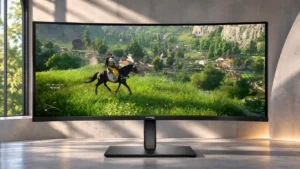
Overall: 4.4/5
A wide desktop canvas, USB-C and KVM expand its utility beyond gaming. Static desktop elements still warrant consideration because it is an OLED.
Pros: refresh rate, color accuracy
Cons: console gaming compatibility, DisplayPort connectivity
#5

Overall: 4.4/5
The 32-inch 4K workspace, crisp text, USB-C power delivery, and KVM make it useful for office work as well as gaming. Several reviewers felt it could replace separate work and...
Pros: brightness, reflection handling
Cons: cable management
#6

Overall: 4.1/5
Good QHD clarity and easy setup suit general work for some users, but OLED text artifacts are noticeable for others.
Pros: competitive gaming suitability, refresh rate
Cons: Dual-mode versatility, GPU demands
#7

Overall: 4.1/5
A spacious sharp desktop and easy laptop docking make the monitor capable beyond gaming, while OLED text and static-content caveats remain.
Pros: PC gaming compatibility, reflection handling
Cons: color accuracy, VRR flicker
#8

Overall: 4.5/5
Clean text, multitasking width, USB-C charging and KVM switching make occasional work comfortable. Continuous static desktop use is a poor match for OLED longevity.
Pros: color gamut, contrast
Cons: value for money, Resolution
#9

Overall: 3.9/5
The screen is a capable secondary or everyday productivity display with clean text and enough usable screen space for common workloads.
Pros: motion clarity, Backlight strobing
Cons: contrast, HDR performance
#10

Overall: 4.3/5
The color performance and ergonomic stand make it useful for creative work, but text fringing and the lack of USB-C or KVM features reduce its appeal as an all-in-one office...
Pros: color gamut, overall picture quality
Cons: brightness, HDR performance
#11
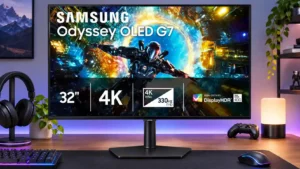
Overall: 3.8/5
The flat 4K panel can serve mixed use, but the limited connectivity and complaints about text scaling undermine its appeal as an all-day work screen.
Pros: overall satisfaction, contrast
Cons: value for money, port selection
#12

Overall: 4.0/5
Text clarity and high resolution suit office and creative tasks, but the smaller physical screen and missing advanced docking features hold it back as an all-purpose workstation.
Pros: Resolution, Dual-mode versatility
Cons: value for money, GPU demands
#13

Overall: 3.8/5
The panel works for mixed tasks, but text fringing, modest brightness and missing convenience ports make it less ideal as an all-day work screen.
Pros: value for money, panel type
Cons: brightness, port selection
#14
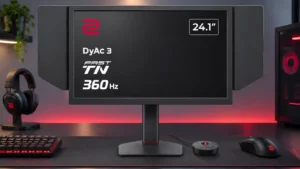
Overall: 3.8/5
Despite sharp text, the design is almost entirely dedicated to esports. People wanting a broadly useful work display will find too many compromises.
Pros: competitive gaming suitability, motion clarity
Cons: contrast, overall picture quality
