
Overall: 4.4/5
From spreadsheets to editing timelines and complex multi-machine desks, the monitor handles many professional workflows on one canvas.
Pros: overall picture quality, color accuracy
Cons: value for money, built-in speakers

Overall: 4.4/5
From spreadsheets to editing timelines and complex multi-machine desks, the monitor handles many professional workflows on one canvas.
Pros: overall picture quality, color accuracy
Cons: value for money, built-in speakers

Overall: 3.7/5
Multiple sources and generous horizontal space create a flexible workspace, with room for active documents, games and monitoring windows.
Pros: value for money, black levels
Cons: refresh rate, portability and weight

Overall: 4.0/5
Productivity is the clearest strength: the 34-inch ultrawide comfortably holds multiple apps, spreadsheets, editors, and research windows at once. KVM, hub, and layout tools make it especially effective for work-from-home...
Pros: overall satisfaction, productivity versatility
Cons: value for money, reliability over time

Overall: 3.6/5
Clear text and practical ergonomics allow the gaming display to double as a reliable everyday work monitor.
Pros: stand adjustability, competitive gaming suitability
Cons: value for money, port selection

Overall: 3.1/5
Sharp text and a spacious 4K desktop make office tasks and mixed workloads comfortable alongside gaming.
Pros: PC gaming compatibility, overall picture quality
Cons: overall satisfaction, Smart TV platform

Overall: 4.4/5
The KVM, docking-friendly USB-C and strong color make light creative and desktop work feasible, despite the static-content tradeoff.
Pros: color gamut, overall satisfaction
Cons: reflection handling, VRR flicker

Overall: 3.8/5
Readable text and accurate colors make this more than a gaming-only screen, although it lacks advanced workstation connectivity.
Pros: value for money, Resolution
Cons: HDR performance, port selection

Overall: 3.9/5
Sharp text, strong brightness and a burn-in-free IPS panel make this a good crossover screen for work and play.
Pros: Resolution, refresh rate
Cons: HDR performance, contrast

Overall: 3.6/5
4K density and improved text quality make everyday work far more realistic than with earlier OLEDs. A curved panel, static-content risk and limited docking still restrict all-day office appeal.
Pros: overall satisfaction, brightness
Cons: Dolby Vision support, VRR flicker

Overall: 4.2/5
The display can handle occasional desktop tasks, but OLED wear concerns and text rendering prevent it from being the most comfortable all-day work monitor.
Pros: competitive gaming suitability, color gamut
Cons: brightness, HDMI 2.1 support
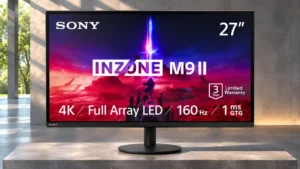
Overall: 3.9/5
High pixel density and window sharing are helpful, but the standard 16:9 shape is less spacious than an ultrawide for intensive multitasking.
Pros: color gamut, stand adjustability
Cons: value for money, Bass reproduction

Overall: 4.0/5
The screen handles basic work, but small-font clarity and gray-uniformity drawbacks make it less versatile than sharper office-oriented alternatives.
Pros: refresh rate, competitive gaming suitability
Cons: value for money, brightness