
Overall: 4.2/5
Bright graded material maintains highlight information rather than clipping harshly, which helps accurate HDR previewing.
Pros: refresh rate, HDR performance
Cons: value for money, Device compatibility

Overall: 4.2/5
Bright graded material maintains highlight information rather than clipping harshly, which helps accurate HDR previewing.
Pros: refresh rate, HDR performance
Cons: value for money, Device compatibility

Overall: 3.8/5
Midtones track the HDR brightness target remarkably well, with only modest limitations at the very brightest levels.
Pros: cable management, design and appearance
Cons: value for money, Dolby Vision support

Overall: 4.0/5
HDR luminance tracking closely follows the intended image, preserving subtle differences in bright details.
Pros: contrast ratio, black levels
Cons: reflection handling, color accuracy

Overall: 4.2/5
Accurate modes track creative brightness intent closely and preserve fine detail. Some processing options increase impact at the expense of accuracy.
Pros: picture quality, overall satisfaction
Cons: design and appearance, Dolby Vision support

Overall: 3.5/5
HDR luminance tracking can be precise, with optional active tone mapping producing a slight brightness lift at the expense of some midtone detail.
Pros: Resolution, sharpness
Cons: value for money, HDR performance
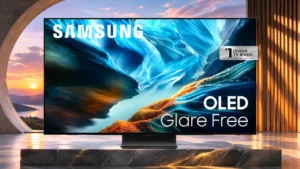
Overall: 4.1/5
HDR luminance tracking is impressively faithful, retaining detail through most mastered brightness ranges.
Pros: black levels, contrast ratio
Cons: Dolby Vision support, stutter handling

Overall: 3.7/5
Calibrated tone mapping is generally strong, though blacks can be slightly lifted and some shadows crushed. Game HDR and brighter presets can overemphasize the image.
Pros: color volume, overall satisfaction
Cons: value for money, color accuracy

Overall: 2.7/5
Despite limited panel output, its HDR brightness tracking is impressively smooth and carefully controlled.
Pros: white balance accuracy, design and appearance
Cons: overall satisfaction, value for money
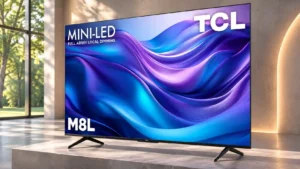
Overall: 4.1/5
HDR midtones follow the intended brightness curve remarkably well, even though the panel cannot reach spectacular peaks.
Pros: value for money, overall satisfaction
Cons: HDR brightness

Overall: 4.1/5
HDR tracks its intended brightness curve fairly well, though near-black detail can be crushed and some bright mastering levels clip.
Pros: overall satisfaction, value for money
Cons: Smart TV platform, advertising intrusiveness

Overall: 4.4/5
Highlights and shadows can be finely managed, but results depend on the selected HDR mode and firmware behavior.
Pros: refresh rate, Text fringing
Cons: Resolution, GPU demands

Overall: 3.8/5
HDR midtone brightness tracks the intended level closely, while the brightest material rolls off more sharply.
Pros: picture quality, color accuracy
Cons: HDR performance, sound quality

Overall: 4.3/5
HDR tracking is largely accurate, with only small midtone errors and a gentle rolloff near peak brightness.
Pros: picture quality, black levels
Cons: bass performance, HDR brightness

Overall: 2.6/5
Most midtones are tracked well with a gentle rolloff near peak brightness, although blacks remain raised.
Pros: sound quality, picture quality
Cons: value for money, local dimming performance
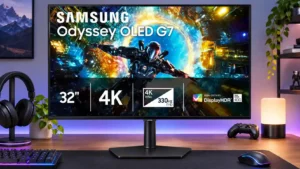
Overall: 3.8/5
One demanding PC game looked impressive in HDR without prolonged tinkering, a welcome exception to frustrating calibration experiences.
Pros: overall satisfaction, contrast
Cons: value for money, port selection

Overall: 3.1/5
HDR luminance tracking is impressively accurate through shadows and midtones, even though peak brightness and black depth remain limited.
Pros: picture quality, overall satisfaction
Cons: sound quality, black levels

Overall: 3.8/5
HDR luminance tracking generally follows the intended curve well, retaining a sensible balance between light output and fine highlight detail.
Pros: overall satisfaction, color gamut
Cons: value for money, local dimming performance

Overall: 3.5/5
PQ tracking is generally strong through the midtones, with orderly highlight roll-off, though limited contrast affects near-black presentation.
Pros: art display mode, design and appearance
Cons: overall satisfaction, HDMI port accessibility

Overall: 4.1/5
HDR tracking is often close to its target, though the best balance depends on the chosen mode and some content appears too bright or dark.
Pros: peak brightness, picture quality
Cons: value for money, color accuracy

Overall: 4.1/5
Reference tracking is generally strong, although very small bright objects can be shown brighter than intended and dynamic modes exaggerate the effect.
Pros: gaming performance, HDR brightness
Cons: reflection handling, glare resistance

Overall: 4.3/5
More restrained peak modes can preserve natural dark-scene presentation better than boosted alternatives. Brighter presets may lift shadows too far or create noticeable dimming elsewhere.
Pros: overall satisfaction, Text fringing
Cons: brightness, Edge dimming behavior

Overall: 4.4/5
Highlight handling is inconsistent across impressions: one test reported clipping, while another found its sampled content retained detail.
Pros: port selection, color accuracy
Cons: built-in speakers, speaker quality

Overall: 3.4/5
Midtones track well, though particular picture-processing settings materially affect HDR accuracy.
Pros: picture quality, color accuracy
Cons: remote control quality, black levels

Overall: 4.5/5
True Black 500 tracks the target curve more accurately but limits highlights. Brighter modes can overbrighten or dim scenes and sacrifice tonal detail.
Pros: color gamut, contrast
Cons: value for money, Resolution

Overall: 4.3/5
Tone mapping provides rich depth when configured carefully; the brighter HDR modes lift dark scenes beyond their intended appearance.
Pros: black levels, sharpness
Cons: value for money, brightness

Overall: 4.4/5
The True Black mode tends to preserve accurate scene brightness, while peak modes can dim bright scenes or overbrighten dark ones. Careful mode choice matters.
Pros: brightness, value for money
Cons: port selection, built-in speakers

Overall: 4.0/5
Overall tonal tracking can be impressive, though some scenes expose exaggerated highlights and loss of shadow detail. A brighter setting can further trade accuracy for punch.
Pros: black levels, picture quality
Cons: glare resistance, reflection handling

Overall: 4.2/5
Core brightness tracking can be close to the intended curve, while optional dynamic tone mapping sometimes produces a strange, overprocessed image.
Pros: overall satisfaction, glare resistance
Cons: motion handling, viewing angles

Overall: 3.9/5
Increasing dynamic tone mapping raises perceived brightness but departs from reference image fidelity; different modes offer different compromises.
Pros: brightness, color gamut
Cons: AI scene optimization, value for money

Overall: 3.1/5
Tone mapping can preserve some gradation, but clipping and luminance errors cause lost highlights; adjustments provide limited improvement.
Pros: gaming performance, color accuracy
Cons: value for money, overall satisfaction

Overall: 4.0/5
HDR tracking is less consistent than the screen’s peak brightness might suggest; aggressive tone mapping can overbrighten the image.
Pros: peak brightness, blooming control
Cons: value for money, motion clarity
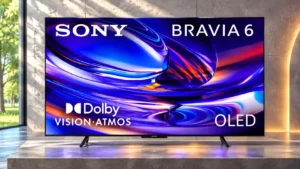
Overall: 3.8/5
The TV tracks much of the intended HDR brightness curve closely. However, it cuts off highlights abruptly rather than preserving the brightest gradations.
Pros: HDMI 2.1 port count, Video input versatility
Cons: value for money, overall satisfaction
Overall: 4.1/5
Some HDR material renders too bright or too dark, so the otherwise appealing image is not perfectly balanced in every scene.
Pros: picture quality, black levels
Cons: viewing angles, motion clarity

Overall: 4.1/5
HDR presets trade accuracy against brightness and saturation, with some modes overbrightening shadow and midtone content.
Pros: Resolution, overall satisfaction
Cons: value for money, Image scaling

Overall: 4.1/5
Static mapping better preserves the intended light balance; Active looks livelier but can lift midtones and alter bright detail. Some peak modes crush shadows.
Pros: PC gaming compatibility, reflection handling
Cons: color accuracy, VRR flicker

Overall: 3.8/5
Tone mapping can preserve good detail in mainstream streaming, but HGIG overbrightens and very demanding 4,000-nit material can lose highlight information.
Pros: picture quality, contrast ratio
Cons: blooming control, glare resistance

Overall: 4.0/5
Tone mapping is a divisive weakness: one test found broadly decent tracking with slightly dark output, while an owner found low- and medium-brightness HDR scenes seriously inaccurate.
Pros: Resolution, Dual-mode versatility
Cons: value for money, GPU demands

Overall: 3.8/5
HDR tone mapping depends heavily on content metadata: correct targets fare well, while more demanding signals can look overly brightened or flat.
Pros: value for money, panel type
Cons: brightness, port selection

Overall: 4.1/5
HDR can render scenes brighter than intended, so the panel’s luminous highlights do not always translate into the most accurate presentation.
Pros: competitive gaming suitability, refresh rate
Cons: Dual-mode versatility, GPU demands

Overall: 3.8/5
HDR midtones and bright scenes can be pushed far above the intended brightness. Calibration and more restrained picture settings matter for accurate reproduction.
Pros: picture quality, overall satisfaction
Cons: color crosstalk, value for money

Overall: 3.4/5
Midtones track reasonably well, but the TV struggles to distinguish near-black details and clips very bright information.
Pros: art display mode, picture quality
Cons: contrast ratio, high-refresh-rate gaming

Overall: 3.1/5
Dark tones are lifted, midtones run slightly dim, and the brightest areas can clip. HDR brightness tracking falls short of intended levels.
Pros: design and appearance, maximum volume
Cons: picture quality, value for money

Overall: 4.0/5
HDR luminance does not always follow the intended curve; some images appear too bright while others lose detail.
Pros: peak brightness, picture quality
Cons: value for money, viewing angles

Overall: 3.8/5
Near-black details appear raised and bright scenes can clip sharply at the panel’s peak output, reducing the intended HDR gradation.
Pros: HDMI 2.1 port count, overall satisfaction
Cons: HDR performance, bass performance

Overall: 2.9/5
HDR mapping lifts dark midtones too much and cuts off bright details abruptly, making the picture depart from intended luminance.
Pros: value for money, picture quality
Cons: account requirements, gaming performance