#1

Overall: 4.3/5
Specular effects and bright accents can pop convincingly against the OLED blacks. The biggest HDR highlights impress more than large, sustained bright areas.
Pros: overall satisfaction, Text fringing
Cons: brightness, Edge dimming behavior
#2

Overall: 4.1/5
Bright effects look striking and fine HDR details generally remain visible, but aggressive tone-mapping settings can sacrifice accuracy.
Pros: Resolution, overall satisfaction
Cons: value for money, Image scaling
#3

Overall: 4.2/5
Very bright highlights retain impressive definition, with less clipping than on some competing professional displays.
Pros: refresh rate, HDR performance
Cons: value for money, Device compatibility
#4

Overall: 4.1/5
Bright specular areas reveal tiny movie details that dimmer OLEDs can lose.
Pros: gaming performance, HDR brightness
Cons: reflection handling, glare resistance
#5

Overall: 4.0/5
Tiny bright highlights stand out with impressive impact, from glints to lightning-like effects.
Pros: peak brightness, picture quality
Cons: value for money, viewing angles
#6

Overall: 4.1/5
Small reflections, light sources and other bright details pop with convincing intensity, lending dimensionality to HDR scenes.
Pros: PC gaming compatibility, reflection handling
Cons: color accuracy, VRR flicker
#7

Overall: 4.5/5
Tiny bright elements can reach around 1,300 nits, making neon, explosions and reflections stand out. Larger bright scenes can lose some of that punch.
Pros: color gamut, contrast
Cons: value for money, Resolution
#8

Overall: 4.4/5
Small HDR highlights can be unusually bright and finely defined, although the most aggressive modes may sacrifice detail or overall scene brightness.
Pros: brightness, value for money
Cons: port selection, built-in speakers
#9

Overall: 4.2/5
Small bright objects and sunlight often retain clear separation, with occasional dimming of the tiniest specular highlights.
Pros: overall satisfaction, glare resistance
Cons: motion handling, viewing angles
#10

Overall: 4.4/5
Small brilliant lights remain distinct against dark scenes, producing sparkling HDR highlights.
Pros: refresh rate, Text fringing
Cons: Resolution, GPU demands
#11

Overall: 4.2/5
Bright reflections and other specular details are preserved with impressive intensity; tone mapping can keep subtle highlights visible alongside dark scenes.
Pros: picture quality, overall satisfaction
Cons: design and appearance, Dolby Vision support
#12

Overall: 4.1/5
Major highlights have punch and detail, though very tiny bright objects may be muted by dimming or tone mapping.
Pros: overall satisfaction, value for money
Cons: Smart TV platform, advertising intrusiveness
#13

Overall: 3.8/5
Small sparks, bright reflections, and camera flashes pop sharply against darker scenes. Only the most extreme peaks occasionally lose subtle shading.
Pros: picture quality, overall satisfaction
Cons: color crosstalk, value for money
#14

Overall: 3.8/5
HDR accents can glisten with color and detail, though brighter OLED alternatives add more punch.
Pros: value for money, peak brightness
Cons: color accuracy, stand quality
#15

Overall: 3.7/5
Bright objects stand out cleanly against dark backdrops, often retaining fine detail. The most aggressive presets can clip or overstate highlights.
Pros: color volume, overall satisfaction
Cons: value for money, color accuracy
#16
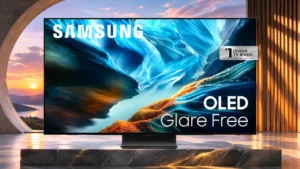
Overall: 4.1/5
Bright details are usually preserved impressively, although one assessment noted some loss at the very brightest levels.
Pros: black levels, contrast ratio
Cons: Dolby Vision support, stutter handling
#17

Overall: 4.0/5
Small highlights are crisp and conspicuous, although overly bright modes can sacrifice highlight texture.
Pros: peak brightness, blooming control
Cons: value for money, motion clarity
#18

Overall: 4.3/5
Small bright objects can stand out brilliantly against black, but particular presets clip highlights or cap output, requiring deliberate HDR mode choices.
Pros: black levels, sharpness
Cons: value for money, brightness
#19

Overall: 4.1/5
Small highlights can be dimmed by local dimming, while other content retains pleasing specular detail and shadow separation.
Pros: peak brightness, picture quality
Cons: value for money, color accuracy
#20
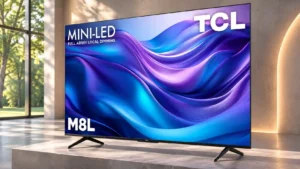
Overall: 4.1/5
Gradual tone roll-off keeps highlight gradations visible, but limits how bright the smallest details appear.
Pros: value for money, overall satisfaction
Cons: HDR brightness
#21

Overall: 4.4/5
Some scenes reveal pleasing highlight detail, while other tests find that bright HDR areas can clip or lack punch.
Pros: port selection, color accuracy
Cons: built-in speakers, speaker quality
#22

Overall: 4.0/5
The backlight produces powerful larger highlights while preserving dark blacks. Very small bright objects such as stars and lamps can be dimmed too heavily or disappear.
Pros: Resolution, Dual-mode versatility
Cons: value for money, GPU demands
#23

Overall: 4.0/5
The TV can preserve bright effects with careful tone mapping, but overly bright skin highlights and demanding HDR masters sometimes lose subtle detail.
Pros: black levels, picture quality
Cons: glare resistance, reflection handling
#24

Overall: 3.8/5
Common HDR scenes retain useful bright detail, but tiny specular highlights and very high-mastered material can clip or lack punch.
Pros: picture quality, contrast ratio
Cons: blooming control, glare resistance
#25

Overall: 3.1/5
Gradual tone mapping retains some bright detail, but other testing still finds detail loss in the most intense highlights.
Pros: picture quality, overall satisfaction
Cons: sound quality, black levels
#26

Overall: 3.8/5
Sony’s processing can make bright objects appear clear, but genuinely small HDR highlights are too dim on the tested 65-inch panel.
Pros: HDMI 2.1 port count, overall satisfaction
Cons: HDR performance, bass performance
#27

Overall: 3.5/5
Gradual highlight roll-off protects fine gradation, but it also limits just how bright those highlights can appear.
Pros: art display mode, design and appearance
Cons: overall satisfaction, HDMI port accessibility
#28
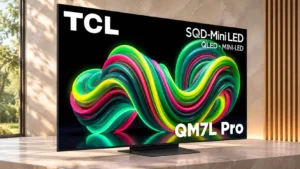
Overall: 4.1/5
The brightest specular areas can lose fine detail even while the TV creates an otherwise impressive sense of luminance.
Pros: picture quality, black levels
Cons: viewing angles, motion clarity
#29

Overall: 3.8/5
Tiny bright points can be subdued by dimming, and some bright tones lose fine detail.
Pros: overall satisfaction, color gamut
Cons: value for money, local dimming performance
#30

Overall: 2.7/5
The television cannot give highlights much punch, although one comparison found its highlight handling more controlled than a rival's.
Pros: white balance accuracy, design and appearance
Cons: overall satisfaction, value for money
#31

Overall: 4.3/5
Small bright objects can be dimmed and the very brightest details may lose definition, especially in demanding HDR scenes.
Pros: picture quality, black levels
Cons: bass performance, HDR brightness
#32

Overall: 2.9/5
Opinions vary on bright highlights: some scenes look striking, while demanding clips reveal clipping and washed-out white detail.
Pros: value for money, picture quality
Cons: account requirements, gaming performance
#33

Overall: 3.8/5
Tiny highlights often lack intensity, and very bright regions can lose some detail.
Pros: picture quality, color accuracy
Cons: HDR performance, sound quality
#34

Overall: 3.4/5
Bright HDR highlights do not separate cleanly from the surrounding image, with some fine detail disappearing at the top end.
Pros: art display mode, picture quality
Cons: contrast ratio, high-refresh-rate gaming
#35

Overall: 3.8/5
HDR highlight brightness is disappointing and certain tone-mapping choices trade clipping control for lost depth.
Pros: value for money, panel type
Cons: brightness, port selection
#36

Overall: 3.8/5
Small specular details tend to blend into their surroundings, while the brightest areas lose fine texture.
Pros: cable management, design and appearance
Cons: value for money, Dolby Vision support
#37

Overall: 3.1/5
Bright highlights lack separation and punch, and some scenes lose detail near the panel's brightness ceiling. Fine shadow grading fares better in certain material.
Pros: design and appearance, maximum volume
Cons: picture quality, value for money
#38

Overall: 3.1/5
Some bright HDR areas clip or merge together, hiding texture that better televisions preserve.
Pros: gaming performance, color accuracy
Cons: value for money, overall satisfaction
#39
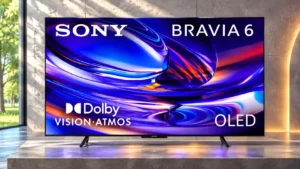
Overall: 3.8/5
Very bright HDR elements can lose fine texture as the set reaches its brightness ceiling. Delicate highlights are less convincing than on brighter OLED competitors.
Pros: HDMI 2.1 port count, Video input versatility
Cons: value for money, overall satisfaction
#40

Overall: 3.5/5
Accurate tracking in some tests cannot fully compensate for limited peak brightness and weak real-scene separation of bright highlights.
Pros: Resolution, sharpness
Cons: value for money, HDR performance
#41

Overall: 3.4/5
Fine bright highlights lack visual sparkle; the sun or reflections can disappear into an underwhelming overall image.
Pros: picture quality, color accuracy
Cons: remote control quality, black levels
#42

Overall: 2.6/5
Specular highlights stay flat and fail to stand out from the surrounding image.
Pros: sound quality, picture quality
Cons: value for money, local dimming performance
