
Overall: 4.2/5
Exceptional calibration, reference modes, and wide gamut support suit professional precision work, with minor gamut and gamma limitations.
Pros: refresh rate, HDR performance
Cons: value for money, Device compatibility

Overall: 4.2/5
Exceptional calibration, reference modes, and wide gamut support suit professional precision work, with minor gamut and gamma limitations.
Pros: refresh rate, HDR performance
Cons: value for money, Device compatibility

Overall: 4.4/5
MacBook-like consistency and favorable accuracy make color-sensitive work a strength, though specialist calibration documentation may still be preferable.
Pros: port selection, color accuracy
Cons: built-in speakers, speaker quality

Overall: 4.3/5
Accurate SDR modes and successful calibration make creative color work practical, but Adobe RGB users need profiling and should account for HDR brightness and tone-mapping limits.
Pros: black levels, sharpness
Cons: value for money, brightness
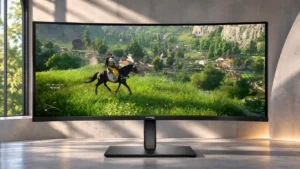
Overall: 4.4/5
An accurate sRGB mode and broad workspace make the monitor credible for color-conscious editing, although static-interface OLED considerations still apply.
Pros: refresh rate, color accuracy
Cons: console gaming compatibility, DisplayPort connectivity
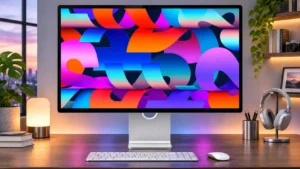
Overall: 3.7/5
Excellent sRGB accuracy and P3 color help many designers and editors, but the absence of advanced HDR and full Adobe RGB modes limits specialist work.
Pros: Monitor daisy-chaining, overall picture quality
Cons: value for money, refresh rate

Overall: 4.5/5
Precise factory and calibrated colors make the display viable for color-sensitive tasks, though the correct mode is important and OLED burn-in limits static-heavy work.
Pros: color gamut, contrast
Cons: value for money, Resolution

Overall: 4.0/5
The wide gamut and fine 5K detail benefit image and design work, particularly with calibrated profiles. Its default color and white-point tuning do not replace a proper reference calibration.
Pros: Resolution, Dual-mode versatility
Cons: value for money, GPU demands

Overall: 4.4/5
Accurate sRGB and DCI-P3 modes make the screen workable for many creative tasks, although specialized color spaces and fine controls can require external calibration.
Pros: brightness, value for money
Cons: port selection, built-in speakers
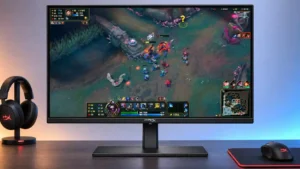
Overall: 4.1/5
Accurate factory colors and strong gamut coverage make it a credible creative companion, though calibration controls are limited.
Pros: black levels, overall picture quality
Cons: brightness, Gaming feature selection

Overall: 4.1/5
Its more accurate sRGB option makes light creation work possible, though overly vivid gaming modes are not ideal for precision color.
Pros: competitive gaming suitability, refresh rate
Cons: Dual-mode versatility, GPU demands

Overall: 4.1/5
Color work benefits from calibration tools and competent sRGB/DCI-P3 presets, but default oversaturation and HDR mode tradeoffs require attention.
Pros: Resolution, overall satisfaction
Cons: value for money, Image scaling

Overall: 4.4/5
Strong gamut coverage and calibration support make it workable for accurate color jobs, with better results after using the proper profile.
Pros: refresh rate, Text fringing
Cons: Resolution, GPU demands

Overall: 3.9/5
Its wide gamut and capable calibration make creative work possible, but professional color-critical use requires careful setup and consistency checks.
Pros: brightness, color gamut
Cons: AI scene optimization, value for money

Overall: 4.3/5
Factory accuracy and the wide gamut make the display credible for many creative projects. Variable luminance uniformity and no hardware calibration make the most exacting color work less ideal.
Pros: overall satisfaction, Text fringing
Cons: brightness, Edge dimming behavior