
Overall: 4.4/5
Ongoing firmware updates add functionality after purchase, including mapping improvements, which helps preserve the watch's value.
Pros: heart rate accuracy, display quality
Cons: band quality, smartwatch features

Overall: 4.4/5
Ongoing firmware updates add functionality after purchase, including mapping improvements, which helps preserve the watch's value.
Pros: heart rate accuracy, display quality
Cons: band quality, smartwatch features

Overall: 4.3/5
A firmware update added an Edge Dimming toggle that successfully removes CPC-related vignetting in testing. Installation is straightforward, though the monitor’s own inherent uniformity variations remain.
Pros: overall satisfaction, Text fringing
Cons: brightness, Edge dimming behavior
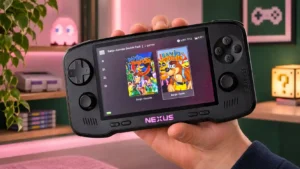
Overall: 4.0/5
Wi-Fi firmware updates provide a path to software fixes and new features, although several desired improvements were not present during testing.
Pros: controller features, display quality
Cons: TV output connectivity, Suspend and resume

Overall: 4.1/5
An over-the-air update brought Dolby Vision 2, adding features after launch rather than leaving the set at its initial capabilities.
Pros: peak brightness, picture quality
Cons: value for money, color accuracy

Overall: 4.3/5
Firmware can be updated by the user, including through ASUS software, making maintenance more straightforward.
Pros: black levels, sharpness
Cons: value for money, brightness

Overall: 4.5/5
Automatic updates through DisplayWidget are useful, particularly for a monitor whose early firmware has drawn feature requests.
Pros: color gamut, contrast
Cons: value for money, Resolution

Overall: 4.1/5
LG’s companion software adds access to firmware updating and useful display controls.
Pros: Resolution, overall satisfaction
Cons: value for money, Image scaling

Overall: 3.5/5
Samsung provides downloadable firmware updates, but software-based monitor control does not necessarily handle the update process.
Pros: Resolution, sharpness
Cons: value for money, HDR performance

Overall: 3.7/5
Firmware updates through the companion app are a welcome capability in this price range.
Pros: Sound quality, Active noise cancellation
Cons: Treble clarity, Microphone quality for calls

Overall: 3.9/5
Firmware updates can be applied through NVIDIA’s browser workflow and have added useful strobe modes and repaired early VRR issues. The service cable may need to be supplied separately.
Pros: motion clarity, Backlight strobing
Cons: contrast, HDR performance

Overall: 4.4/5
Firmware updates improved certain HDR behavior but also introduced a mode-switching issue in early samples.
Pros: refresh rate, Text fringing
Cons: Resolution, GPU demands

Overall: 4.0/5
USB firmware updates are supported and can correct an early sharpness defect. The process may be slow or frustrating when the LG utility fails to recognize the screen.
Pros: Resolution, Dual-mode versatility
Cons: value for money, GPU demands

Overall: 3.7/5
Firmware updates provide a path to improvements, although one reported wired sound issue improved only slightly after an update.
Pros: Battery, Active noise cancellation
Cons: Multipoint connectivity reliability, Powered features in wired mode
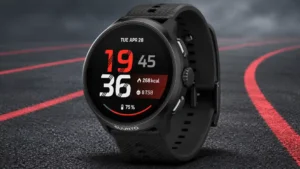
Overall: 4.0/5
The separate operating system raises concerns about future feature updates, although the original Run received meaningful updates over time.
Pros: GPS accuracy, heart rate accuracy
Cons: value for money, training analysis

Overall: 4.0/5
Firmware updates are available from compatible Android hardware, leaving iPhone-only owners without a direct update route.
Pros: Situational awareness, Comfort during long use
Cons: Value for money, Sound leakage
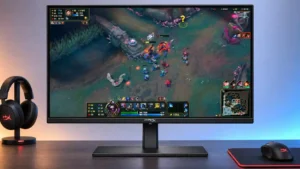
Overall: 4.1/5
The tested firmware could not be updated, leaving fewer options for future feature or compatibility fixes.
Pros: black levels, overall picture quality
Cons: brightness, Gaming feature selection

Overall: 3.8/5
The absence of USB connectivity restricts convenient user firmware updates.
Pros: value for money, panel type
Cons: brightness, port selection