
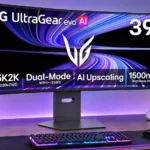
LG 39GX950B-B Feature Scores
Explore all 80 feature scores for LG 39GX950B-B, organized into pros and cons.
Scores by Feature
Summary
80 reviewed features-
Very positive 4.5-5.035 (44%)
-
Positive 3.5-4.423 (29%)
-
Neutral 2.5-3.411 (14%)
-
Negative 1.5-2.411 (14%)
Pros
Sort
-
The 5120×2160 5K2K resolution is a major upgrade over earlier 39-inch ultrawides, bringing finely detailed games and substantially sharper desktop content.
-
At roughly 143 PPI, this monitor approaches the text sharpness of a 32-inch 4K display while offering much more horizontal room.
-
The 39-inch format gives noticeably more vertical presence than 34-inch ultrawides without the imposing dimensions of a 45-inch panel.
-
Fine detail in games and desktop apps is one of its signature strengths, particularly compared with 3440×1440 ultrawides.
-
The 21:9 curved screen supplies a wide field of view and deep immersion, especially in games that natively support ultrawide layouts.
-
Pixel-level OLED control delivers extraordinary contrast and depth, especially alongside bright effects in otherwise dark scenes.
-
Its cinematic OLED image and unusually useful 39-inch format impress strongly, though price and several feature compromises limit the value proposition.
-
True OLED blacks look inky and deep, with Tandem WOLED generally retaining their depth under ambient light better than QD-OLED rivals.
-
Tiny highlights look punchy against OLED blacks and HDR games can be spectacular; mode calibration and full-screen luminance are not flawless.
-
PC gaming is excellent with a sufficiently powerful GPU, unlocking full 21:9 views, 5K2K detail, and rapid OLED motion.
-
The 21:9 format expands game views and workspace substantially; standard 16:9 inputs need side borders rather than full-screen stretching.
-
The gentler 1500R curve draws in the edges for immersive play without the distortion and discomfort associated with LG’s earlier 800R curves.
-
The matte anti-glare coating does a convincing job diffusing reflections, especially for a curved display, though direct sunlight can still distract.
-
Full-bandwidth DisplayPort 2.1 UHBR20 is a standout, capable of 5K2K at 165Hz without relying on compression from compatible hardware.
-
Bright effects look striking and fine HDR details generally remain visible, but aggressive tone-mapping settings can sacrifice accuracy.
-
Input lag is very low in the gaming presets and main refresh modes, although certain picture modes and low-rate dual-mode inputs add delay.
-
Image quality is outstanding with razor-sharp detail, brilliant OLED blacks, and impactful color and HDR.
-
Extremely fast pixel transitions keep moving objects clear with little conventional ghosting or smearing.
-
For an OLED ultrawide, brightness is excellent in both SDR and HDR, although sunny windows and larger bright scenes can still expose limits.
-
Height, tilt, and swivel help tailor ergonomics; some users found the height mechanism stiff or noted wobble during adjustments.
-
USB-C video and up to 90W charging make a convenient connection for compatible laptops and other desk devices.
-
Independent OLED pixels eliminate the halos and backlight blooming that can appear on LCD and Mini-LED screens.
-
High, low, and uniform brightness options provide useful control, but achieving the best balance requires choosing settings for the content.
-
The fourth-generation Tandem WOLED panel offers deep pixel-level blacks, much stronger brightness than older WOLED ultrawides, and rich color.
-
Atmospheric and cinematic games flourish on the large, sharp OLED, with high contrast and impressive HDR lighting.
-
Instantaneous OLED transitions produce remarkably crisp motion, especially at 330Hz, with some refresh-rate limitations relative to faster OLEDs.
-
High pixel density makes text generally crisp, although white-subpixel fringing is still visible to some people; RGB-stripe rivals can look cleaner.
-
Dark-scene detail is generally well preserved, with black-level adjustments available to bring out shadow information.
-
FreeSync and G-SYNC-compatible operation help limit tearing across a broad range of PC and console refresh rates.
-
Modern consoles work well with the display at 16:9, although their lack of ultrawide output means black sidebars.
-
A restrained chassis, slim bezels, and understated stand give the large OLED a clean, polished appearance.
-
Switching between highly detailed 165Hz output and much faster 330Hz action adds flexibility, but the lower-resolution mode looks visibly soft.
-
The on-screen controls are approachable and the LG software simplifies management, although some menu choices and the interface style divide opinion.
-
Despite its large 39-inch screen, the monitor occupies less width than many dual-screen arrangements or 45-inch ultrawides, but a deep desk helps.
-
The internal cooling fan is nearly inaudible in normal use, with noise noticeable only at extremely close range.
-
Hardware calibration and selectable sRGB/DCI-P3 presets give unusually flexible options for tailoring color, despite some locked settings.
-
Coverage of modern wide color spaces is extensive, producing vibrant games and HDR imagery even if a few saturated colors remain outside its reach.
-
Very low lag and optional 330Hz speed help fast shooters, but the lower-resolution picture and large form factor make it conditional for esports.
-
The integrated speakers are a welcome convenience for consoles and occasional listening, though they are not substitutes for dedicated audio.
-
The DisplayPort bandwidth allows native 5K2K at the full refresh rate without DSC, whereas other inputs may still need compression.
-
HDMI 2.1 connectivity suits modern consoles and PCs and supports high-resolution, high-refresh video feeds.
-
The monitor worked reliably with a Mac, including dual-mode, making it practical as part of a mixed Mac/PC desk.
-
Tandem WOLED has surprisingly restrained consumption in full-white usage for a panel this large.
-
The sRGB and calibrated modes can be accurate, but default wide-gamut settings may oversaturate SDR colors and some presets require tuning.
-
Modern DisplayPort, HDMI, USB-C, and USB-A ports cover many setups, though a missing KVM and certain USB routing limitations temper flexibility.
-
Native 165Hz is fluid for detailed 5K2K gaming, but lower than some flagship alternatives; 330Hz demands a drop to 2560×1080.
-
The stand is solid enough in ordinary use but the big panel can wobble when touched or operated.
-
Adaptive sync works smoothly in tested gaming scenarios, helping avoid tearing and supporting variable frame rates.
-
The black stabilizer can make dark objects easier to distinguish without unnecessarily lifting the OLED black floor.
-
The monitor accommodates PC, Mac, and current console connections, even though each uses different optimal display modes.
-
A warmer Reader mode and hardware low-blue-light provisions make lengthy text sessions more comfortable.
-
Displaying two inputs at once helps multi-device use, though refresh rate can drop when sharing the panel between a Mac and PC.
-
Most tested samples showed little distracting banding in routine use, though dark-gray banding can vary between panels or modes.
-
Uniform brightness controls tame distracting OLED luminance changes, though brighter presets can still dim as content changes.
-
LG’s companion software adds access to firmware updating and useful display controls.
-
LG’s desktop software makes adjusting settings easier than using the monitor controls, despite a brief loading delay.
-
Materials and construction are generally solid, although the large display can move on its stand when nudged.
-
Mode switching is generally convenient, though one review encountered rare Windows layout problems when leaving dual-mode.
Cons
Sort
-
The OLED picture quality is top-tier, but its premium price and cheaper competitors make the value proposition hard to defend.
-
The two-year panel warranty feels short beside common three-year OLED coverage, with burn-in terms not always clearly promoted.
-
A built-in KVM is missing, disappointing those hoping to share peripherals between multiple computers.
-
OLED-care options are basic compared with rival premium monitors, and prolonged static desktop content still calls for caution.
-
AI upscaling can sharpen certain low-resolution console signals, but PC use is inconsistent or impractical and cannot replace modern GPU upscaling.
-
AI audio enhancement receives mixed-to-negative reactions: voices may become clearer, but compression artifacts and compatibility limits reduce its usefulness.
-
Frame-rate swings can cause visible flickering in dark scenes, especially in the 330Hz mode, without an anti-flicker adjustment to mask it.
-
Driving eleven million pixels at high frame rates requires substantial graphics horsepower, so weaker systems will need major compromises.
-
HDR presets trade accuracy against brightness and saturation, with some modes overbrightening shadow and midtone content.
-
The reduced esports-size window works, but the small active area and coarse lower-resolution image are awkward on such a large panel.
-
A dedicated black-frame-insertion mode is missing, leaving a gap for gamers who want further sample-and-hold blur reduction.
-
The rear can become noticeably hot after extended sessions, although high heat is understandable for this demanding panel.
-
The best HDR and SDR looks can require separate picture presets, creating extra switching work for mixed media use.
-
Automatic picture adjustment may suit hands-off users, but it can upset creators who need stable color and brightness settings.
-
Audio is serviceable at ordinary volumes but lacks bass and can turn thin with demanding music or movie soundtracks.
-
Gamma is reasonably controllable, but several factory and HDR settings shift dark or midtone brightness away from the intended target.
-
Colors are impressive overall, but the white-subpixel design cannot match the brightest saturated colors available from some QD-OLED competitors.
-
The matte finish reduces mirror reflections but does not deliver quite the crystalline sheen favored by fans of glossy OLED.
-
The small USB-A hub adds convenience, although routing its upstream signal through USB-C may complicate some desktop/laptop combinations.
-
Different HDR presets offer distinct brightness and saturation looks, although none combines every desirable accuracy characteristic.
-
Useful gaming aids and dual-mode are available, but absent anti-flicker, KVM, and black-frame-insertion functions leave the feature set uneven.
-
Standard 16:9 console or video sources can display correctly with black sidebars instead of stretched proportions.
Use Cases
Best for
Sort
-
Deep blacks, powerful small highlights, a sharp ultrawide image, and fast OLED response make HDR games a major draw.
-
The vast 5K2K workspace and readable text are excellent for multitasking, tempered by normal OLED concerns about persistent static windows.
-
It transitions effectively between productivity and high-end gaming, offering sharp text and spectacular HDR in one panel.
-
The screen excels with dark scenes thanks to pitch-black pixels and rich contrast, although occasional VRR flicker may be more visible.
-
The tall, wide panel makes racing and simulation games especially immersive while 165Hz remains more than adequate for many drivers.
-
Excellent contrast and vibrant images reward movie watching; some content has side borders and overly bright modes can trigger dimming.
-
The matte coating and strong OLED brightness help with bright rooms; a sunny window directly on the panel remains a challenge.
-
Compatible laptops can send video and draw up to 90W of charging over one USB-C cable, simplifying desk wiring.
-
The large ultrawide can replace two side-by-side screens while preserving generous vertical resolution and reducing bezels.
-
Older SDR games still look sharp and vivid thanks to the resolution, contrast, and usable sRGB options.
-
A single wide screen is appealing for multi-window work, although users combining multiple live inputs face some restrictions.
-
A long timeline and ample room for tools make video editing comfortable alongside PC gaming.
-
Mac users can include it in a mixed setup, although it is not specifically the best-value choice as a Mac-only display.
-
Color work benefits from calibration tools and competent sRGB/DCI-P3 presets, but default oversaturation and HDR mode tradeoffs require attention.
-
Picture-by-picture supports two computers on one screen, but the reduced refresh rate and missing KVM may matter to power users.
-
Crisp font rendering and broad horizontal space support code windows and tools, although text scaling may be needed for comfort.
Conditional or not ideal for
Sort
-
Budget-conscious buyersThe high initial price and demand for a powerful GPU make this a poor fit for shoppers prioritizing cost.
-
24-inch competitive viewingThe 24.5-inch emulation can concentrate play into a competitive-sized field but looks unusually isolated and coarse.
-
Music listeningThe built-in speakers struggle with bass-heavy or complex music, making an external sound system preferable.