
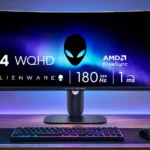
Dell Alienware AW3425DWM Feature Scores
Explore all 67 feature scores for Dell Alienware AW3425DWM, organized into pros and cons.
Scores by Feature
Summary
67 reviewed features-
Very positive 4.5-5.017 (25%)
-
Positive 3.5-4.427 (40%)
-
Neutral 2.5-3.412 (18%)
-
Negative 1.5-2.48 (12%)
-
Very negative below 1.53 (4%)
Pros
Sort
-
Supported 21:9 games feel more cinematic and spacious, though black bars appear in titles without ultrawide support.
-
The panoramic view, curve and deep SDR blacks make story-driven and open-world games particularly engaging.
-
Deep SDR blacks are a signature benefit of this VA screen, especially compared with conventional IPS panels.
-
The mix of size, 180Hz speed, deep blacks and solid construction is compelling at its budget price, if HDR and crystal-clear motion are not essential.
-
A wide 180Hz canvas with low lag is enjoyable for mainstream PC play; demanding competitive players may notice smearing.
-
The flat base supports the big screen securely with very little wobble when the desk is bumped.
-
Full-bandwidth HDMI 2.1 is unusually welcome at this price and avoids older HDMI refresh-rate restrictions.
-
The wide panel needs lateral space, but its unusually compact, flat stand leaves a surprisingly usable desk surface.
-
The 34-inch footprint creates an enjoyable, spacious gaming and multitasking view while requiring a sufficiently wide desk.
-
High native VA contrast makes dark SDR scenes convincing. The advantage does not carry over into convincing HDR local dimming.
-
A 180Hz ceiling gives fluid gaming and plenty of headroom, though the VA panel cannot fully keep up with every transition.
-
Low processing latency makes controls feel immediate across refresh rates, even if the panel's pixel transitions lag behind.
-
The wide uninterrupted work area fits several windows or a lengthy timeline, making this more than a gaming-only display.
-
Broad DCI-P3 and sRGB coverage produces punchy color and gives the panel more range than many entry-level displays.
-
A clean blue-black Alienware design, understated branding and compact flat base look more polished than the price suggests.
-
The overall verdict favors affordable, immersive gaming over premium image fidelity, with strong praise for value and repeated motion/HDR caveats.
-
The 1500R curve wraps games around a centered player effectively, but it makes the screen less forgiving from other seats.
-
Solid construction and neat finishing give the affordable monitor a more premium impression, with few obvious physical flaws.
-
The VA LCD avoids the static-image burn-in anxiety associated with the OLED alternatives, which can matter for prolonged desktop use.
-
An sRGB preset and adjustable color settings make it reasonably approachable to tune; software calibration can improve accuracy considerably.
-
The 3440×1440 format looks detailed enough for gaming and text, without the extra sharpness of a full 4K screen.
-
Text and ordinary desktop content remain pleasantly crisp at 3440×1440, even if the panel is not 4K-sharp.
-
SDR output is strong for the price, with useful adjustment range. HDR highlights are much less impressive, and measured brightness varies between units.
-
Strong SDR contrast, vivid color and decent brightness produce an appealing picture for the price; HDR is a clear step down.
-
Two easy-to-reach USB-A ports provide handy peripheral passthrough when connected upstream to the PC.
-
A polished chassis, clean styling and sturdy stand make the monitor look and feel more expensive than it is.
-
The stand's cable-routing opening and conveniently placed hub help keep keyboard, mouse and video wiring tidy.
-
Variable refresh reduces tearing and stays reasonably consistent across refresh rates. It can also worsen smearing and flicker when frame rates fluctuate.
-
The expansive 21:9 view adds space and immersion, though unsupported games and applications can show black bars.
-
The joystick and accessible menus make it easy to reach picture controls, with a good range of options to customize.
-
Height and tilt are useful, while reports differ over swivel capability; portrait rotation is not available on the stock stand.
-
Most gaming feels responsive, but dark pixel transitions are too slow to deliver consistently clean 180Hz motion.
-
Factory grayscale and the dedicated sRGB mode are generally respectable, although white balance, gamma and uniformity are not rigorous enough for every professional task.
-
Support for common variable-refresh formats is useful, although some experiences highlight compatibility caveats or unwanted flicker.
-
Its VA LCD gives deep blacks, good SDR brightness and no OLED burn-in risk, in exchange for narrower angles and slower dark transitions.
-
The simple interface and quick-access controls make shifting between gaming and desk work straightforward.
-
Power use is comparatively modest for a large gaming LCD, particularly relative to OLED alternatives during gameplay.
-
The conventional RGB pixel layout gives clean-looking text without the colored fringes sometimes seen on alternative subpixel arrangements.
-
Initial picture adjustments are uncomplicated, including a quick fix for unwanted automatic brightness changes.
-
Console 4K signals can be downscaled for more detail at 60Hz, but the panel does not provide native ultrawide console output.
-
The absence of OLED burn-in vulnerability is a meaningful upside for users who leave static desktop elements visible.
-
A little leakage can appear at the edges or off-axis, although it was not considered distracting in normal centered use.
-
DisplayPort supports the full ultrawide refresh specification, although high-bit-depth 180Hz operation can require DSC.
-
Faint pixel inversion or scanlines may occasionally appear, though they were less noticeable than on some similar panels.
Cons
Sort
-
Only eight edge-lit zones are used in HDR, producing elevated blacks and blooming with no option to disable the effect in that mode.
-
HDR is repeatedly criticized for weak highlights, elevated blacks and intrusive local dimming; SDR is the safer choice.
-
HDR's eight large dimming zones create distracting halos around bright objects against dark backgrounds.
-
Colors and brightness fade noticeably off center, making the screen best used directly in front of the curve.
-
There are no integrated speakers, disappointing anyone hoping to play audio without headphones or separate speakers.
-
Dark scenes with shifting frame rates can produce conspicuous brightness fluctuations, although some testers rarely noticed the problem in play.
-
Visible dark trailing is the most persistent weakness, particularly in rapid high-refresh scenes and against dark backgrounds.
-
No USB-C power delivery is available, so charging a laptop requires a separate power connection.
-
A built-in KVM is missing, a drawback for anyone hoping to control multiple connected computers with one set of peripherals.
-
The plastic case picks up fingerprints easily and can need more frequent wiping than expected.
-
Daisy chaining is not supported, limiting setups where screens are connected in sequence.
-
Camera pans look smoother at high refresh, but dark transitions remain considerably blurrier than on good IPS or OLED displays.
-
The matte coating diffuses some glare, but strong light sources can spread across the curved screen and impair visibility.
-
Unexpected automatic dimming was an annoyance right after unboxing, but picture settings provided a quick remedy.
-
Brightening dark detail may make shadowed areas easier to read, at the expense of the panel's natural contrast.
-
Low input lag helps in competitive titles, but dark smearing and relatively slow pixel transitions hold it back for motion-focused players.
-
Modern PlayStation and Xbox signals generally work, but native 21:9 output is absent, leaving black bars and wasting screen width.
-
The accessible USB-A connections are handy for existing peripherals, but the lack of USB-C is a disappointing obstacle for newer accessories.
-
The matte surface maintains generally good clarity, but glossy premium OLED alternatives can look cleaner.
-
Conservative presets keep overshoot modest, though faster options only partly tackle blur and may introduce inverse ghosting.
-
There is a useful collection of gaming options, but some specialized presets distort the image more than they help.
-
Two HDMI inputs, DisplayPort and a small USB-A hub cover essential devices, but USB-C and audio output are missing.
-
Typical casual use looks reasonably even, but brightness falloff and color uniformity limitations discourage professional editing.
Use Cases
Best for
Sort
-
A relatively inexpensive way to get 34-inch ultrawide gaming and strong SDR contrast, provided premium HDR and ultrafast motion are not priorities.
-
The 34-inch width accommodates documents, browsers, spreadsheets and several windows at once, making everyday work comfortable.
-
One wide display can feel less cramped than two separated screens for everyday side-by-side tasks, without matching every dual-monitor workflow.
-
The large continuous workspace is convenient for multiple windows, but a true pair of independent displays still offers different flexibility.
-
High native contrast and rich SDR blacks suit dim rooms particularly well; forced HDR local dimming is best avoided.
-
The large screen, pleasing SDR colors and responsive controls work well for less demanding gaming, even if fast transitions are imperfect.
-
The display offers an accessible introduction to the ultrawide format without the cost or burn-in concerns of QD-OLED.
-
SDR movies and video look colorful and expansive from a central seat, while HDR playback and off-axis watching are compromised.
-
As an LCD, it avoids OLED's static-image burn-in worry and can be a safer practical choice for desktop-heavy ownership.
Conditional or not ideal for
Sort
-
HDR gamingThe display accepts HDR but cannot produce the impactful dark-scene contrast or highlights that make HDR games worthwhile.
-
Shared-screen viewingThe curved VA image loses contrast and color from the sides, making it a poor choice for several viewers at different angles.
-
Photosensitive playersVRR-related luminance fluctuations can be conspicuous in dark scenes, making variable-framerate gaming a poor match for flicker-sensitive players.
-
Color-critical workCasual image tasks are manageable, but serious grading, photography or print work deserves a more consistently uniform, carefully calibrated display.
-
Single-cable laptop dockingThere is no USB-C video or charging connection, so a laptop cannot be connected, powered and docked through one cable.
-
USB-C laptop dockingWithout USB-C video input or charging, this is unsuitable as a one-cable laptop workstation.
-
Portrait orientationThe supplied stand cannot rotate the ultrawide screen into portrait position, limiting vertically oriented setups.
-
Multi-computer workflowsThe lack of a KVM and USB-C docking makes switching between separate computers less convenient.
-
Video editingA long timeline benefits from the wide canvas, but the panel's unevenness and imperfect accuracy limit color-sensitive professional work.
-
Upgrading an existing VA ultrawideIt improves on some older models in brightness, contrast and motion, but owners of a serviceable VA ultrawide may find the change too small to justify.
-
Bright-room viewingSDR brightness is often sufficient for a lit room, but direct windows and lamps can produce persistent, distracting reflections.