
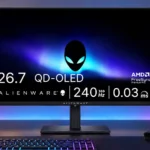
Dell Alienware AW2726DM Feature Scores
Explore all 70 feature scores for Dell Alienware AW2726DM, organized into pros and cons.
Scores by Feature
Summary
70 reviewed features-
Very positive 4.5-5.022 (31%)
-
Positive 3.5-4.417 (24%)
-
Neutral 2.5-3.48 (11%)
-
Negative 1.5-2.418 (26%)
-
Very negative below 1.55 (7%)
Pros
Sort
-
QD-OLED brings the signature advantages of pixel-level lighting, vivid color and immediate motion, even though this is not a cutting-edge panel generation.
-
OLED’s individually lit pixels produce impressive contrast and separation between bright objects and dark backgrounds.
-
A roughly $350 launch price makes OLED gaming unusually accessible, but buyers should weigh brightness and feature cuts against nearby sale prices.
-
The 240Hz ceiling delivers smooth gameplay and is enough for most players. The fastest competitive specialists may still prefer higher-refresh alternatives.
-
OLED response times remain exceptionally quick, yielding crisp moving objects with little of the smearing seen on slower LCDs.
-
The broad color gamut makes games and compatible HDR material vivid and saturated, a major visual benefit at this price.
-
Deep, inky blacks give dark scenes convincing depth, although strong ambient light can raise blacks toward gray or purple.
-
Moving images are a standout: fast camera pans and rapid gameplay retain excellent clarity. The low price does not diminish this core OLED strength.
-
Vivid color, inky blacks and crisp gameplay make the picture stand out, although it lacks the HDR intensity of brighter alternatives.
-
Overall judgments are enthusiastic about budget OLED gaming, tempered by meaningful compromises in brightness and everyday convenience.
-
PC players get the most from DisplayPort’s 240Hz mode and the responsive 1440p OLED panel; the setup favors gaming over elaborate docking.
-
Fast response, 240Hz motion and low lag suit competitive play particularly well without paying for an extreme esports display.
-
Input lag is low enough for satisfying, immediate responses in fast games, including competitive shooters.
-
Height, tilt and portrait adjustment make the inexpensive stand more useful than its materials suggest, although swivel and stability impressions vary.
-
QHD sharpness strikes a practical balance for games and attainable frame rates, though some find 1440p too coarse for everyday text compared with 4K.
-
FreeSync and AdaptiveSync are useful for reducing tearing, with some users reporting workable G-Sync compatibility and others noting caveats.
-
QHD resolution is easier to drive than 4K, helping midrange hardware reach higher frame rates, though hitting 240fps still takes capable hardware.
-
Adaptive-sync options help smooth inconsistent game frame rates, though G-Sync certification and particular connection requirements may matter.
-
Three-year burn-in coverage is a reassuring safeguard for an affordable OLED and offsets some long-term ownership concerns.
-
Bright objects stay distinct against dark backgrounds without the haloing that can appear on local-dimming LCDs.
-
Ghosting is tightly controlled in fast scenes, reinforcing the monitor’s strength for high-speed gaming.
-
The included display cables and basic assembly tools help make initial setup simple.
-
The 27-inch format feels well sized for immersive games without dominating the desk; its room for multiple windows is appreciated.
-
Modern consoles can make good use of the QHD OLED display at up to 120Hz, but specialized resolution handling and scaling are less dependable.
-
Its understated, thin-bezel appearance earns praise for fitting many desks, even if the simple shell lacks Alienware’s premium flourishes.
-
DisplayPort is the way to access full QHD 240Hz performance. Its older specification is adequate but lacks premium connection bandwidth.
-
The rear joystick is typically easy to navigate, although the menus are pared back and one reviewer found the power button too close.
-
VESA compatibility makes a monitor arm a practical alternative to the bundled stand.
-
Deep blacks are impressive, but darkest details can crush unless shadow adjustment is used.
-
QD-OLED’s saturated colored highlights can appear punchier than brighter-on-paper alternatives.
-
Low-blue-light technology is appreciated as an eye-comfort touch for longer gaming sessions.
-
Gamma tracking is generally decent before adjustment, even if other color settings need attention.
-
The glossy coating gives the panel strong perceived clarity in controlled lighting but reflects light more readily than matte finishes.
-
The Dark Stabilizer helps reveal opponents and details lost in unusually dark shadows; default settings may obscure them.
-
Photo work can benefit from the broad gamut and contrast, but calibration and SDR accuracy require care.
-
Pixel refresh and automatic care offer some protection, but the user has limited control over OLED maintenance.
-
The panel is generally even-looking in the limited uniformity assessments, with small warm-tone variations noted.
-
Genre and picture presets offer useful basic control, but their flexibility and accuracy are not universally praised.
-
Gradients generally appear smooth, although one assessment noticed dithering.
Cons
Sort
-
There is no USB hub or peripheral passthrough, a notable convenience sacrifice for anyone hoping to consolidate desk connections.
-
HDMI bandwidth tops out at 120Hz rather than the panel’s full 240Hz, making these inputs better suited to consoles than maximum-speed PC use.
-
The connection lineup covers basic video inputs but little else, with limited HDMI bandwidth and no USB expansion.
-
Fine text can show green or pink fringing and softness because of the older triangular subpixel arrangement, especially in desktop work.
-
Brightness is the recurring weak spot, especially in sunny rooms and HDR. It is generally manageable in controlled or moderately lit spaces.
-
HDR retains rich OLED blacks and color, but subdued highlights stop it from delivering the dramatic punch found on brighter QD-OLED and mini-LED screens.
-
Cable routing was largely omitted, leaving owners to tame visible wires themselves.
-
The absence of USB connectivity restricts convenient user firmware updates.
-
The screen can look refined, yet the plastic stand and stripped-back construction do not feel as premium as Alienware’s dearer models.
-
Controls for color accuracy are restricted by the missing hardware sRGB mode; Windows color management or calibration can help.
-
About 110 pixels per inch is serviceable for gaming, but visibly less fine than a 27-inch 4K screen and can soften text.
-
Software and firmware conveniences are limited, with missing monitor-control support and restricted update options.
-
The lack of integrated speakers is an inconvenience for occasional work or casual use, though less important to headset users.
-
The lightweight plastic build is serviceable but not luxurious; stability is generally fine, with occasional wobble and complaints about the stand.
-
Nonstandard aspect-ratio signals can be stretched or squashed, making retro connections unreliable.
-
Nonstandard retro-console signals and certain scaled resolutions can produce incorrect proportions or soft images.
-
The panel works for mixed tasks, but text fringing, modest brightness and missing convenience ports make it less ideal as an all-day work screen.
-
Gaming overlays and enhancement tools are quite basic compared with pricier monitors, though a few essentials remain.
-
HDR highlight brightness is disappointing and certain tone-mapping choices trade clipping control for lost depth.
-
Available HDR presets change the look but cannot deliver high peak brightness; tuning varies between modes.
-
HDR tone mapping depends heavily on content metadata: correct targets fare well, while more demanding signals can look overly brightened or flat.
-
The glossy screen adds a clear, striking finish, but reflections and raised dark tones can be troublesome when light hits it directly.
-
HDR adjustment options are narrow and some brightness controls are locked, restricting how far users can optimize the picture.
-
Refresh-rate variability can produce visible flicker in difficult low-frame-rate scenes, a reason to aim for steadier performance.
-
Game imagery can look crisp, but comparatively soft text and the older subpixel layout limit precision for desktop work.
-
Factory color handling draws mixed reactions: some praise it, while others find oversaturated SDR colors and the missing sRGB clamp frustrating.
-
RGB accent lighting is absent, which some welcome as understated and others miss as a gaming aesthetic.
-
A modest graphite heat spreader helps protect the OLED panel, though it is less elaborate than premium cooling designs.
-
Assembly is straightforward but old-fashioned: four screws replace the quick-release system common on more expensive monitors.
-
Dark, cinematic games gain rich blacks and color, but limited HDR highlight brightness can reduce their intended impact.
-
The stand is reasonably secure in normal use, but a little movement or wobble can appear at some positions.
Use Cases
Best for
Sort
-
Budget-minded gamers can access OLED speed, color and contrast at a much lower price, provided they accept fewer extras.
-
The included pivot adjustment supports vertical desktop use, a welcome ergonomic extra at the price.
-
Low ambient light brings out the OLED’s strongest blacks, contrast and perceived vibrancy.
-
SDR-focused gaming is a compelling fit because the OLED’s fast motion, contrast and color matter even without spectacular HDR brightness.
-
Fast-paced shooters benefit from very low motion blur, quick reactions and high refresh rates.
-
Moving from a typical IPS or VA gaming screen brings a striking improvement in black levels, vibrancy and perceived motion clarity.
-
Most casual gamers get more than enough speed and punchy visuals from this affordable OLED, even without flagship extras.
-
As an external screen for gaming notebooks, QHD and 240Hz are attractive, although the lack of USB-C docking is inconvenient.
-
Coming from older VA or IPS gaming panels, the OLED brings an obvious jump in color, contrast and speed.
-
A display-alignment overlay helps line up multiple monitors, but offers little more sophisticated multi-display assistance.
-
The basic multi-monitor alignment tool is helpful, although this is not a productivity-focused docking display.
-
Long-term comfort is helped by Dell’s burn-in warranty, but static content and limited care control still require thought.
Conditional or not ideal for
Sort
-
Bright-room viewingThe screen struggles most in sunny rooms because of low brightness and reflections; controlled lighting suits it better.
-
HDR gamingHDR gaming is a divided proposition: deep blacks look great, but restricted peak brightness limits dramatic highlights.
-
Color-critical workColor-critical users should be cautious: an absent sRGB clamp and imperfect SDR defaults can require PC-level color management.
-
Retro console gamingLegacy consoles and unusual upscaler signals can produce distorted aspect ratios, so retro enthusiasts should look elsewhere.
-
Desktop productivityFine text, static applications and a modest pixel density make full-time productivity less appealing than gaming.
-
Mixed work-and-play setupsIt can handle both gaming and work, but text fringing, color accuracy and missing hubs compromise all-day versatility.
-
Movies and streamingMovies and videos benefit from OLED contrast, though sunlit viewing and inaccurate SDR colors can be distracting.