
Overall: 3.3/5
One owner likes that the interface learns favorite programs and apps. Personalization can make the home screen feel more useful when it works as intended.
Pros: picture quality, overall satisfaction
Cons: value for money, reliability

Overall: 3.3/5
One owner likes that the interface learns favorite programs and apps. Personalization can make the home screen feel more useful when it works as intended.
Pros: picture quality, overall satisfaction
Cons: value for money, reliability

Overall: 4.4/5
Google TV surfaces relevant titles effectively and keeps recommendations useful rather than burying apps behind clutter.
Pros: picture quality, value for money
Cons: stand quality, judder handling
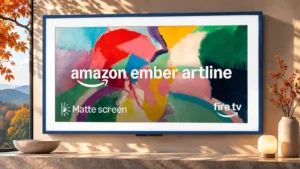
Overall: 3.4/5
Alexa+ can turn detailed taste and genre requests into helpful movie suggestions, though results are not consistently relevant.
Pros: art display mode, picture quality
Cons: contrast ratio, high-refresh-rate gaming

Overall: 4.0/5
Home-screen recommendations can be hidden for a simpler interface, though the default presentation is cluttered and ads are not eliminated everywhere.
Pros: peak brightness, picture quality
Cons: value for money, viewing angles

Overall: 3.9/5
Google TV and Gemini make it easy to resume shows, discover content, and request personalized suggestions, though the AI can feel intrusive to some.
Pros: peak brightness, picture quality
Cons: color accuracy, viewing angles
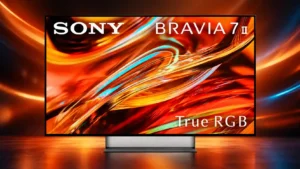
Overall: 4.2/5
Google TV and Gemini provide useful, personalized recommendations, with conversational discovery making it easier to find something to watch.
Pros: overall satisfaction, picture quality
Cons: HDMI 2.1 port count, reflection handling

Overall: 3.1/5
Tizen's organized home page serves up curated viewing suggestions alongside the major streaming apps.
Pros: gaming performance, color accuracy
Cons: value for money, overall satisfaction

Overall: 3.7/5
Tizen can surface useful suggestions and separate household profiles, although the home screen can feel busy with promotions.
Pros: color volume, overall satisfaction
Cons: value for money, color accuracy

Overall: 4.0/5
Personalized recommendations are better integrated.
Pros: black levels, picture quality
Cons: glare resistance, reflection handling

Overall: 4.5/5
Personalized suggestions can work surprisingly well after some use, although recommendation features are not central to the TV’s appeal.
Pros: glare resistance, black levels
Cons: Dolby Vision support, color gamut

Overall: 3.8/5
The Google TV home screen offers reasonably useful suggestions alongside its familiar app and show navigation.
Pros: HDMI 2.1 port count, overall satisfaction
Cons: HDR performance, bass performance

Overall: 4.0/5
Recommendations can be useful and personalized rather than just intrusive.
Pros: peak brightness, blooming control
Cons: value for money, motion clarity

Overall: 4.0/5
webOS organizes entertainment with helpful Quick Cards, while settings allow a cleaner home page if suggestions feel intrusive.
Pros: contrast ratio, black levels
Cons: reflection handling, color accuracy

Overall: 4.1/5
Recommendations range from useful and sensible to generic and poorly personalized. The feature may improve as it learns viewing habits.
Pros: picture quality, gaming performance
Cons: value for money, sound quality

Overall: 4.3/5
Fire TV makes discovering something to watch convenient, but the home screen strongly favors Amazon's services and suggestions.
Pros: picture quality, black levels
Cons: bass performance, HDR brightness

Overall: 4.4/5
AI Concierge can surface useful suggestions, but several tests found the recommendations too limited or unremarkable to become a regular feature.
Pros: picture quality, peak brightness
Cons: value for money, sound quality
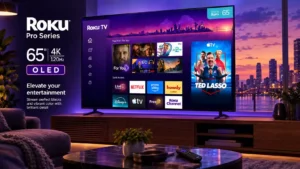
Overall: 4.1/5
Favorite-service shortcuts can reduce browsing, but added suggested-content rows make the home screen feel less immediately useful to some longtime Roku users.
Pros: contrast ratio, value for money
Cons: peak brightness, HDR brightness

Overall: 3.8/5
The interface offers plenty to watch without overwhelming the home screen, but its personalization can feel generic.
Pros: picture quality, contrast ratio
Cons: blooming control, glare resistance

Overall: 4.1/5
Google TV suggestions can be convenient, but the mix is heavily Google-oriented and some recommendations miss the mark.
Pros: peak brightness, picture quality
Cons: value for money, color accuracy

Overall: 3.1/5
Streaming suggestions can be rearranged or hidden selectively, but the home screen remains busier than a fully customizable interface.
Pros: picture quality, overall satisfaction
Cons: sound quality, black levels

Overall: 4.1/5
LG’s default home page can bury useful content under suggested services, paid promotions and poorly matched recommendations.
Pros: gaming performance, HDR brightness
Cons: reflection handling, glare resistance

Overall: 4.2/5
Google's show-first home page can be useful for discovery but offers limited control over the promoted rows.
Pros: overall satisfaction, glare resistance
Cons: motion handling, viewing angles
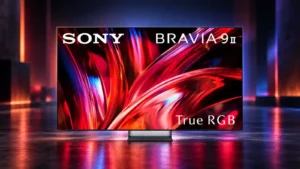
Overall: 4.3/5
Google TV’s recommendation rails can feel poorly matched, with at least one suggested-content row showing little connection to the title it referenced.
Pros: overall satisfaction, overall image accuracy
Cons: value for money, bass performance

Overall: 2.9/5
The home interface pushes plenty of suggested and promoted content, making navigation feel cluttered.
Pros: value for money, picture quality
Cons: account requirements, gaming performance