
Overall: 4.5/5
Apps open quickly and the interface shows less lag than older Samsung software.
Pros: glare resistance, black levels
Cons: Dolby Vision support, color gamut

Overall: 4.5/5
Apps open quickly and the interface shows less lag than older Samsung software.
Pros: glare resistance, black levels
Cons: Dolby Vision support, color gamut

Overall: 3.8/5
Streaming apps launch quickly and switching between services is responsive rather than cumbersome.
Pros: picture quality, color accuracy
Cons: HDR performance, sound quality

Overall: 4.1/5
Apps load quickly and are well optimized, though one early sample had a temporary BBC iPlayer launch problem.
Pros: picture quality, gaming performance
Cons: value for money, sound quality

Overall: 4.0/5
Streaming apps open quickly on webOS 26, keeping the platform feeling responsive.
Pros: peak brightness, picture quality
Cons: value for money, viewing angles

Overall: 4.4/5
Popular apps launch quickly and reach playback without lengthy waits.
Pros: picture quality, value for money
Cons: stand quality, judder handling

Overall: 4.0/5
Streaming apps work reliably.
Pros: black levels, picture quality
Cons: glare resistance, reflection handling

Overall: 4.4/5
The ThinQ app works well as a quick remote, and external streaming devices perform smoothly with the TV.
Pros: picture quality, peak brightness
Cons: value for money, sound quality

Overall: 4.1/5
The Google TV interface moves quickly through setup and navigation on working units.
Pros: peak brightness, picture quality
Cons: value for money, color accuracy

Overall: 3.1/5
Entertainment applications open quickly during everyday use, giving the set a responsive feel.
Pros: design and appearance, maximum volume
Cons: picture quality, value for money
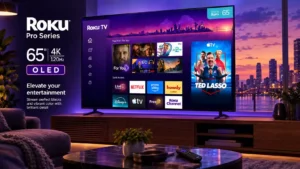
Overall: 4.1/5
Initial app updates run quickly, keeping the setup process moving.
Pros: contrast ratio, value for money
Cons: peak brightness, HDR brightness

Overall: 3.9/5
Apps and interface features ran smoothly without major glitches during extended use.
Pros: peak brightness, picture quality
Cons: color accuracy, viewing angles

Overall: 4.2/5
On-TV streaming generally runs smoothly, although the newer phone setup app can struggle to connect during onboarding.
Pros: overall satisfaction, glare resistance
Cons: motion handling, viewing angles

Overall: 4.1/5
Some hands-on testers found apps launch quickly and menus respond well, while one comparison found occasional slow app starts.
Pros: overall satisfaction, value for money
Cons: Smart TV platform, advertising intrusiveness

Overall: 3.4/5
Apps can launch quickly, but webOS navigation may still feel sluggish when moving through menus.
Pros: picture quality, color accuracy
Cons: remote control quality, black levels

Overall: 2.6/5
Popular apps such as YouTube can start playback easily, but the broader interface may take time to load.
Pros: sound quality, picture quality
Cons: value for money, local dimming performance

Overall: 3.1/5
Apps can install while other menus remain usable; transitions and initial loads can be slower than navigation within an open app.
Pros: picture quality, overall satisfaction
Cons: sound quality, black levels

Overall: 4.0/5
Streaming apps generally open quickly and run smoothly during normal use.
Pros: peak brightness, blooming control
Cons: value for money, motion clarity

Overall: 4.3/5
Application switching can involve brief pauses, but these delays are generally not frustrating.
Pros: picture quality, black levels
Cons: bass performance, HDR brightness
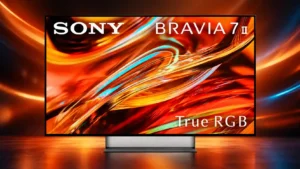
Overall: 4.2/5
Apps are generally usable and smooth, but occasional loading delays and stutters keep performance from feeling consistently premium.
Pros: overall satisfaction, picture quality
Cons: HDMI 2.1 port count, reflection handling

Overall: 2.7/5
Built-in apps cover everyday needs, but the small available storage makes an external streamer sensible for large collections.
Pros: white balance accuracy, design and appearance
Cons: overall satisfaction, value for money
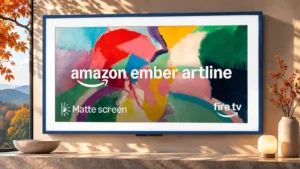
Overall: 3.4/5
Streaming apps generally work, but occasional freezes and noticeable launch delays interrupt an otherwise usable selection.
Pros: art display mode, picture quality
Cons: contrast ratio, high-refresh-rate gaming

Overall: 3.3/5
App performance is one of the most divided areas: some reviewers see fast launches, while many owners report stalls, crashes, black screens, or repeated reboot requirements. Prime Video appears in...
Pros: picture quality, overall satisfaction
Cons: value for money, reliability

Overall: 3.7/5
Most services work normally, but isolated installation and casting failures can interrupt setup or playback.
Pros: color volume, overall satisfaction
Cons: value for money, color accuracy

Overall: 3.8/5
Most streaming use is capable, but an authentication bug kept GeForce NOW from starting in one test.
Pros: cable management, design and appearance
Cons: value for money, Dolby Vision support

Overall: 4.2/5
Apps usually launch quickly, but at least one extended test exposed occasional OS freezes.
Pros: picture quality, overall satisfaction
Cons: design and appearance, Dolby Vision support
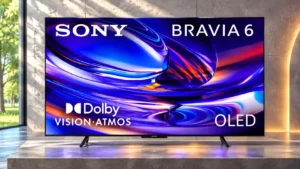
Overall: 3.8/5
One hands-on test encountered crashes or freezes that required physically unplugging the TV. This serious weakness sits uneasily beside otherwise smooth interface reports.
Pros: HDMI 2.1 port count, Video input versatility
Cons: value for money, overall satisfaction