
Overall: 4.2/5
Displaying two computer feeds while sharing accessories expands its multitasking usefulness, especially for split Mac-and-PC workflows.
Pros: port selection, USB hub functionality
Cons: competitive gaming suitability, motion clarity

Overall: 4.2/5
Displaying two computer feeds while sharing accessories expands its multitasking usefulness, especially for split Mac-and-PC workflows.
Pros: port selection, USB hub functionality
Cons: competitive gaming suitability, motion clarity

Overall: 4.1/5
Flexible PIP and PBP layouts allow simultaneous display of multiple inputs, a useful option for professional multi-source desks.
Pros: value for money, Resolution
Cons: HDR performance, refresh rate

Overall: 4.1/5
Picture-in-picture and picture-by-picture make the broad screen useful for viewing two sources at once. The modes are particularly handy for PC-and-console or laptop-and-console setups.
Pros: Resolution, overall satisfaction
Cons: value for money, GPU demands

Overall: 4.2/5
Showing multiple sources in one monitor adds flexibility for content creators and mixed-computer desks.
Pros: HDR performance, DisplayPort connectivity
Cons: value for money, brightness

Overall: 4.2/5
One evaluation finds the multi-source display modes useful for managing several inputs, although this feature is not independently confirmed across the other tests.
Pros: value for money, Resolution
Cons: port selection, competitive gaming suitability

Overall: 3.7/5
PIP and PBP are described as useful for displaying more than one input, although other reviewers focus on limited USB-based productivity features.
Pros: overall satisfaction, PC gaming compatibility
Cons: color accuracy, local dimming performance

Overall: 4.2/5
PiP and PbP let two video sources share the screen, adding welcome flexibility for multi-device desks.
Pros: HDR performance, overall satisfaction
Cons: HDR highlight detail, color accuracy
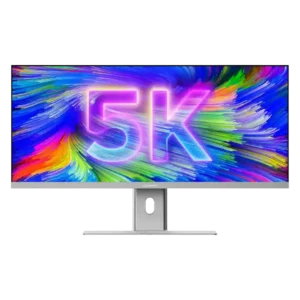
Overall: 4.3/5
Picture-in-Picture and Picture-by-Picture make good use of the wide panel for multiple sources. PiP drew the strongest praise, while PbP was useful but less compelling for at least one reviewer.
Pros: productivity versatility, aspect ratio
Cons: built-in speakers, competitive gaming suitability

Overall: 4.2/5
Several layouts can show both sources at once, which is helpful for flexible desks, though one user finds the controls tricky.
Pros: overall picture quality, overall satisfaction
Cons: port selection, brightness

Overall: 4.2/5
The multi-input viewing modes support simultaneous sources, giving the screen additional workstation flexibility.
Pros: overall satisfaction, black levels
Cons: reflection handling, Color brightness

Overall: 4.2/5
Side-by-side and inset display modes are handy for viewing different inputs together, even if not everyone will need them.
Pros: port selection, overall satisfaction
Cons: value for money, competitive gaming suitability

Overall: 4.0/5
Both multi-source viewing modes are useful workstation extras alongside the KVM switch.
Pros: Dual-mode versatility, refresh rate
Cons: black levels, contrast

Overall: 4.2/5
Side-by-side input viewing helps make the monitor practical when two computers are attached.
Pros: brightness, HDR performance
Cons: speaker quality, built-in speakers

Overall: 4.2/5
Picture-in-picture is useful for checking a second source while keeping the main image large. It cannot replace full side-by-side layouts and can feel cramped on 27 inches.
Pros: reflection handling, color gamut
Cons: value for money, brightness

Overall: 3.9/5
PIP and PBP can display multiple video sources and help with screen sharing, but they cannot replace USB switching or docking.
Pros: HDR performance, black levels
Cons: viewing angles, response time

Overall: 4.3/5
PiP/PbP support exists, but one reviewer framed it as less useful than full KVM functionality.
Pros: value for money, sharpness
Cons: brightness, USB hub functionality

Overall: 4.1/5
Picture-in-picture is available as a convenient optional way to use more than one source, though there is no integrated KVM.
Pros: value for money, overall satisfaction
Cons: HDR performance, Headphone output quality

Overall: 4.3/5
Picture-in-picture is absent, but one tester considered that a minor limitation on a 27-inch display where split-screen use is less valuable.
Pros: overall satisfaction, competitive gaming suitability
Cons: value for money, screen size

Overall: 4.4/5
The absence of PiP/PbP rules out viewing two external sources together in split or overlaid windows.
Pros: overall satisfaction, response time
Cons: reflection handling, VRR flicker

Overall: 4.4/5
Picture-in-picture and picture-by-picture modes are available, but DSC restrictions reduce refresh and color options and require manual re-enabling afterward.
Pros: sharpness, overall satisfaction
Cons: value for money, VRR flicker

Overall: 3.8/5
The absence of PiP and PbP is a downgrade from the older model for displaying two inputs at once.
Pros: value for money, Resolution
Cons: port selection, HDR performance