#1

Overall: 4.3/5
The integrated KVM lets a keyboard and mouse move between computers without a separate USB switch. It is a highly valued convenience in work-and-gaming setups.
Pros: overall satisfaction, Text fringing
Cons: brightness, Edge dimming behavior
#2

Overall: 4.5/5
The integrated KVM lets one keyboard and mouse follow a change between connected computers, avoiding extra desktop switching hardware.
Pros: color gamut, contrast
Cons: value for money, Resolution
#3
Overall: 4.4/5
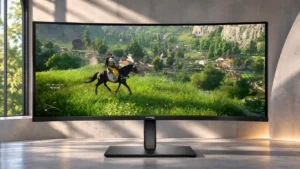
The integrated KVM lets a keyboard and mouse serve two computers, reducing cable swapping and speeding transitions between work and play.
Pros: refresh rate, color accuracy
Cons: console gaming compatibility, DisplayPort connectivity
#4

Overall: 4.4/5
Sharing a keyboard and mouse across two computers is a standout productivity convenience; some workflows also support transferring text and files.
Pros: port selection, color accuracy
Cons: built-in speakers, speaker quality
#5

Overall: 4.2/5
The integrated KVM can switch mouse and keyboard control between connected systems without a separate box. One dual-computer user reports smooth automatic handoff and no peripheral lag.
Pros: overall satisfaction, black levels
Cons: value for money, stand adjustability
#6

Overall: 4.4/5
One keyboard and mouse can control two connected computers, making shared desktop/laptop arrangements much simpler.
Pros: refresh rate, Text fringing
Cons: Resolution, GPU demands
#7

Overall: 4.3/5
The built-in KVM adds flexibility for connecting devices and using the monitor with more than one computer.
Pros: black levels, sharpness
Cons: value for money, brightness
#8

Overall: 4.3/5
The integrated KVM is a major advantage for multi-computer desks, especially when paired with picture-by-picture and Ethernet switching. Hardware and network switching can be excellent, but one detailed test found...
Pros: productivity versatility, overall satisfaction
Cons: value for money, response time
#9

Overall: 4.4/5
The KVM is genuinely useful for sharing peripherals between two computers and works better than many monitor-integrated implementations. Wake behavior and control quirks keep it from feeling flawless.
Pros: productivity versatility, aspect ratio
Cons: value for money, competitive gaming suitability
#10

Overall: 3.9/5
The absence of a KVM switch is a drawback for people who want to share one keyboard and mouse between multiple machines.
Pros: brightness, color gamut
Cons: AI scene optimization, value for money
#11

Overall: 4.0/5
Despite USB connectivity, there is no built-in KVM switch. Anyone sharing a mouse and keyboard between computers needs another solution.
Pros: Resolution, Dual-mode versatility
Cons: value for money, GPU demands
#12
Overall: 3.7/5
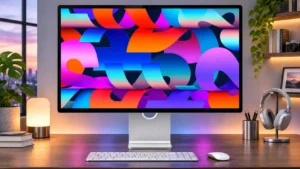
There is no integrated KVM, leaving buyers with several computers to rely on other switching arrangements.
Pros: Monitor daisy-chaining, overall picture quality
Cons: value for money, refresh rate
#13

Overall: 4.1/5
A built-in KVM is missing, disappointing those hoping to share peripherals between multiple computers.
Pros: Resolution, overall satisfaction
Cons: value for money, Image scaling
#14

Overall: 4.1/5
There is no integrated KVM switch, so moving one keyboard and mouse between computers is less convenient than on some rivals.
Pros: PC gaming compatibility, reflection handling
Cons: color accuracy, VRR flicker
#15

Overall: 4.4/5
There is no integrated KVM switch for sharing peripherals between computers, a notable compromise compared with more fully equipped competitors.
Pros: brightness, value for money
Cons: port selection, built-in speakers
#16

Overall: 3.5/5
A built-in KVM is missing, reducing convenience for buyers who alternate between multiple computers with shared peripherals.
Pros: Resolution, sharpness
Cons: value for money, HDR performance
#17

Overall: 4.3/5
There is no KVM switch, reinforcing that this is primarily a gaming display rather than a multi-device productivity hub.
Pros: color gamut, overall picture quality
Cons: brightness, HDR performance
#18

Overall: 4.2/5
Without a built-in KVM or multiple upstream inputs, sharing the display between computers involves cable swapping.
Pros: refresh rate, HDR performance
Cons: value for money, Device compatibility
#19

Overall: 3.9/5
There is no integrated KVM, reducing convenience for people sharing peripherals between computers.
Pros: motion clarity, Backlight strobing
Cons: contrast, HDR performance
