
If you want better sleep mode
Choose Logitech G305 Lightspeed. It scores 5.0 vs 1.5 for sleep mode, with a 4.3 overall score.

Three interchangeable side panels, excellent tracking and impressive battery life make this a superb MMO and multi-genre mouse. Its high price, bulky shape and software quirks are harder to justify for dedicated competitive FPS players.
MMO and MOBA players who need many accessible abilities, multi-genre gamers, and people who want one mouse for gaming and productivity. Larger-handed palm-grip users are especially likely to appreciate the shape.
Competitive FPS specialists, smaller-handed or fingertip-grip users, and budget-conscious buyers who do not need the interchangeable layouts.
The Razer Naga V3 Pro is a standout for players who need more than a conventional gaming mouse. Its three magnetic side panels, up to 23 programmable controls and lockable ring-finger button let you adapt the layout to complex MMO rotations, MOBA abilities or everyday work. The precise sensor, crisp optical switches, versatile scroll wheel and impressive battery life make the package especially appealing for a shared gaming and productivity setup. However, its substantial weight and wide shape can hinder rapid shooter movements and smaller hands. Synapse is powerful but occasionally unreliable, and the main clicks can be loud. At around $180, with higher polling rates generally requiring optional hardware, the mouse is best justified by its versatility rather than raw specifications alone. Existing Naga V2 Pro owners may find the refinements too incremental to warrant upgrading.
Compared with other Gaming Mice, this product is above average in wireless charging support, hand support, MMO gaming suitability, near average in shape comfort, software quality, below average in cursor control, accessory compatibility, Packaging quality and presentation.
| Attribute | This product | Category average | Difference |
|---|---|---|---|
| wireless charging support | 4.7 | 2.4 | +2.2 |
| cursor control | 2.0 | 4.4 | -2.4 |
| accessory compatibility | 2.0 | 4.2 | -2.2 |
| Packaging quality and presentation | 2.0 | 4.1 | -2.1 |
| durability over time | 2.0 | 3.9 | -1.9 |
| hand support | 5.0 | 3.3 | +1.7 |
| MMO gaming suitability | 4.9 | 3.5 | +1.4 |
| weight | 2.8 | 4.1 | -1.3 |
Choose Logitech G305 Lightspeed. It scores 5.0 vs 1.5 for sleep mode, with a 4.3 overall score.
Choose Keychron M3 Mini. It scores 5.0 vs 1.5 for Software resource usage, with a 4.0 overall score.
Choose Razer Basilisk V3. It scores 5.0 vs 3.4 for FPS gaming suitability, with a 4.5 overall score.
Choose McHose L7 Pro. It scores 5.0 vs 3.0 for value for money, with a 4.5 overall score.
Compared with Razer Naga V3 Pro
The included two-, six- and twelve-button panels offer different control layouts for simple tasks, ability-heavy games and complex MMO keybinds.
The sensor is fast and accurate, but many players find the bulky shape and weight slower than dedicated lightweight FPS mice.
Most accounts report that the included receiver supports 1,000Hz and that 8,000Hz requires a compatible optional dongle or dock. One article reports otherwise, so confirm the included hardware before buying.
The quoted ratings are up to 155 hours on 2.4GHz wireless and 280 hours on Bluetooth. Some users report weeks between charges, depending on usage, lighting and polling settings.
Synapse provides extensive button, profile and wheel customization. Onboard profiles can retain configured settings, but some users report software bugs and unavailable web configuration.
The lighter design, new switches, sensor and extra buttons are useful refinements, but the underlying shape and modular layout remain similar. Existing owners may prefer to wait unless they need the new controls.
These are a few of the reviews included in our analysis.




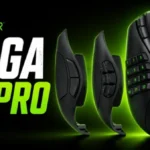
Razer's Naga V3 Pro is here and it's turning heads as probably the best MMO and MOBA-based gaming mouses on the market.
The Razer Naga V3 Pro is a fantastic mouse for MMO titles. Here's our Razer Naga V3 Pro review going over its best features.
Our Razer Naga V3 Pro review covers its three magnetic side plates, MMO controls, performance claims, fit, battery estimates, accessories and...
Razer's dedicated MMORPG mouse sports some significant upgrades over its predecessor.
The Razer Naga V3 Pro is a wireless MMO gaming mouse that continues Razer's long-running Naga lineup. It has interchangeable side panels that...

Choose the ROG Harpe II Ace for ultralight FPS play, precise tracking, smooth glide, and web-based tuning. Skip it if you need palm-grip support, MMO buttons, onboard profiles, or long...
Pros: glide smoothness, weight
Cons: handedness options

Excellent tracking, comfortable right-handed ergonomics and a versatile scroll wheel make the Basilisk V3 a strong gaming and productivity mouse. Its substantial weight, fixed cable and sometimes over-sensitive automatic scrolling...
Pros: scroll wheel quality, RGB features
Cons: weight, handedness options

The L7 Pro delivers remarkably light handling, precise aiming and a grippy shell at a budget price. Stock skates are less impressive, and conflicting click-latency measurements warrant caution for latency-sensitive...
Pros: value for money, weight
Cons: wired connectivity

Best for ultra-light, competition-focused speed, precise tracking, stable wireless, and long battery life. Skip it if you need quieter clicks, left-handed support, Bluetooth, more buttons, or better value for casual...
Pros: value for money, weight
Cons: click noise, RGB features