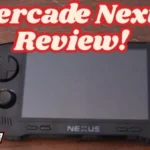
Evercade Nexus Review

Brand: Evercade
Released: October 30, 2026
Updated: 20 hours ago
4.0
Overall review score
424
Review insights
49
Scored features
31
Expert reviews

Bottom Line

Evercade Nexus brings licensed physical classics to life with its bright screen, twin sticks, and excellent native ports. Slow booting, no suspend or TV output, and reported screen-assembly problems are harder to overlook.

Retro-game enthusiasts who like collecting officially licensed cartridges, existing Evercade owners upgrading their handheld, and players who want enhanced classics such as Banjo-Kazooie and DOOM on the go.

Players who expect instant suspend-and-resume, TV docking, or modern AAA gaming; very budget-conscious buyers and people seeking a pocket-sized device may also prefer alternatives.

Verdict

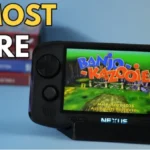
Evercade Nexus gives the physical-cartridge hobby a convincing modern handheld. Its spacious, bright IPS screen and dual analog sticks make Banjo-Kazooie and DOOM especially satisfying, while existing Evercade collections remain compatible. Curated, licensed cartridges with boxed manuals offer a meaningful alternative to endlessly scrolling through emulator libraries. Native ports run particularly well, and battery life is generally serviceable for portable sessions. The drawbacks are unusually persistent for a current handheld: no sleep or resume, cumbersome cold boots, and no TV output. Its larger shell and trigger layout suit some hands more than others, while Bluetooth delay and local multiplayer reports are mixed. More seriously, accounts of lifting screens and inconsistent assembly complicate an otherwise enthusiastic reception. Retro collectors and existing Evercade owners have the clearest reason to buy; those seeking cheap, pocketable, worry-free modern convenience have better-fitting options.

Feature Scorecards

Summary

49 reviewed features
  • Very positive 4.5-5.0
    14 (29%)
  • Positive 3.5-4.4
    18 (37%)
  • Neutral 2.5-3.4
    6 (12%)
  • Negative 1.5-2.4
    7 (14%)
  • Very negative below 1.5
    4 (8%)

Pros highlights

  • 4.5
    26 reviews moderate consensus
    controller features: 4.5, 26 reviews, moderate consensus
    The new twin sticks are the most meaningful control upgrade for early 3D games, though their size, potentiometer mechanism, and placement temper the praise.
  • 4.9
    25 reviews strong consensus
    display quality: 4.9, 25 reviews, strong consensus
    The bright, colorful 5.89-inch IPS screen is a major highlight and makes older games much easier to enjoy. Lower pixel density and the absence of OLED contrast remain caveats.
  • 4.2
    22 reviews moderate consensus
    controller quality: 4.2, 22 reviews, moderate consensus
    The D-pad, face buttons, and shoulders often feel responsive and appropriate for retro games. Raised or stiff pads, spongy buttons, and loud clicks receive criticism.
  • 3.8
    22 reviews low consensus
    controller ergonomics: 3.8, 22 reviews, low consensus
    The spacious chassis improves grip for some players, but low thumbsticks, flat rear surfaces, and distant triggers cause discomfort for others over long sessions.
  • 3.7
    19 reviews low consensus
    value for money: 3.7, 19 reviews, low consensus
    Many consider the $199.99 console fair value with the bundled Banjo titles, provided physical retro gaming is the goal. Extra cartridges quickly raise the total cost.
  • 5.0
    18 reviews strong consensus
    Physical cartridge ownership: 5.0, 18 reviews, strong consensus
    Licensed cartridges can be collected, lent, and resold without a revocable digital-game license. That tangible ownership is central to the handheld’s appeal.

Cons highlights

  • 1.5
    12 reviews strong consensus
    TV output connectivity: 1.5, 12 reviews, strong consensus
    The complete absence of HDMI or TV-out is an often-mentioned compromise, especially for owners accustomed to older Evercade handhelds that could connect to a television.
  • 1.1
    11 reviews strong consensus
    Suspend and resume: 1.1, 11 reviews, strong consensus
    The absence of sleep or suspend-and-resume is a repeated frustration. Stopping play often means leaving the unit powered on or shutting down and reloading later.
  • 1.6
    11 reviews moderate consensus
    load times: 1.6, 11 reviews, moderate consensus
    Cold starts often take around 30–44 seconds, with extra waiting to load a cartridge. This feels especially inconvenient without a sleep function.
  • 1.2
    6 reviews strong consensus
    Power-on readiness: 1.2, 6 reviews, strong consensus
    Lengthy power-on waits and slightly odd shutdown behavior make the handheld feel less instantly ready than a modern portable should.
  • 2.3
    6 reviews low consensus
    reliability: 2.3, 6 reviews, low consensus
    Core gaming is generally dependable, yet reports of sticky menu buttons, a failed cartridge launch, software glitches, and loosening screens deserve attention.
  • 1.0
    3 reviews strong consensus
    Display panel adhesion: 1.0, 3 reviews, strong consensus
    Reports of a display separating from the casing cast a shadow over the otherwise praised screen; long-term adhesive integrity warrants attention.

Use Cases

Best for

  • 4.8
    27 reviews strong consensus
    Retro games: 4.8, 27 reviews, strong consensus
    Retro play is the handheld’s defining strength: it combines a large licensed library with modern controls and a screen that makes old games inviting.
  • 4.6
    24 reviews moderate consensus
    Existing Evercade owners: 4.6, 24 reviews, moderate consensus
    Existing owners gain a much better screen, dual sticks, and EverSync without replacing their cartridge library, although smaller older models may be easier to carry.
  • 4.4
    16 reviews moderate consensus
    Vertical arcade games: 4.4, 16 reviews, moderate consensus
    Vertically scrolling shooters benefit from the one-button portrait orientation, with improved display coverage. Not everyone likes controlling them with an analog stick.

Not ideal for

  • Docked play
    1.3
    11 reviews strong consensus
    Docked play: 1.3, 11 reviews, strong consensus
    The Nexus has no TV video output, so it cannot be docked to a television like some competing handhelds. The dedicated Evercade home consoles fill that role.
  • Short gaming sessions
    1.6
    5 reviews moderate consensus
    Short gaming sessions: 1.6, 5 reviews, moderate consensus
    Short sessions are hurt by slow cold booting and the lack of sleep mode: a brief interruption can force another full startup or lost unsaved progress.

Compared With Category Average

Compared with other Video Game Console, this product is above average in ease of setup, frame rate performance, battery life, near average in display quality, controller ergonomics, below average in load times, noise level, multiplayer experience.

Comparison summary

23 compared features
  • Above average 0.4+ pts higher
    10 (43%)
  • Same as average within 0.3 pts
    6 (26%)
  • Below average 0.4+ pts lower
    7 (30%)

Largest category differences

Attribute This product Category average Difference
load times 1.6 4.0 -2.4
noise level 1.8 3.6 -1.8
multiplayer experience 3.0 4.4 -1.4
ease of setup 5.0 3.7 +1.3
frame rate performance 4.6 3.4 +1.2
local multiplayer support 3.7 4.5 -0.8
battery life 4.2 3.4 +0.8
value for money 3.7 3.2 +0.5

Consider This Instead

If you want better noise level

Choose Analogue 3D. It scores 5.0 vs 1.8 for noise level, with a 4.4 overall score.

Compare

If you want better reliability

Choose Lenovo Legion Go S. It scores 4.2 vs 2.3 for reliability, with a 3.9 overall score.

Compare

If you want better controller ergonomics

Choose Asus ROG Xbox Ally X20. It scores 4.7 vs 3.8 for controller ergonomics, with a 4.0 overall score.

Compare

Compared in Reviews

Compared with Evercade Nexus

  • Worse Has considerably shorter battery life in the cited comparison test.
  • Worse Its thinner body is less convenient to hold for vertical arcade games.
  • Better Reaches the home screen much faster, making spontaneous sessions easier.

HyperMegaTech Super Pocket

  • Better Is an easier choice when fitting the console into a pocket matters most.
  • Cheaper Costs less and plays the same cartridges, offering a lower-risk starting point.
  • Cheaper Offers a much cheaper way to enter the same physical-cartridge ecosystem.

FAQ

Does the Evercade Nexus play older Evercade cartridges?

Yes. Compatibility across the existing Evercade cartridge library is one of its strongest benefits, so existing collections carry over.

Does the Nexus have a sleep or quick-resume function?

Not in the tested firmware. Powering down requires another lengthy startup and may cost unsaved game progress; do not assume a future update fixes this.

Can it connect to a TV over HDMI?

No. The Nexus has no HDMI or other TV-video output, so it is intended for handheld play.

How long does the battery last?

Firsthand experiences generally suggest about four to five hours, varying with the game and display settings.

Can two people play together with one cartridge?

EverSync is designed to let two Nexus handhelds connect locally and share a game cartridge. Some firsthand Doom sessions worked smoothly, but other reports identified bugs; a second Nexus is required.

Are the Banjo-Kazooie and DOOM games emulated?

The highlighted new collections use adapted native ports, bringing smoother performance, widescreen presentation, and improved dual-stick controls rather than simply replaying the original ROMs.

Are there known build-quality concerns?

Although most testers praise the overall hardware, a few reports describe sticky controls, software glitches, and displays beginning to separate from the shell. Inspect a new unit carefully and check the seller’s return terms.

Sample Expert Reviews We Analyzed

These are a few of the reviews included in our analysis.
Video Reviews

Article Reviews

xstreamed.tv

Hands-on with the Evercade Nexus 64 Limited Edition — Banjo-Kazooie and Banjo-Tooie, bigger screen, twin sticks, and how it compares to the...

Review score
3.9

Top Video Game Console to Consider

#1 Analogue 3D
4.4

Choose it if you own N64 cartridges and want the most polished, low-lag way to play them on a 4K TV. Skip it if you want cheap emulation, broad flash-cart/controller...

Pros: display quality, performance

Cons: availability
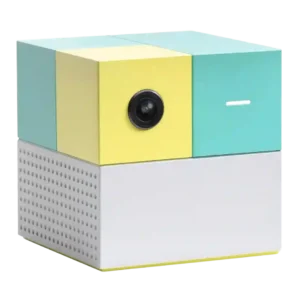
#2 Nex Playground
4.3

Best for easy, controller-free family play that gets kids moving. Skip it if you want deep games, cutting-edge graphics, or dislike paying for Play Pass.

Pros: game library quality, value for money

Cons: subscription service value, graphical performance
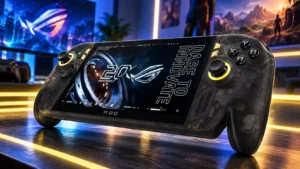
#3 Asus ROG Xbox Ally X20
4.0

The vivid OLED screen and superb grip comfort make this a compelling premium Windows handheld. Its high price buys refinement rather than a major performance leap, and Windows still needs...

Pros: display quality, controller ergonomics

Cons: value for money, ease of use
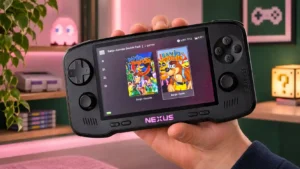
#4 This product Evercade Nexus
Evercade Nexus
4.0

Evercade Nexus brings licensed physical classics to life with its bright screen, twin sticks, and excellent native ports. Slow booting, no suspend or TV output, and reported screen-assembly problems are...

Pros: controller features, display quality

Cons: TV output connectivity, Suspend and resume