
If you want better per-key lighting control
Choose Razer Huntsman V2 TKL. It scores 5.0 vs 2.0 for per-key lighting control, with a 4.0 overall score.

Quiet, responsive keys, a full-size layout and a detachable wrist rest make this a practical budget gaming keyboard. Mechanical-switch enthusiasts and anyone needing wireless connectivity or per-key RGB should look elsewhere.
Budget-conscious PC gamers and people who alternate between work and gaming, particularly in shared spaces where quiet keys are valuable.
Buyers who require wireless connectivity or prefer premium mechanical switches and extensive performance tuning.
The Corsair SKIFF 100 is a sensible choice for anyone who wants a quiet, comfortable full-size keyboard for both gaming and everyday typing. Its membrane switches feel surprisingly responsive, and the lightweight plastic chassis is generally considered sturdy enough for regular desk use. The detachable wrist rest, rotary media dial and splash protection add practical value, while Corsair’s Web Hub and iCUE offer useful remapping and lighting controls. There are compromises: the wrist rest can collect dust or sit too low, the lighting is zone-based rather than per-key, and the wired connection limits flexibility. Mechanical alternatives at comparable prices can offer more satisfying switches and customization. The base model makes sense if you value quiet operation and practical features over enthusiast-level performance, although the slightly more expensive Plus adds dedicated macro keys.
Compared with other Gaming Keyboards, this product is above average in portability, noise level, reliability, near average in actuation consistency, sound dampening, below average in per-key lighting control, macro customization, RGB customization.
| Attribute | This product | Category average | Difference |
|---|---|---|---|
| per-key lighting control | 2.0 | 4.1 | -2.1 |
| portability | 5.0 | 3.5 | +1.5 |
| noise level | 4.9 | 3.9 | +1.0 |
| reliability | 4.5 | 3.6 | +0.9 |
| macro customization | 3.3 | 4.1 | -0.9 |
| wrist rest quality | 4.0 | 3.3 | +0.7 |
| RGB customization | 3.6 | 4.3 | -0.6 |
| media controls | 4.3 | 3.7 | +0.6 |
Choose Razer Huntsman V2 TKL. It scores 5.0 vs 2.0 for per-key lighting control, with a 4.0 overall score.
Choose Glorious GMMK 2. It scores 4.7 vs 3.8 for RGB lighting quality, with a 4.3 overall score.
Choose Logitech G512 X. It scores 4.6 vs 3.6 for RGB customization, with a 4.0 overall score.
Choose Corsair K100 RGB. It scores 5.0 vs 3.5 for backlight brightness, with a 4.1 overall score.
Compared with Corsair SKIFF 100
No. It uses quiet membrane switches that feel responsive and comfortable, but lack the tactile character of many mechanical switches.
Yes. The full-size layout, quiet keys, media controls and detachable wrist rest make it practical for both.
No. It connects using a hardwired USB cable.
No. The lighting uses ten customizable zones rather than individual per-key lighting.
The Plus adds six dedicated programmable G-keys. The base model can remap existing keys, but doing so may override their original functions.
It has an IP53 rating for resistance to accidental splashes, not full waterproofing.
These are a few of the reviews included in our analysis.
Corsair’s Skiff 100 is a wired gaming keyboard with a budget price tag — but is it actually good value?
Curious about the Skiff 100 and Skiff 100 Plus from Corsair? Here’s Kyusai’s full review, looking at which of the two is best.
If you are in need of a new keyboard but you are on a budget, then the Corsair Skiff 100 should be on your rader, but plus or not?
Today, we will be taking a look at the CORSAIR SKIFF 100 Gaming Keyboard. The CORSAIR SKIFF 100 takes a slightly different approach to the...
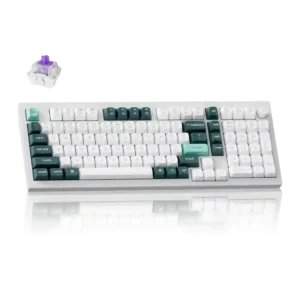
Good if you want a premium 96% Hall Effect keyboard for work and gaming with excellent build, sound, and customization. Skip it if you need cheaper esports-first speed, 8,000Hz polling,...
Pros: size and form factor, typing feel
Cons: switch options, portability
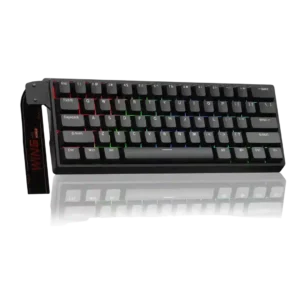
Choose it if competitive gaming speed, Rapid Trigger, and deep per-key customization matter more than extras. Skip it if you need wireless, dedicated arrows/media keys, adjustable height, or a lower-cost...
Pros: overall satisfaction, customization options
Cons: value for money, switch options
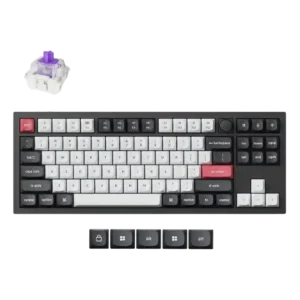
Good if you want a premium, quiet TKL Hall Effect keyboard for typing and gaming. Skip it if price, portability, 8,000Hz polling, or broad switch choice matters most.
Pros: build quality, switch feel
Cons: switch options
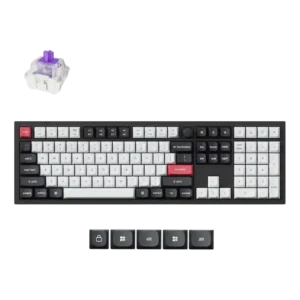
Good if you want a premium full-size Hall Effect keyboard with smooth switches, quiet sound, and deep customization. Skip it if you need a portable, budget-friendly board or broad switch...
Pros: build quality, keycap quality
Cons: switch options, portability