
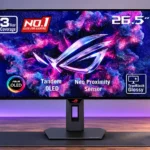
ASUS ROG Strix OLED XG27AQWMG Feature Scores
Explore all 83 feature scores for ASUS ROG Strix OLED XG27AQWMG, organized into pros and cons.
Scores by Feature
Summary
83 reviewed features-
Very positive 4.5-5.043 (52%)
-
Positive 3.5-4.421 (25%)
-
Neutral 2.5-3.410 (12%)
-
Negative 1.5-2.48 (10%)
-
Very negative below 1.51 (1%)
Pros
Sort
-
Near-instant OLED pixel changes keep movement precise at both high and lower refresh rates.
-
Near-infinite OLED contrast gives nighttime scenes and bright objects an unusually dramatic separation.
-
The Tandem WOLED panel delivers extremely deep blacks and retains them unusually well in ambient light, unlike many QD-OLED competitors.
-
Across games and general use, the glossy Tandem OLED image draws praise for clarity, bright highlights, vivid color and black depth.
-
Height, swivel, tilt and two-way portrait rotation provide unusually flexible positioning.
-
The new panel delivers a meaningful improvement in SDR brightness and striking HDR peaks. Performance depends on window size and brightness settings.
-
The monitor is repeatedly described as a strong OLED gaming value, balancing premium image quality with midrange-high refresh speed.
-
Fast pixel transitions make moving objects look clean and sharp, with 280Hz performing better than an equivalent LCD even if faster OLEDs exist.
-
Fourth-generation Tandem WOLED improves brightness and gamut over older WOLED models while retaining OLED contrast and response-time strengths.
-
Small glowing objects and textured highlights can look exceptionally bright against the panel’s dark blacks.
-
Tandem OLED brings impressive HDR brightness and superb contrast, especially in darker scenes. Full-screen output remains below the brightest Mini LED displays.
-
TrueBlack Glossy avoids the grain and haze common on matte coatings, leaving images and text especially crisp.
-
The small square metal stand leaves noticeably more room for keyboards and mice than bulkier gaming monitor bases.
-
OLED transitions are effectively instantaneous, with little to no ghosting or overshoot at the tested refresh rates.
-
PC gaming is a standout use, with high-refresh QHD operation, low latency and highly responsive OLED motion.
-
Most reviewers consider the bright 280Hz Tandem OLED unusually competitive for its class; a few point to cheaper OLEDs or faster rivals.
-
Very fast pixel transitions, low input lag and smooth 280Hz motion suit competitive games. Higher-refresh 360–500Hz models remain available for specialists.
-
Responsive joystick controls, organized menus and software settings make everyday adjustments straightforward.
-
The fourth-generation WOLED panel covers an unusually broad range, producing rich game colors and much wider Rec.2020 coverage than older models.
-
Uniform Brightness keeps the screen steady as window sizes and content change. The consistency comes with a limit on peak brightness.
-
A proximity sensor, pixel-shifting and dimming tools help reduce unnecessary static exposure. None removes the inherent long-term OLED burn-in risk.
-
Power is built into the monitor, eliminating a separate brick and reducing clutter behind the desk.
-
The menu is generally fast and intuitive, with customizable joystick shortcuts for common controls.
-
Metal accents, stable ergonomics and crisp glossy glass give the monitor an upscale impression despite its reasonable OLED pricing.
-
The zero-haze surface keeps imagery crisp, although QHD detail and OLED subpixel rendering trail sharper 4K LCDs for fine text.
-
sRGB and calibrated modes can deliver excellent accuracy, but some tests find default or wide-gamut presets oversaturated and less trustworthy.
-
A relatively restrained front, compact stand and customizable rear RGB balance gaming styling with a clean desktop presence.
-
The monitor feels immediate at high refresh rates. Early tests flagged slower fixed-60Hz handling, with later firmware improving the problem.
-
Adjustable HDR can unlock brighter highlights and extra tuning, although enabling peak performance takes more setup than some would like.
-
FreeSync and G-SYNC support allow variable refresh across NVIDIA and AMD gaming systems.
-
Per-pixel light control keeps bright highlights from producing halos or large glowing zones around dark details.
-
A substantial metal stand and solid fit give the display a premium feel, despite the largely plastic rear casing.
-
Crosshairs, frame-rate displays, timers and extensive OLED-care settings make the gaming feature set useful beyond basic video inputs.
-
Full-bandwidth HDMI 2.1 provides uncompressed 1440p/280Hz on capable PCs and useful high-refresh signal support for consoles.
-
The Neo Proximity Sensor is repeatedly praised for blanking the OLED after someone leaves and restoring the image on return.
-
DisplayWidget Center is a useful alternative to physical buttons, making image profiles and brightness easier to change from a PC.
-
At 280Hz, motion is already very smooth for most games, though esports buyers seeking maximum speed can find 360–500Hz alternatives.
-
QHD at 27 inches provides a practical compromise between image detail and achievable high PC frame rates, with less fine detail than 4K.
-
Colors appear more vivid than on older WOLED models, although pure-color brightness still trails top QD-OLED alternatives.
-
The sRGB clamp and selectable color spaces make accurate setup accessible. A few dedicated modes lock controls or require an external profile.
-
The rear ROG lighting adds a subdued gaming accent and can be adjusted or disabled instead of dominating the desk.
-
The HDMI inputs accept 4K/120Hz console signals and downscale them to the native QHD screen with useful HDR and VRR support.
-
Several HDR modes offer a choice between more accurate tracking and brighter, punchier presentation.
-
Self-emissive pixels turn fully off beside bright details, providing contrast precision that zone-based LCD backlights cannot match.
-
A 27-inch screen provides a popular balance of usable gaming space and manageable desk footprint.
-
Rich contrast, expansive color and vivid effects make slower-paced, atmospheric games particularly enjoyable.
-
The threaded socket atop the stand is useful for mounting a camera, microphone or light directly above the screen.
-
Calibration and the sRGB modes can track gamma closely, though default configurations and near-black behavior are not always perfect.
-
Black-frame insertion offers sharper 120–140Hz motion but disables some valuable gaming features and has limited activation flexibility.
-
The small metal base is mostly firm and stable, though a couple of testers noticed minor wobble.
-
Multiple picture presets and a particularly capable sRGB setting suit different content, though not every default mode is equally accurate.
-
The more accurate HDR modes follow intended brightness closely, while maximum-output configurations can raise midtones in certain scenes.
-
The package supplies useful connection cables and mounting hardware, with some praise for the zippered accessory pouch.
-
Measured power use is improved over older WOLED panels, particularly for bright white content; gaming gains are more modest.
-
The OLED panel maintains its picture well from off-center positions.
-
DisplayPort 1.4 with DSC runs the native QHD/280Hz combination capably, even though the connection is not the newest DP 2.1 standard.
-
QHD is easier to drive at high frame rates than 4K, but achieving the full 280fps still depends heavily on the game and graphics hardware.
-
The 27-inch QHD screen is comfortable for gaming and everyday viewing, but does not have 4K-level fine detail.
-
The pair of USB-A downstream sockets helps connect basic peripherals, but does not substitute for USB-C docking or a KVM.
-
Dark-scene visibility aids can make opponents easier to distinguish, although much of the improvement comes from OLED contrast rather than a dedicated filter.
-
The 3.5mm connection provides an uncomplicated way to get sound despite the absence of built-in speakers.
-
The supplied packing materials protect the stand and panel adequately while keeping unpacking fairly straightforward.
-
Three-year warranty coverage including burn-in adds welcome confidence for an OLED screen.
-
G-SYNC and FreeSync work well for variable-frame-rate gaming, though using stronger anti-flicker modes can narrow the effective VRR range.
Cons
Sort
-
Two HDMI 2.1 inputs, DisplayPort and USB-A cover basic gaming. No USB-C or KVM limits modern docking and shared-device flexibility.
-
There is no integrated KVM, a drawback for anyone switching one set of peripherals between two computers.
-
Its nearly identical naming to other ASUS OLED models draws criticism and makes model identification unnecessarily difficult.
-
There are no built-in speakers, so console and media users need headphones, a soundbar or external speakers.
-
Early launch timing and limited regional retail availability created frustration despite the favorable OLED price.
-
TrueBlack Glossy keeps blacks deep and looks clear, but direct lights create more mirror-like reflections than matte rivals.
-
Fluctuating frame rates can produce distracting flashes, especially in dark scenes. The anti-flicker modes lessen them at the cost of VRR range.
-
Fine text still shows some OLED color fringing despite improved subpixels, and testers disagree on how noticeable it is.
-
Blue-light-filter modes exist, but they cannot be used alongside Uniform Brightness, reducing their practical usefulness for some office routines.
-
Some reported peak-brightness values sent to Windows do not match measured capabilities, complicating automatic calibration.
-
The absence of PiP/PbP rules out viewing two external sources together in split or overlaid windows.
-
The recessed downward-facing ports can be awkward to reach without rotating the screen.
-
Near-black details vary with picture mode and refresh rate; some settings show black crush, while the calibrated sRGB mode reveals more.
-
Peak SDR output can dip noticeably as more of the display becomes bright. Uniform Brightness removes those fluctuations at the cost of the brightest small-window output.
-
ASUS cites a longer-life panel and supplies care features, but the actual lifetime improvement has not been independently established.
-
Static desktop content still carries OLED burn-in risk over time, even with panel-care protections and warranty coverage.
-
Photography benefits from the OLED contrast and wide gamut, but Adobe RGB and other precision workflows may require external profiling and calibration.
-
Uniform light areas are generally good, but several tests flag vertical bands or tinted patches in very dark grays.
-
Black-frame insertion can sharpen motion at lower refresh rates, but reviewers describe restrictive fixed-rate operation and loss of VRR or HDR.
Use Cases
Best for
Sort
-
Games benefit from deep, precise blacks, vivid color and bright HDR highlights; some modes require tuning for their best balance.
-
Controlled lighting brings out the monitor’s deepest blacks, clear glossy finish and strong HDR contrast without distracting reflections.
-
The adjustable stand pivots into vertical orientation, making portrait placement possible without buying another arm.
-
The screen excels at games and makes occasional office tasks pleasant. Heavy daily static use is less ideal because of text artifacts and OLED longevity concerns.
-
The 280Hz response is more than sufficient for casual play, with a rich OLED image even when a PC cannot reach its maximum frame rate.
-
Fast pixel response and clear movement help track enemies during rapid turns, smoky scenes and high-pressure firefights.
-
The newest Tandem WOLED architecture and the unusual glossy treatment make the model interesting for display-technology enthusiasts.
-
The leap from LCD to OLED brings much darker blacks, faster pixel transitions and stronger perceived motion clarity.
-
For shoppers specifically comparing OLED gaming monitors, the price is frequently described as competitive. Cheaper 240Hz alternatives still exist.
-
The panel is brighter than many OLED rivals and holds black depth in moderately bright spaces. Direct sunlight or lights behind the viewer can still reflect sharply.
-
Video looks rich and dimensional, especially in HDR, but visible reflections can detract from dark movie scenes in bright spaces.
-
A threaded stand mount can hold a light, camera or microphone and reduce the need for another desk arm.
Conditional or not ideal for
Sort
-
Single-cable laptop dockingThere is no USB-C video and charging input, so laptop users cannot connect and power their machines with one cable.
-
USB-C laptop dockingMissing USB-C video/power input limits convenience for laptop-first desks.
-
Multi-computer workflowsWithout a KVM switch or USB-C docking, moving between computers is less convenient than on productivity-focused alternatives.
-
Color-critical workAccurate sRGB settings help, but the lack of Adobe RGB emulation and mixed factory-mode findings make serious color work more conditional.
-
Photosensitive playersBlack-frame insertion and variable-refresh flicker may cause discomfort for flicker-sensitive players, while anti-flicker settings require compromises.
-
Long-term ownershipThe three-year burn-in coverage and care tools offer reassurance, but genuine multi-year Tandem OLED durability is not yet established.
-
Content creationThe vivid gamut is useful for some visual work, but accuracy-critical creation may need calibration and the connectivity lacks creator-focused conveniences.
-
Desktop productivityText and SDR brightness are improved enough for occasional office work. Extended static use and remaining text fringing keep it from being an ideal all-day work display.