
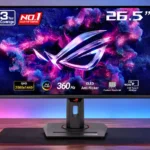
ASUS ROG Strix OLED XG27ACDNG Feature Scores
Explore all 80 feature scores for ASUS ROG Strix OLED XG27ACDNG, organized into pros and cons.
Scores by Feature
Summary
80 reviewed features-
Very positive 4.5-5.046 (57%)
-
Positive 3.5-4.423 (29%)
-
Neutral 2.5-3.410 (13%)
-
Negative 1.5-2.41 (1%)
Pros
Sort
-
The broad QD-OLED gamut produces exceptionally vivid reds and rich colors, with sRGB clamping available when restraint matters more than saturation.
-
Pixel-level light control delivers exceptionally strong dark-scene contrast and convincing image depth without LCD-style backlight halos.
-
Fast transitions and 360Hz make moving detail look unusually sharp and stable, with little visible smearing.
-
Its combination of deep blacks, bright accents and vivid color makes both SDR and HDR images exceptionally appealing.
-
The native 360Hz panel delivers wonderfully fluid motion, especially over 240fps; that advantage shrinks in slower games or on consoles.
-
360Hz operation, near-instant response and low lag are excellent for shooters and esports when the PC can deliver high frame rates.
-
Near-instant OLED transitions keep action crisp with exceptionally low blur and very little meaningful pixel-response delay.
-
The overall experience is strongly praised for fast, gorgeous gaming and abundant features, with lighting, HDR brightness and value providing the principal caveats.
-
QD-OLED's self-emissive contrast, vivid color and responsiveness are central to the appeal, though brighter rooms can expose its characteristic raised blacks.
-
Truly deep blacks are a highlight in dark rooms, but ambient light can turn them grayish or purple on this QD-OLED panel.
-
Two HDMI 2.1 ports, DisplayPort, USB-C and multiple USB connections form a flexible setup for PCs, consoles and peripherals.
-
Up to 90W charging is a meaningful convenience for laptops and portable devices and a welcome addition to a fast gaming monitor.
-
Moving objects remain clean and well defined, with minimal smearing or overshoot even during rapid action.
-
Controls feel immediate, with measured low processing delay that makes the monitor highly responsive in fast games.
-
The integrated KVM is a practical benefit for using one keyboard and mouse with a desktop and laptop, even if initial configuration is needed.
-
Height, tilt, swivel and full portrait pivot are generous and generally smooth, although one assessment finds the maximum height merely average.
-
Extensive gamut, gamma, color-temperature and saturation adjustments make the image highly configurable; the best presets differ according to the task.
-
There is a substantial collection of crosshairs, frame counters, shadow enhancements and custom controls, with more tuning options than several competitors.
-
Deep blacks and vivid QD-OLED color create dramatic HDR images, particularly in dark scenes; bright full-screen scenes and some tone-mapping choices are less convincing.
-
Stand parts snap or screw together quickly, and the included mounting adapter eases the move to a monitor arm.
-
Full-bandwidth HDMI 2.1 connections are a genuine advantage for modern consoles and PCs, adding flexibility over some competing OLED monitors.
-
A supplied VESA adapter and standard 100×100mm support make monitor arms and wall mounting straightforward.
-
The package is generous, with multiple video and USB cables, cleaning supplies and a mounting adapter that make first setup easier.
-
PS5 and Xbox can take advantage of HDMI 2.1, 120Hz and compatible VRR/HDR modes, though accepted 4K signals are displayed at native 1440p.
-
The semi-glossy finish keeps images crisp and colorful without the grain of heavy matte coatings, though it trades off some glare resistance.
-
The joystick-based menus offer lots of control and are generally easy to navigate; desktop software adds a more convenient alternative.
-
ASUS supplies extensive pixel cleaning, shifting and static-logo controls plus burn-in warranty coverage, but none removes the inherent risk of permanent marks.
-
Adaptive sync generally keeps games tear-free and responsive, although fluctuating frame rates can introduce OLED flicker and mitigation tradeoffs.
-
Some tests find near-reference accuracy without calibration, while others recommend tuning specific modes for the best sRGB or HDR results.
-
Unusually extensive HDR menus let owners adjust brightness, contrast and color rather than accepting a locked preset; tweaking can alter accuracy.
-
A phone slot in the stand is surprisingly useful and can accommodate even some large handsets with cases.
-
A futuristic ROG rear shell and customizable lighting look distinctive, while the comparatively plain plastic stand divides opinion.
-
The stand feels solid during adjustments, with smooth travel and little reported looseness or wobble.
-
Pixel-level OLED illumination keeps bright objects crisp against dark surroundings, without the glowing halos common to some backlit LCDs.
-
Colors and contrast hold up impressively from off-center positions, giving a forgiving viewing sweet spot.
-
The screen housing and mechanical parts generally feel solid; some find the stand's plastic finish less premium than similarly priced rivals.
-
Feature-rich 360Hz OLED performance is appealing at a discount, while full-price comparisons with cheaper 240Hz panels and newer OLEDs require care.
-
FreeSync, G-SYNC Compatible and HDMI VRR give good support across modern hardware, though some settings require care to avoid disabling the feature.
-
High refresh, flexible video inputs and adaptive-sync support suit powerful PCs particularly well, with access to the monitor's full 360Hz speed.
-
Adjustable Shadow Boost can expose dark gameplay details without excessively washing out highlights.
-
The 10-bit panel delivers fine tonal steps and smooth gradients that complement both gaming and creative work.
-
Measured white and dark-field uniformity is impressively consistent, with little visible discoloration across the tested panels.
-
Three USB-A ports and the upstream connections add useful peripheral access, especially alongside the KVM for a two-computer desk.
-
It stands out among several QD-OLED competitors in SDR and can deliver striking small HDR peaks, but broad bright HDR scenes remain comparatively dim.
-
Multiple HDR modes make it possible to prioritize peak highlights or a steadier image, but none is ideal for every brightness level.
-
QHD strikes a useful balance between visual detail and the frame rates needed for high-refresh gaming, but it cannot match native 4K sharpness.
-
Small HDR lights pop against true black, while larger highlights can dim or roll off, depending on the mode and content.
-
Games and photos look crisp at QHD, and VividPixel can assist text; native 4K screens remain sharper for desktop fine detail.
-
A standard power cable connects directly to the monitor, avoiding a separate external power brick and making cable replacement straightforward.
-
Photoshop images appear detailed and richly colored, while calibration and sRGB options help make the display suitable for serious image work.
-
A three-year burn-in-inclusive warranty offers reassurance, but actual coverage and conditions depend on the buyer's region.
-
The illuminated rear logo gives the chassis a distinctive gamer look and offers customizable effects, but it is too subtle to meaningfully light up a wall.
-
OLED contrast and color make story-driven games striking, but 360Hz is often unnecessary and bright-scene HDR can be less compelling than higher-resolution alternatives.
-
DisplayWidget offers a convenient desktop interface for settings and shortcuts, making frequent picture adjustments easier than joystick-only navigation.
-
A top-mounted threaded socket is convenient for placing a compatible microphone, camera or light above the display.
-
Third-generation QD-OLED reduces colored outlines around letters, but fine text remains less clean than on a conventional LCD and sensitivity varies.
-
The 1440p resolution is more achievable at high frame rates than 4K, but taking full advantage of 360Hz still demands fast games and a suitably capable PC.
-
The 27-inch flat screen balances gaming immersion with a manageable amount of desk space, and its size is praised as practical for QHD pixel density.
-
Individual OLED pixels eliminate the zone-transition and halo artifacts associated with conventional local-dimming backlights.
-
The integrated power supply uses a standard, easy-to-replace mains cable rather than a proprietary external adapter.
-
Fine shadow nuances remain visible alongside bright accents, taking advantage of OLED's pixel-by-pixel light control.
-
Uniform Brightness can tame distracting changes as windows or bright scenes change, though it reduces peak output. Several tests find the default behavior less intrusive than on rival QD-OLEDs.
-
Flicker-free and low-blue-light options offer flexibility, while OLED anti-flicker settings can help some situations at the expense of VRR behavior.
-
Some measurements show impressively accurate gamma in the right preset, while others find noticeable errors in several alternative modes.
-
The KVM, docking-friendly USB-C and strong color make light creative and desktop work feasible, despite the static-content tradeoff.
-
Thin top and side borders make the monitor look tidy and help it sit neatly next to a second display.
-
Racing mode receives praise for natural balance, while certain stylized presets look exaggerated or poorly calibrated without adjustment.
-
1440p at 27 inches looks sharp in games and photographs, but text is not as finely defined as on higher-density 4K OLED displays.
-
Viewing more than one source is useful, though some accounts distinguish between available picture-in-picture and missing side-by-side options.
Cons
Sort
-
Flicker can be visible during fluctuating frame rates in dark games or menus; the mitigation settings may narrow VRR's operating range and cause other compromises.
-
Sending it 4K for desktop use produces softer text than native QHD, so the higher accepted input resolution is not a substitute for a native 4K panel.
-
Static logos, taskbars and other fixed elements still present a risk of image retention or eventual burn-in, despite the monitor’s protective routines.
-
Changing certain HDR or flicker controls can unexpectedly exit HDR and require re-enabling it in the game, a frustrating setup quirk.
-
Routing behind the stand is basic, and one hands-on setup found cables hanging visibly when the monitor was raised.
-
The coating keeps some reflections under control but cannot entirely overcome direct light, and stronger illumination can raise black levels.
-
True Black mode can track its target well, but higher-peak modes trade accuracy and brightness behavior, with occasional clipping or dimming complaints.
-
The 27-inch format is comfortable for normal desk gaming, though some users want a larger, higher-resolution option.
-
Its OLED black-frame insertion can improve clarity at 120Hz and 180Hz; the loss of brightness, HDR and variable refresh makes it a niche alternative to normal 360Hz operation.
-
Black-frame insertion sharpens motion at 120Hz or 180Hz, but the substantial brightness loss and inability to combine it with VRR or HDR limit its appeal.
-
The screen assembly looks and feels sturdy, but opinions split over the more ordinary plastic stand and its fit with the premium ROG aesthetic.
Use Cases
Best for
Sort
-
Controlled lighting unlocks the panel's deepest blacks, rich contrast and striking HDR highlights, making night gaming and viewing particularly rewarding.
-
Dark games with isolated lights, sparks or neon look excellent; brighter overall scenes expose the panel's more limited sustained HDR brightness.
-
Wide color coverage and strong calibration potential make it capable for color-sensitive projects, although the most accurate setup may require selecting a suitable preset or tuning it.
-
Fast gaming performance, USB-C charging and KVM fit a split gaming-and-work desk, although full-time static productivity use is a less natural fit for OLED.
-
Switching a shared keyboard and mouse between attached computers is a standout convenience, helped by USB-C video and the built-in USB hub.
-
A compatible USB-C laptop can receive video, peripherals and up to 90W of charging over one connection, making desk swaps simpler.
-
Video looks especially rich thanks to deep contrast, smooth motion and saturated colors; a dim room gets the best from the finish.
-
Rich colors, a broad gamut and helpful sRGB settings make this a capable design display, especially when its color controls are tuned for the project.
-
The USB-C display input, USB hub and substantial power delivery make the monitor practical for attaching a compatible laptop with less cable clutter.
-
Fast-moving racing scenes benefit from the quick OLED response, while bright environmental detail and saturated colors make the visuals enjoyable.
-
USB-C and KVM help with daily work, but subpixel text fringing and prolonged static-content burn-in concerns keep it from being an ideal all-day office display.
-
Quick response, vivid imagery, and smooth panning make everyday games a pleasure even when they cannot reach the full 360Hz.
-
Thin bezels and an accommodating shape work well alongside another display, without demanding an especially complex mounting arrangement.
-
The USB-C video input and power delivery make connecting a compatible handheld practical without a separate tangle of video and power cables.
-
Its wide gamut and calibratable image can serve visual color work, though high sustained brightness is not its strongest attribute.
-
A full 90-degree pivot adds a useful vertical layout option without requiring a separate stand.
-
The eye-catching rear shell is a nice touch when the monitor's back is visible on camera, and its top mount can hold compatible recording accessories.
-
Vivid colors, broad gamut and smooth playback suit editing work, with calibration recommended when tonal accuracy is important.
Conditional or not ideal for
Sort
-
Bright-room viewingSome find its SDR brightness surprisingly serviceable, but reflections and lifted purple-looking blacks can make sunlit desks a poor match.
-
Programming and codingLong hours with static development-tool windows are a cautious fit because of text rendering compromises and burn-in risk.
-
Budget-conscious buyersIts price is easier to justify on promotion; cheaper 240Hz OLEDs can deliver much of the visual benefit when 360Hz is unnecessary.
-
Long-term ownershipThe three-year burn-in coverage helps, but static interfaces can still pose a long-term risk that short-term use cannot rule out.