
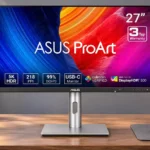
ASUS ProArt Display PA27JCV Feature Scores
Explore all 81 feature scores for ASUS ProArt Display PA27JCV, organized into pros and cons.
Scores by Feature
Summary
81 reviewed features-
Very positive 4.5-5.034 (42%)
-
Positive 3.5-4.420 (25%)
-
Neutral 2.5-3.411 (14%)
-
Negative 1.5-2.49 (11%)
-
Very negative below 1.57 (9%)
Pros
Sort
-
5K detail and accurate color make examining and refining photographs a standout use, especially when small edits need to be visible.
-
At roughly 218 pixels per inch, text, images and design details look unusually finely rendered. The high density is especially appealing with Mac scaling.
-
The dense 27-inch 5K panel makes tiny details and interface elements noticeably cleaner than on many lower-resolution screens. The upgrade over a good 4K monitor may be modest to some eyes.
-
Most experiences are favorable, especially for creative work and 5K value. The weaker HDR, 60Hz speed and less luxurious construction are the recurring compromises.
-
Factory calibration earns frequent praise for trustworthy colors with little need for adjustment. A few tests find more modest accuracy or suggest mode-specific calibration.
-
The LuxPixel matte surface does an excellent job suppressing glare and reflections in bright spaces, often at the cost of some glossy-screen crispness.
-
Fine text and photo edges are a major attraction, though the pronounced matte finish can make the image appear softer than a glossy 5K display.
-
One USB-C cable can carry the image and charge many laptops at up to the specified power allowance, helping keep desks less cluttered.
-
Rich colors, excellent detail and strong brightness make the everyday picture appealing. Matte softness, edge uniformity and HDR compromises prevent a flawless result.
-
A relatively affordable path to a high-density 5K creator screen is a recurring selling point. Premium 4K models can still cost less and deliver comparable practical clarity for some.
-
Automatic keyboard-and-mouse switching between two systems is one of the more practical extras. Setup and switching smoothness vary by workflow.
-
Strong SDR brightness gives this display ample headroom for sunlit studios. Some presets restrict luminance or need lowering for comfortable indoor work.
-
Tool-free or near-tool-free assembly makes first setup quick, although one stand latch arrangement takes a little care.
-
The built-in hub is useful for low-speed peripherals and a second computer, but it cannot replace a faster Thunderbolt dock for storage-heavy workflows.
-
P3 and sRGB coverage are typically excellent and there are useful gamut presets. Adobe RGB coverage is less complete and can matter for print-oriented work.
-
Extensive presets for sRGB, P3, Adobe RGB, Rec.709 and other standards make the monitor adaptable to different projects. Factory settings are often accurate enough to avoid recalibration.
-
Front controls and a joystick make the rich menus easier to navigate than rear-mounted buttons for most users, although a few find the menu cumbersome.
-
At the Mac-friendly 5K density, interface text can stay crisp at convenient sizes, avoiding many of the compromises associated with 27-inch 4K scaling.
-
An internal power supply removes a bulky external brick and helps make cable routing neater.
-
On-screen rulers and framing markers offer practical help aligning content and working at familiar print sizes.
-
Standard VESA mounting offers an easy alternative to the included stand, particularly for arm-based workstations.
-
Contrast is better than on conventional IPS displays, adding welcome depth to SDR images. It remains well behind OLED in dark scenes.
-
Extra USB ports near the front edge make temporary accessories and charging connections much easier.
-
Grayscale and gamma tracking are generally dependable, making standard color modes useful without extensive setup.
-
The restrained black-and-silver appearance fits a studio or home office, though some find the thick lower bezel and plastic finish plain.
-
The relatively compact stand leaves useful space for other equipment on a desk.
-
Recyclable packaging and resource-conscious materials are positive touches for an office product.
-
The 27-inch screen balances substantial workspace with a relatively modest desk footprint.
-
Three-year warranty coverage is a reassuring plus for a relatively affordable 5K display.
-
LuxPixel significantly reduces glare, but its diffusion can add a slightly hazy or grainy texture to fine text and white backgrounds. Preferences split between matte practicality and glossy punch.
-
USB-C, HDMI and DisplayPort cover mainstream setups, and the hub is handy. Buyers wanting Thunderbolt, Ethernet or more high-speed ports may find it limited.
-
Some HDR presets track the target curve accurately, even though the backlight and black level restrict the visual result.
-
The true 5K resolution suits macOS scaling well, but native Apple-style brightness, audio and camera integration are weaker.
-
The IPS Black panel offers respectable blacks for ordinary work, but shadows can look gray and do not reach OLED depth.
-
The accessible front buttons and shortcuts are generally convenient for adjusting profiles or inputs, though the layout is not universally liked.
-
Height, swivel, tilt and pivot flexibility are broadly appreciated, offering more ways to position the screen than many basic stands.
-
Multiple inputs can share the screen, handy for comparing feeds or juggling computers, though deeper menu setup can be fiddly.
-
A native DisplayPort input helps the screen fit traditional PC desks, with one test finding it stable at full resolution.
-
The matte finish, flicker-free output and low-blue-light options can reduce glare-related discomfort during long sessions.
-
Selectable HDR curves offer welcome control over highlight rolloff and output character.
-
The absence of reported coil whine makes this a quieter-feeling alternative to at least one compared 5K display.
-
Recyclable, repurposable packaging adds a practical touch to the unboxing experience.
-
Portability and weight earns praise as a useful part of the PA27JCV’s creator-focused design.
-
Desktop control software adds convenience for profiles and settings, but Mac-side integration can require third-party tools.
-
Construction is generally serviceable, with a plastic-heavy shell rather than Apple-like metal. Some reports mention creaking or stand wobble.
-
HDMI input allows console use for basic play, but without high-refresh benefits.
-
Motion trails are not necessarily severe at 60Hz, and the screen can manage occasional slower games reasonably well.
-
A conventional headphone jack makes it easier to bypass the weak internal speakers.
-
Input delay is acceptable for casual games, though competitive players should choose a faster display.
-
The foldable phone stand in the packaging is a small but handy way to keep a device accessible.
-
Light-sensing features are intended to stabilize color early after startup, though this benefit is subtle.
-
Slim top and side frames give the large panel a relatively tidy outline, although the lower chin remains noticeable.
-
MediaSync is a useful addition for smooth film-rate content playback in editing workflows.
-
A useful starter set of cables and small extras is provided, though some regional packages lack a USB lead or shading hood.
Cons
Sort
-
A 60Hz refresh ceiling and visible motion blur make this a poor substitute for a fast gaming monitor.
-
The integrated speakers are widely criticized as too quiet, thin or muffled for enjoyable audio. External speakers or headphones are the better option.
-
The built-in sound lacks volume and body and is suitable mainly for basic system alerts.
-
Dynamic dimming is a weak spot; large zones can brighten unrelated portions of the image. Several testers prefer leaving it disabled.
-
The 60Hz ceiling is repeatedly cited as dated, especially beside modern high-refresh laptop screens and for fast video or gaming.
-
The edge-lit dimming can create obvious light pillars or halos around small bright objects, particularly against dark backgrounds.
-
Panel consistency is a recurring caveat: some units show darker edges, hot spots or backlight bleed, while others look clean and even.
-
The limited edge lighting can reveal vertical stripes or uneven illumination in high-contrast scenes.
-
Model naming clarity is a limitation that matters most when this capability is important to the setup.
-
On a Mac, changing volume can require navigating the monitor menu instead of using familiar hardware controls.
-
The display prioritizes capability over luxurious materials, which makes sense at its price but feels less refined than flagship competitors.
-
HDR is usable for basic previewing or occasional viewing, but large edge-lit zones and limited black depth fall short of serious HDR mastering and cinematic contrast.
-
Scrolling and fast action show blur compared with gaming-oriented monitors. Static editing, still images and slower-paced games are more comfortable.
-
The printed quick-start guide can feel sparse; the downloadable full manual is more useful.
-
Tonal gradations can be smooth at this pixel density, although one lab found irregularities in the gray ramp.
-
The absence of built-in Thunderbolt limits high-bandwidth dock functions and daisy chaining compared with some rivals.
-
There is no built-in webcam to match Apple’s all-in-one monitor experience, so video calls require an accessory.
-
MediaSync offers a narrow variable-refresh range, and enabling it can restrict overdrive options.
-
Experiences vary sharply by unit. Several users noticed clear edge bleed in dark imagery, while others found little or none.
-
Viewing angles is a situational tradeoff rather than a clear reason to buy this display.
-
Overdrive can help with video playback, but its interaction with Adaptive-Sync limits how flexibly it can be used.
-
Pixel response is adequate for basic use but not optimized for fast-moving games.
-
Mac wakeup takes several seconds for some setups, while others find standby and wake behavior acceptable.
-
VESA MediaSync can help steady frame pacing near 60fps but is less versatile than gaming-oriented high-refresh VRR.
-
The ambient sensor can adapt the display to room lighting, but at least one Mac-based evaluation found the changes overly dark and warm.
-
The stand routes cables through a rear opening, but its low position can leave cords visible at taller heights.
-
The stand can feel sturdy on some desks but wobble noticeably during typing or when nudged in other setups.
Use Cases
Best for
Sort
-
Strong brightness and an exceptionally low-glare matte finish keep content visible near windows and under studio lighting.
-
Photography, illustration and design benefit from the detailed, well-calibrated screen and convenient inputs.
-
Text clarity, a flexible stand and enough room for multiple windows make everyday office work comfortable and productive.
-
Factory-calibrated profiles and broadly accurate colors inspire confidence for demanding SDR work. Uniformity and Adobe RGB coverage still matter for the pickiest users.
-
USB-C video, data and charging make it convenient to dock a compatible laptop using one cable.
-
Laptop docking is a strong fit for ordinary peripherals and charging, though there is no Thunderbolt-class data throughput.
-
Fine lines, dense interface elements and extensive color settings make it an excellent tool for layout and graphics work.
-
The high-resolution workspace and dependable SDR colors help video-editing timelines, though 60Hz and HDR backlighting limit some advanced workflows.
-
For buyers set on 5K, the value is a major selling point; those satisfied by 4K can spend less.
-
KVM switching and multiple inputs let a laptop and desktop share peripherals with less cable swapping.
-
The rotating stand supports tall-page layouts, although its free movement may make precise leveling fiddly.
-
The 27-inch canvas and layout aids help with print-sized design; Adobe RGB coverage is good but not complete enough to satisfy every print specialist.
-
Its compact base and flexibility let it pair with another screen, even at a different resolution.
-
Slower-paced games remain enjoyable in 5K, but 60Hz motion is not ideal for rapid action.
-
At least one setup reports smooth Linux compatibility alongside standard PC connectivity.
-
Mixed-resolution dual-screen desks can use the PA27JCV effectively, although zoom or scaling adjustments may be needed.
-
Mac owners get desirable Retina-like pixel density at a lower price than Apple’s studio displays, while giving up some speakers, camera and system integration.
-
Movies can look crisp and colorful, but some dark scenes expose uneven backlighting and limited HDR contrast.
Conditional or not ideal for
Sort
-
HDR color gradingColor-critical SDR work is a much better match than sustained HDR grading, where local-dimming behavior and contrast hold it back.
-
Dark-room viewingDark viewing is more conditional: backlight bleed and elevated blacks can distract, although low minimum brightness is useful for nighttime work.
-
Mixed work-and-play setupsCreative productivity is excellent, but those who also want fluid high-refresh gaming must accept a substantial compromise.