
Overall: 3.8/5
Standard mounting points and the thin body support an attractive wall installation, though rear input access can get awkward.
Pros: picture quality, 4K at 144 Hz support
Cons: sound quality, value for money

Overall: 3.8/5
Standard mounting points and the thin body support an attractive wall installation, though rear input access can get awkward.
Pros: picture quality, 4K at 144 Hz support
Cons: sound quality, value for money

Overall: 3.6/5
The light body and slim frame make wall mounting practical for bedroom buyers, with standard mounting hardware patterns covered.
Pros: picture quality, overall satisfaction
Cons: sound quality, reliability
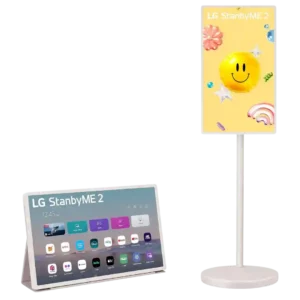
Overall: 3.8/5
The ability to hang the detached screen on a wall adds useful placement flexibility. One customer specifically loved using it as wall art as well as a TV.
Pros: overall satisfaction, portability and versatility
Cons: value for money, menu responsiveness

Overall: 4.0/5
VESA mounting and side-facing inputs make mounting relatively straightforward.
Pros: color accuracy, picture quality
Cons: HDR brightness, peak brightness

Overall: 3.8/5
The thin chassis and wireless source box are especially well suited to neat wall installations. Only the power connection must reach the display itself.
Pros: glare resistance, overall satisfaction
Cons: input lag, value for money
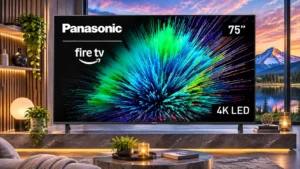
Overall: 3.3/5
VESA mounting is straightforward, but input access becomes awkward once the screen is close to the wall.
Pros: picture quality, motion handling
Cons: HDR performance, HDR brightness
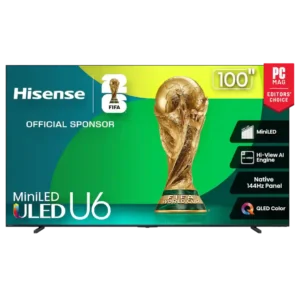
Overall: 4.2/5
Wall mounting is straightforward and can produce a relatively slim, tidy profile despite the TV's mini-LED depth.
Pros: overall satisfaction, value for money
Cons: smart TV platform, blooming control

Overall: 3.4/5
Common VESA mounting options are available, although spacing, port access and handling become important with the biggest models.
Pros: picture quality, value for money
Cons: viewing angles, HDR performance

Overall: 4.0/5
The thin panel and external connections suit wall mounting, although placement and cable routing require planning.
Pros: reflection handling, overall satisfaction
Cons: Dolby Vision support, bass performance

Overall: 4.2/5
The slim body looks smart on a wall and supports standard mounting, though recessed sockets are less accessible afterward.
Pros: picture quality, glare resistance
Cons: value for money, bass performance

Overall: 3.9/5
A slim profile and standard mounting arrangements suit wall installations, provided the mount matches the exact size.
Pros: color volume, black levels
Cons: Inconsistent panel and coating by size, sound quality

Overall: 4.2/5
Its slim, flat rear and frame-like front make wall mounting appealing. Access to recessed ports requires forethought.
Pros: high-refresh-rate gaming, gaming performance
Cons: value for money, bass performance
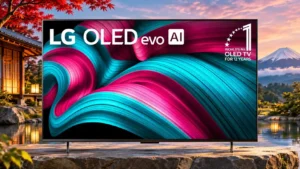
Overall: 4.0/5
VESA mounting and slim edges work well on a wall, although reaching some side inputs afterward is less convenient.
Pros: value for money, overall satisfaction
Cons: Remote control usability, sound quality

Overall: 3.9/5
Standard VESA mounting is available and the front looks tidy on a wall. Heavy panels and recessed sockets need planning.
Pros: gaming performance, overall satisfaction
Cons: sound quality, value for money

Overall: 3.9/5
A thin profile and standard mounting layout make wall installation feasible with a compatible bracket.
Pros: value for money, overall satisfaction
Cons: Dolby Vision support, sound quality
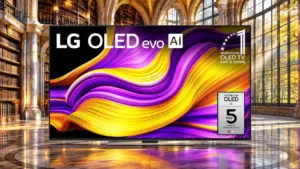
Overall: 4.2/5
Wall mounting is central to the G5’s appeal, although cable routing, port access, and installation planning deserve attention.
Pros: overall satisfaction, picture quality
Cons: banding control, remote control quality

Overall: 3.9/5
The set looks tidy on a wall, with side-facing connectors that can help keep cables out of sight.
Pros: peak brightness, value for money
Cons: reflection handling, glare resistance

Overall: 3.8/5
Compatible mounts are available, but buyers need to check the exact screen size's weight and VESA pattern before installation.
Pros: overall satisfaction, picture quality
Cons: value for money, local dimming performance

Overall: 4.0/5
Wall mounting is possible and sometimes straightforward, but rear port placement, plug design, thickness, and large-screen weight can complicate installation.
Pros: overall satisfaction, picture quality
Cons: reliability, build quality

Overall: 4.1/5
The TV can be mounted, but unusual VESA positioning and the 100-inch set's weight make careful hardware planning essential.
Pros: peak brightness, HDR brightness
Cons: sound quality, viewing angles

Overall: 3.0/5
The light design can be wall-mounted, but recessed ports and model-specific mounting details call for careful planning.
Pros: color gamut, smart TV platform
Cons: value for money, overall satisfaction
Overall: 3.0/5
Wall mounting is possible but can obstruct rear inputs, complicate cables and require careful model-specific planning.
Pros: viewing angles, smart TV platform
Cons: overall satisfaction, refresh rate
Overall: 3.9/5
Wall mounting works, but the low screw placement can leave the TV sitting higher than expected on an existing mount.
Pros: gaming performance, peak brightness
Cons: HDMI 2.1 support, HDMI 2.1 port count

Overall: 3.8/5
An included mounting system supports a tidy result, yet its bracket geometry and incompatibility with older hardware complicate upgrades.
Pros: Wireless One Connect compatibility, art display mode
Cons: value for money, input lag

Overall: 4.2/5
Wall-mounting is possible, but the low VESA position and rear-facing ports call for careful planning.
Pros: value for money, color accuracy
Cons: HDR brightness, reflection handling

Overall: 3.3/5
Wall mounting is possible, but rear-facing connections can require extra clearance or right-angle cables.
Pros: color accuracy, upscaling quality
Cons: picture quality, sound quality