Best for wall-mount compatibility
Samsung QN70F
5.0 attribute score
Highest scored product for this attribute based on supporting review evidence.

Highest scored product for this attribute based on supporting review evidence.
Balances the attribute score, supporting reviews, and overall product strength.
Has the broadest review evidence for this attribute.
Strongest overall product among items with scored evidence for this attribute.

Overall: 3.8/5
Standard mounting points and the thin body support an attractive wall installation, though rear input access can get awkward.
Pros: picture quality, 4K at 144 Hz support
Cons: sound quality, value for money

Overall: 3.8/5
Its relatively restrained design and flat rear make mounting straightforward, although rear connections become harder to reach close to a wall.
Pros: picture quality, contrast ratio
Cons: blooming control, glare resistance

Overall: 3.5/5
The included slim mount lets The Frame hang almost like artwork, and standard VESA holes offer flexibility. Concealed cables remain important for a polished result.
Pros: art display mode, design and appearance
Cons: overall satisfaction, HDMI port accessibility

Overall: 3.8/5
The thin chassis and wireless source box are especially well suited to neat wall installations. Only the power connection must reach the display itself.
Pros: glare resistance, overall satisfaction
Cons: input lag, value for money

Overall: 4.0/5
The thin panel and external connections suit wall mounting, although placement and cable routing require planning.
Pros: reflection handling, overall satisfaction
Cons: Dolby Vision support, bass performance

Overall: 4.2/5
The slim body looks smart on a wall and supports standard mounting, though recessed sockets are less accessible afterward.
Pros: picture quality, glare resistance
Cons: value for money, bass performance

Overall: 3.9/5
A slim profile and standard mounting arrangements suit wall installations, provided the mount matches the exact size.
Pros: color volume, black levels
Cons: Inconsistent panel and coating by size, sound quality

Overall: 4.2/5
Its slim, flat rear and frame-like front make wall mounting appealing. Access to recessed ports requires forethought.
Pros: high-refresh-rate gaming, gaming performance
Cons: value for money, bass performance

Overall: 2.7/5
Its light, relatively slim body is easy to mount, although backward-facing ports make cable hookup awkward.
Pros: white balance accuracy, design and appearance
Cons: overall satisfaction, value for money

Overall: 3.9/5
A thin profile and standard mounting layout make wall installation feasible with a compatible bracket.
Pros: value for money, overall satisfaction
Cons: Dolby Vision support, sound quality

Overall: 4.0/5
The set can be mounted using standard VESA hardware, but recessed ports are harder to reach when installed flush against a wall.
Pros: black levels, picture quality
Cons: glare resistance, reflection handling

Overall: 3.8/5
The included two-bracket mount achieves an elegant flush finish but needs accurate alignment and suitable wall support.
Pros: cable management, design and appearance
Cons: value for money, Dolby Vision support

Overall: 2.6/5
The screen can be wall mounted, but rear-facing sockets may require specialized adapters to sit close to a wall.
Pros: sound quality, picture quality
Cons: value for money, local dimming performance

Overall: 3.8/5
Compatible mounts are available, but buyers need to check the exact screen size's weight and VESA pattern before installation.
Pros: overall satisfaction, picture quality
Cons: value for money, local dimming performance

Overall: 3.8/5
Wall installation is possible, although the slightly deeper chassis projects farther from the wall than slimmer alternatives.
Pros: overall satisfaction, color gamut
Cons: value for money, local dimming performance

Overall: 3.7/5
The slim chassis looks appealing on a wall, although reaching rear inputs can be awkward and one long-term user flagged heat concerns.
Pros: color volume, overall satisfaction
Cons: value for money, color accuracy

Overall: 3.1/5
Wall mounting is feasible, but VESA patterns change by size and recessed inputs are difficult to reach afterward.
Pros: picture quality, overall satisfaction
Cons: sound quality, black levels

Overall: 3.0/5
The light design can be wall-mounted, but recessed ports and model-specific mounting details call for careful planning.
Pros: color gamut, smart TV platform
Cons: value for money, overall satisfaction

Overall: 4.2/5
The frame makes the most visual sense mounted close to a wall, although mounting hardware and setup expectations vary.
Pros: picture quality, overall satisfaction
Cons: design and appearance, Dolby Vision support

Overall: 3.8/5
An included mounting system supports a tidy result, yet its bracket geometry and incompatibility with older hardware complicate upgrades.
Pros: Wireless One Connect compatibility, art display mode
Cons: value for money, input lag
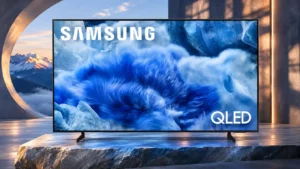
Overall: 3.3/5
The thin, light construction can make wall mounting straightforward. Buyers should verify mount compatibility and connector clearance, and some users dislike the rear mounting-hole spacing.
Pros: overall satisfaction, picture quality
Cons: reliability, remote control quality

Overall: 4.5/5
The thin panel looks wall-mount friendly, but the thicker rear electronics section can leave a visible gap at the edges.
Pros: glare resistance, black levels
Cons: Dolby Vision support, color gamut

Overall: 3.3/5
Wall mounting is possible, but rear-facing connections can require extra clearance or right-angle cables.
Pros: color accuracy, upscaling quality
Cons: picture quality, sound quality

Overall: 3.1/5
Wall mounting is possible, but rear-facing and rotated connections make a tight installation impractical.
Pros: gaming performance, color accuracy
Cons: value for money, overall satisfaction