
Overall: 3.8/5
Its relatively restrained design and flat rear make mounting straightforward, although rear connections become harder to reach close to a wall.
Pros: picture quality, contrast ratio
Cons: blooming control, glare resistance

Overall: 3.8/5
Its relatively restrained design and flat rear make mounting straightforward, although rear connections become harder to reach close to a wall.
Pros: picture quality, contrast ratio
Cons: blooming control, glare resistance

Overall: 3.8/5
The slim panel looks neat mounted on a wall, and mounting avoids the polarizing two-legged stand.
Pros: value for money, peak brightness
Cons: color accuracy, stand quality

Overall: 4.4/5
The flat Gallery chassis and included zero-gap or slim mounts create an especially clean, picture-like wall installation.
Pros: picture quality, peak brightness
Cons: value for money, sound quality

Overall: 3.5/5
The included slim mount lets The Frame hang almost like artwork, and standard VESA holes offer flexibility. Concealed cables remain important for a polished result.
Pros: art display mode, design and appearance
Cons: overall satisfaction, HDMI port accessibility

Overall: 3.8/5
The included flush-mount option is attractive and typically simple to install, with standard mount support mentioned as an alternative.
Pros: picture quality, color accuracy
Cons: HDR performance, sound quality
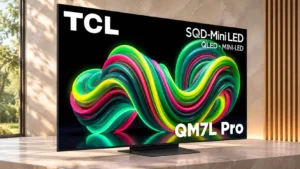
Overall: 4.1/5
The slim body sits close to the wall and the side-facing inputs are relatively accessible even after mounting.
Pros: picture quality, black levels
Cons: viewing angles, motion clarity

Overall: 4.1/5
The large display looks attractive on a standard VESA bracket, but recessed inputs and a fixed cable make installation less convenient.
Pros: gaming performance, HDR brightness
Cons: reflection handling, glare resistance

Overall: 4.0/5
The flat back and flush-mount design allow a tidy, close-to-the-wall installation.
Pros: peak brightness, picture quality
Cons: value for money, viewing angles

Overall: 4.3/5
Standard VESA compatibility and accessible side inputs make mounting straightforward.
Pros: picture quality, black levels
Cons: bass performance, HDR brightness

Overall: 4.1/5
Standard wall mounts and accessible side inputs make mounting practical, although an existing mount may need height adjustment.
Pros: overall satisfaction, value for money
Cons: Smart TV platform, advertising intrusiveness

Overall: 3.3/5
Wall mounting is generally straightforward, but the set’s thickness can make it protrude more than expected. Some customers prefer wall mounting specifically to avoid the included stand.
Pros: picture quality, overall satisfaction
Cons: value for money, reliability

Overall: 2.7/5
Its light, relatively slim body is easy to mount, although backward-facing ports make cable hookup awkward.
Pros: white balance accuracy, design and appearance
Cons: overall satisfaction, value for money

Overall: 4.1/5
The thin panel looks excellent on a wall, but larger sizes are heavy and delicate enough to justify professional installation.
Pros: picture quality, gaming performance
Cons: value for money, sound quality

Overall: 4.0/5
The surprisingly slim chassis is attractive on a wall, but weight and screen size make installation a serious job.
Pros: peak brightness, blooming control
Cons: value for money, motion clarity
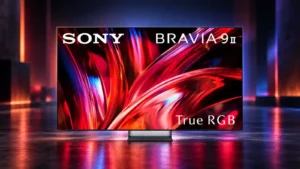
Overall: 4.3/5
The flat rear panel allows a neat wall-mounted installation that should sit close to the wall.
Pros: overall satisfaction, overall image accuracy
Cons: value for money, bass performance
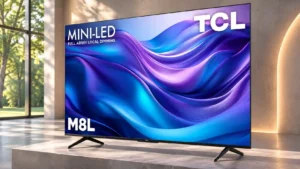
Overall: 4.1/5
The straightforward styling looks tidy whether the TV is on its stand or mounted on a wall.
Pros: value for money, overall satisfaction
Cons: HDR brightness

Overall: 3.9/5
The VESA mounting position sits lower than usual but remains practical and leaves room for the speaker system.
Pros: peak brightness, picture quality
Cons: color accuracy, viewing angles

Overall: 4.4/5
Side-facing connections remain accessible after mounting, making wall installations less frustrating.
Pros: picture quality, value for money
Cons: stand quality, judder handling

Overall: 4.0/5
The set can be mounted using standard VESA hardware, but recessed ports are harder to reach when installed flush against a wall.
Pros: black levels, picture quality
Cons: glare resistance, reflection handling

Overall: 3.8/5
The included two-bracket mount achieves an elegant flush finish but needs accurate alignment and suitable wall support.
Pros: cable management, design and appearance
Cons: value for money, Dolby Vision support
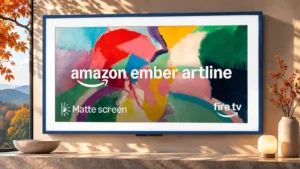
Overall: 3.4/5
The supplied wall mount makes an art-focused installation possible, but the heavier chassis and precise hook alignment can make mounting tricky.
Pros: art display mode, picture quality
Cons: contrast ratio, high-refresh-rate gaming

Overall: 2.6/5
The screen can be wall mounted, but rear-facing sockets may require specialized adapters to sit close to a wall.
Pros: sound quality, picture quality
Cons: value for money, local dimming performance

Overall: 3.8/5
Wall installation is possible, although the slightly deeper chassis projects farther from the wall than slimmer alternatives.
Pros: overall satisfaction, color gamut
Cons: value for money, local dimming performance

Overall: 3.7/5
The slim chassis looks appealing on a wall, although reaching rear inputs can be awkward and one long-term user flagged heat concerns.
Pros: color volume, overall satisfaction
Cons: value for money, color accuracy

Overall: 3.1/5
Wall mounting is feasible, but VESA patterns change by size and recessed inputs are difficult to reach afterward.
Pros: picture quality, overall satisfaction
Cons: sound quality, black levels

Overall: 4.2/5
The frame makes the most visual sense mounted close to a wall, although mounting hardware and setup expectations vary.
Pros: picture quality, overall satisfaction
Cons: design and appearance, Dolby Vision support

Overall: 3.8/5
Wall mounting is possible, but the thicker rear profile looks less sleek than TCL's slimmer SQD flagship.
Pros: picture quality, overall satisfaction
Cons: color crosstalk, value for money

Overall: 4.0/5
The television can be mounted, but backward-facing HDMI ports may require angled adapters for a close-to-wall installation.
Pros: contrast ratio, black levels
Cons: reflection handling, color accuracy

Overall: 3.8/5
VESA mounting is supported, but downward and rear-facing inputs are awkward to access after installation. Connect eARC and other essential cables first.
Pros: HDMI 2.1 port count, overall satisfaction
Cons: HDR performance, bass performance

Overall: 4.1/5
The large, thick cabinet may protrude farther from the wall than slimmer OLED alternatives.
Pros: peak brightness, picture quality
Cons: value for money, color accuracy
Overall: 4.2/5
The relatively thick chassis is a poor fit for buyers who want a flush, ultra-slim wall installation.
Pros: overall satisfaction, picture quality
Cons: HDMI 2.1 port count, reflection handling

Overall: 4.5/5
The thin panel looks wall-mount friendly, but the thicker rear electronics section can leave a visible gap at the edges.
Pros: glare resistance, black levels
Cons: Dolby Vision support, color gamut

Overall: 3.1/5
Wall mounting is possible, but rear-facing and rotated connections make a tight installation impractical.
Pros: gaming performance, color accuracy
Cons: value for money, overall satisfaction