
Overall: 4.5/5
Menus and settings generally respond quickly, making inputs, apps and gaming controls easy to reach.
Pros: glare resistance, black levels
Cons: Dolby Vision support, color gamut

Overall: 4.5/5
Menus and settings generally respond quickly, making inputs, apps and gaming controls easy to reach.
Pros: glare resistance, black levels
Cons: Dolby Vision support, color gamut
Overall: 4.2/5
The revised layout and quick settings respond rapidly, making common adjustments less cumbersome.
Pros: picture quality, overall satisfaction
Cons: design and appearance, Dolby Vision support
Overall: 4.1/5
The faster processor makes settings and navigation feel snappy, with useful quick menus that avoid interrupting playback.
Pros: picture quality, gaming performance
Cons: value for money, sound quality
Overall: 3.8/5
Apps and menus respond promptly, keeping routine navigation smooth.
Pros: picture quality, color accuracy
Cons: HDR performance, sound quality
Overall: 3.8/5
Everyday UI interactions feel quick and snappy, especially compared with older Tizen implementations.
Pros: overall satisfaction, color gamut
Cons: value for money, local dimming performance
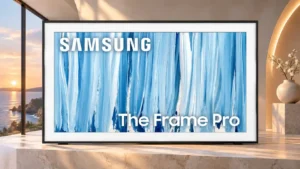
Overall: 3.8/5
The updated menu can feel quick and fluid, although other testing encountered sluggish startup and laggy remote responses.
Pros: cable management, design and appearance
Cons: value for money, Dolby Vision support
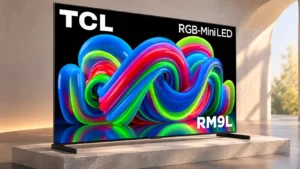
Overall: 3.8/5
Navigation is snappy, with Google TV responding quickly to directional inputs.
Pros: picture quality, overall satisfaction
Cons: color crosstalk, value for money

Overall: 4.4/5
webOS is usually intuitive and quick, especially with the pointer remote, though occasional settings-menu sluggishness remains.
Pros: picture quality, peak brightness
Cons: value for money, sound quality
Overall: 4.3/5
Menus are generally quick and accessible, with brief delays mostly limited to occasional application changes.
Pros: picture quality, black levels
Cons: bass performance, HDR brightness
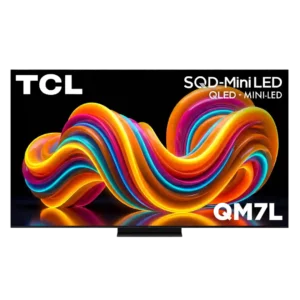
Overall: 3.9/5
Quick settings, picture controls, and inputs are easy to reach without interrupting content for long.
Pros: peak brightness, picture quality
Cons: color accuracy, viewing angles
Overall: 4.1/5
Menus operate quickly, helping the interface feel responsive during ordinary use.
Pros: contrast ratio, value for money
Cons: peak brightness, HDR brightness

Overall: 4.4/5
Quick settings make common adjustments easy without leaving the program. A few deeper settings add extra steps, but general navigation is responsive.
Pros: picture quality, value for money
Cons: stand quality, judder handling

Overall: 3.1/5
The webOS lower menu bar moves smoothly and quickly enough for routine navigation.
Pros: design and appearance, maximum volume
Cons: picture quality, value for money
Overall: 4.0/5
Switching inputs and settings is intuitive.
Pros: black levels, picture quality
Cons: glare resistance, reflection handling
Overall: 3.8/5
Google TV navigation feels quick and intuitive during normal operation. More severe reliability problems were noted in another test, so speed is not the entire story.
Pros: HDMI 2.1 port count, Video input versatility
Cons: value for money, overall satisfaction
Overall: 4.2/5
Navigation is usually quick, with occasional slower responses or extra clicks in deeper menus.
Pros: overall satisfaction, glare resistance
Cons: motion handling, viewing angles
Overall: 3.8/5
Tizen is generally fast and smooth, with occasional back-navigation delays or pauses during heavier interface activity.
Pros: picture quality, contrast ratio
Cons: blooming control, glare resistance
Overall: 4.2/5
Quick Settings and My Cinema make common adjustments easy to reach, although deeper picture controls can feel layered or confusing.
Pros: overall satisfaction, picture quality
Cons: HDMI 2.1 port count, reflection handling
Overall: 3.7/5
The new home-screen navigation is quicker and clearer, although some settings still sit behind too many layers.
Pros: color volume, overall satisfaction
Cons: value for money, color accuracy
Overall: 3.8/5
Navigation is generally quick, and several users report smooth animation. A few occasional stutters and slower source changes keep it from being flawless.
Pros: HDMI 2.1 port count, overall satisfaction
Cons: HDR performance, bass performance
Overall: 4.1/5
Google TV responds quickly, but deeper audio and gaming controls are not always easy to reach.
Pros: peak brightness, picture quality
Cons: value for money, color accuracy
Overall: 2.7/5
Tizen navigation generally feels manageable, but some owners of the interface find it sluggish or busy.
Pros: white balance accuracy, design and appearance
Cons: overall satisfaction, value for money
Overall: 4.3/5
The menu layout is generally intuitive and easy to work through once the picture-mode structure is understood.
Pros: overall satisfaction, overall image accuracy
Cons: value for money, bass performance
Overall: 4.1/5
Reaching streaming apps is quick enough to keep everyday navigation uncomplicated.
Pros: value for money, overall satisfaction
Cons: HDR brightness

Overall: 4.0/5
Menus are largely responsive and shortcuts are handy, although the many picture controls can feel busy.
Pros: peak brightness, blooming control
Cons: value for money, motion clarity
Overall: 3.8/5
Reorganized menus make common controls faster to reach. The B6 can feel less snappy than the C6.
Pros: value for money, peak brightness
Cons: color accuracy, stand quality
Overall: 4.0/5
The redesigned webOS layout is easier to navigate, though some operation can feel sluggish as the software becomes more demanding.
Pros: contrast ratio, black levels
Cons: reflection handling, color accuracy
Overall: 4.1/5
The basic navigation is intuitive enough, but certain detailed picture and sound adjustments are hidden behind playback-specific menus.
Pros: overall satisfaction, value for money
Cons: Smart TV platform, advertising intrusiveness
Overall: 3.1/5
The smart interface is often smooth once open, but startup and full-screen transitions can feel sluggish.
Pros: picture quality, overall satisfaction
Cons: sound quality, black levels
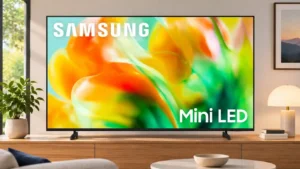
Overall: 3.1/5
Tizen generally feels fast and well organized, but occasional lag and unresponsive commands interrupt navigation.
Pros: gaming performance, color accuracy
Cons: value for money, overall satisfaction
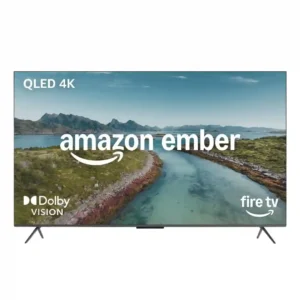
Overall: 3.3/5
Menu response is inconsistent across owners. Some units feel fast and high-end, while others need repeated clicks or pause for several seconds before reacting.
Pros: picture quality, overall satisfaction
Cons: value for money, reliability
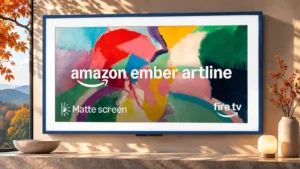
Overall: 3.4/5
Some find the redesigned navigation quicker and cleaner, while others encounter sluggish reactions and temporary freezes.
Pros: art display mode, picture quality
Cons: contrast ratio, high-refresh-rate gaming
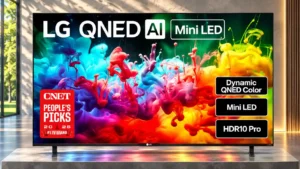
Overall: 3.4/5
Some navigation is fluid, but other use reports describe noticeable delays, especially with the included remote.
Pros: picture quality, color accuracy
Cons: remote control quality, black levels
Overall: 2.9/5
Basic settings can open promptly, but some menus fail to populate and the home interface sometimes lags.
Pros: value for money, picture quality
Cons: account requirements, gaming performance
Overall: 2.6/5
Menu transitions and button presses can feel sluggish, with app and page loading slower than on higher-end TVs.
Pros: sound quality, picture quality
Cons: value for money, local dimming performance