
Overall: 4.4/5
The panel is consistently even across the screen, without the gray banding or dirty-screen effect seen on some rivals.
Pros: brightness, value for money
Cons: port selection, built-in speakers

Overall: 4.4/5
The panel is consistently even across the screen, without the gray banding or dirty-screen effect seen on some rivals.
Pros: brightness, value for money
Cons: port selection, built-in speakers

Overall: 4.4/5
Color and luminance uniformity are near-flawless, with only minor measured deviation across the panel. The default corner-uniformity setting should be left at its highest level.
Pros: brightness, reflection handling
Cons: cable management
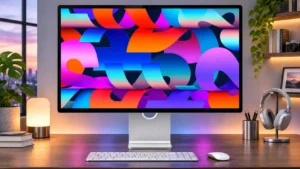
Overall: 3.7/5
Brightness is even across the panel, supporting consistent viewing and creative work.
Pros: Monitor daisy-chaining, overall picture quality
Cons: value for money, refresh rate

Overall: 4.2/5
One detailed test found excellent overall uniformity with a minor corner deviation, while normal use showed little disturbing variation.
Pros: refresh rate, HDR performance
Cons: value for money, Device compatibility

Overall: 4.4/5
One owner-style review found the display reasonably uniform, without an obvious pattern drawing attention during use.
Pros: port selection, color accuracy
Cons: built-in speakers, speaker quality
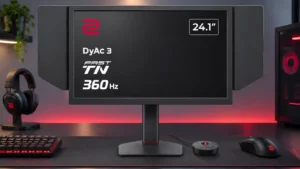
Overall: 3.8/5
A hands-on reviewer found the TN panel pleasantly even in dark areas, complementing the overall clean presentation.
Pros: competitive gaming suitability, motion clarity
Cons: contrast, overall picture quality

Overall: 4.1/5
The OLED panel exhibits highly even color and illumination without familiar LCD backlight problems.
Pros: PC gaming compatibility, reflection handling
Cons: color accuracy, VRR flicker

Overall: 4.4/5
Most testing found consistent color and good uniformity, though some measurements showed dimmer corners or minor dark-gray banding.
Pros: refresh rate, Text fringing
Cons: Resolution, GPU demands

Overall: 4.5/5
Screen-wide consistency is generally excellent, with little dirty-screen effect, though faint banding can appear in dark material.
Pros: color gamut, contrast
Cons: value for money, Resolution

Overall: 4.2/5
Several testers see excellent consistency and clean panels, particularly in controlled modes. One lab finds noticeable edge dimming outside the uniform-brightness and sRGB presets.
Pros: overall satisfaction, black levels
Cons: value for money, stand adjustability

Overall: 3.9/5
Several hands-on units have impressively smooth dark grays, but reports of dirty-screen texture and intermittent horizontal banding show unit variation.
Pros: brightness, color gamut
Cons: AI scene optimization, value for money

Overall: 4.1/5
Most tested samples showed little distracting banding in routine use, though dark-gray banding can vary between panels or modes.
Pros: Resolution, overall satisfaction
Cons: value for money, Image scaling

Overall: 3.8/5
The panel is generally even-looking in the limited uniformity assessments, with small warm-tone variations noted.
Pros: value for money, panel type
Cons: brightness, port selection

Overall: 4.0/5
Most testers saw excellent or good uniformity, but others noticed darker edges or vignetting on plain white backgrounds.
Pros: Resolution, Dual-mode versatility
Cons: value for money, GPU demands

Overall: 4.3/5
Dark-gray banding is modest compared with several earlier Tandem WOLEDs, but some samples show edge darkening, faint dirty-screen effect or tonal shifts.
Pros: black levels, sharpness
Cons: value for money, brightness

Overall: 4.3/5
Uniformity varies by sample and measurement method. Several units were reasonably consistent for such a huge panel, while one showed a pronounced brightness difference and others had weaker corners.
Pros: productivity versatility, overall satisfaction
Cons: value for money, response time

Overall: 4.3/5
The panel largely avoids older WOLED gray banding, though some samples show side tinting and edge vignetting. A firmware option can eliminate protective CPC dimming, not all innate differences.
Pros: overall satisfaction, Text fringing
Cons: brightness, Edge dimming behavior

Overall: 4.1/5
Findings differ: one tester saw mostly even color and brightness, while another sample had conspicuous gray-screen texture.
Pros: competitive gaming suitability, refresh rate
Cons: Dual-mode versatility, GPU demands

Overall: 3.5/5
Several tests found edge darkening or patchiness on plain backgrounds, while another owner praised the absence of the blue blotches seen on rivals.
Pros: Resolution, sharpness
Cons: value for money, HDR performance